PowerPoint 2013 Articles - Page 8 of 25


Learn PowerPoint 2013 for Windows: Caveats in Exporting Videos Learn PowerPoint 2013 for Windows: Caveats in Exporting Videos
May 6th, 2014


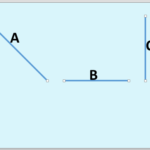
Learn PowerPoint 2013 for Windows: Change a Diagonal Line to a Horizontal / Vertical Line Learn PowerPoint 2013 for Windows: Change a Diagonal Line to a Horizontal / Vertical Line
August 27th, 2014


Learn PowerPoint 2013 for Windows: Change Background Styles for Slide Layouts
May 26th, 2015


Learn PowerPoint 2013 for Windows: Change Background Styles in the Slide Master Learn PowerPoint 2013 for Windows: Change Background Styles in the Slide Master
May 22nd, 2015


Learn PowerPoint 2013 for Windows: Change between SmartArt Graphic Layouts (Types)
August 26th, 2014


Learn PowerPoint 2013 for Windows: Change Bullet Styles Learn PowerPoint 2013 for Windows: Change Bullet Styles
January 8th, 2015


Learn PowerPoint 2013 for Windows: Change Bulleted List to Numbered List Learn PowerPoint 2013 for Windows: Change Bulleted List to Numbered List
January 20th, 2015


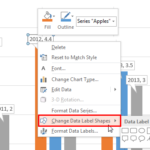
Learn PowerPoint 2013 for Windows: Change Callout Shapes for Data Labels Learn PowerPoint 2013 for Windows: Change Callout Shapes for Data Labels
September 8th, 2014


Learn PowerPoint 2013 for Windows: Change Colors for a SmartArt Graphic
August 27th, 2014


Learn PowerPoint 2013 for Windows: Change Connector Color Learn PowerPoint 2013 for Windows: Change Connector Color
May 2nd, 2014


Learn PowerPoint 2013 for Windows: Change Connector Type
April 28th, 2014


Learn PowerPoint 2013 for Windows: Change Layout of Organization Chart
September 15th, 2014


Learn PowerPoint 2013 for Windows: Change Major and Minor Units of Value Axis Learn PowerPoint 2013 for Windows: Change Major and Minor Units of Value Axis
November 27th, 2014


Learn PowerPoint 2013 for Windows: Change One Shape to Another Learn PowerPoint 2013 for Windows: Change One Shape to Another
August 15th, 2013


Learn PowerPoint 2013 for Windows: Change Order of Chart Data Series
September 2nd, 2014


Learn PowerPoint 2013 for Windows: Change Ribbon Labels from CAPs to Title Case
February 7th, 2013


Learn PowerPoint 2013 for Windows: Change Shapes within a SmartArt Graphic
September 1st, 2014


Learn PowerPoint 2013 for Windows: Change Slide Layout Learn PowerPoint 2013 for Windows: Change Slide Layout
May 3rd, 2013


Learn PowerPoint 2013 for Windows: Change Text Case
April 9th, 2015


Learn PowerPoint 2013 for Windows: Change the Default Shape Attributes
December 13th, 2013


Learn PowerPoint 2013 for Windows: Change the Default Template or Theme Learn PowerPoint 2013 for Windows: Change the Default Template or Theme
April 15th, 2014


Learn PowerPoint 2013 for Windows: Change the Numbered List Style Learn PowerPoint 2013 for Windows: Change the Numbered List Style
January 21st, 2015


Learn PowerPoint 2013 for Windows: Changing Axis Labels Learn PowerPoint 2013 for Windows: Changing Axis Labels
November 28th, 2014


Learn PowerPoint 2013 for Windows: Changing Chart Types
October 14th, 2013


Learn PowerPoint 2013 for Windows: Changing Color for Negative Data Series within Charts
July 10th, 2014


Page 1 Page 6 Page 7 Page 8 Page 9 Page 10 Page 25


Microsoft and the Office logo are trademarks or registered trademarks of Microsoft Corporation in the United States and/or other countries.

Plagiarism will be detected by Copyscape

© 2000-2026, Geetesh Bajaj - All rights reserved.

since November 02, 2000