PowerPoint 2013 Articles - Page 6 of 25


Learn PowerPoint 2013 for Windows: Add Secondary Value Axis to Charts
December 2nd, 2014


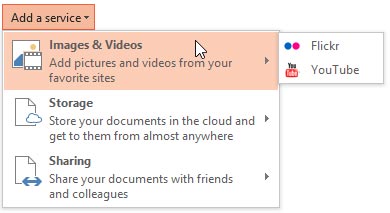
Learn PowerPoint 2013 for Windows: Add Services Learn PowerPoint 2013 for Windows: Add Services
December 3rd, 2012


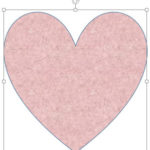
Learn PowerPoint 2013 for Windows: Add Texture Fills to Shapes Learn PowerPoint 2013 for Windows: Add Texture Fills to Shapes
November 4th, 2013


Learn PowerPoint 2013 for Windows: Add Your Logo or Graphic to the Slide Master
June 10th, 2015


Learn PowerPoint 2013 for Windows: Add, Edit, or Delete Comments Learn PowerPoint 2013 for Windows: Add, Edit, or Delete Comments
May 15th, 2014


Learn PowerPoint 2013 for Windows: Adding and Renaming Sections Learn PowerPoint 2013 for Windows: Adding and Renaming Sections
February 6th, 2015


Learn PowerPoint 2013 for Windows: Adding Animation Learn PowerPoint 2013 for Windows: Adding Animation
July 7th, 2014


Learn PowerPoint 2013 for Windows: Adding Commands to Custom Groups
February 4th, 2013


Learn PowerPoint 2013 for Windows: Adding More Guides Learn PowerPoint 2013 for Windows: Adding More Guides
April 23rd, 2013


Learn PowerPoint 2013 for Windows: Adding New Shapes to Existing Organization Charts Learn PowerPoint 2013 for Windows: Adding New Shapes to Existing Organization Charts
September 12th, 2014


Learn PowerPoint 2013 for Windows: Adjust the Chart Gap Width Learn PowerPoint 2013 for Windows: Adjust the Chart Gap Width
July 7th, 2014


Learn PowerPoint 2013 for Windows: Adjust the Chart Series Overlap
July 17th, 2014


Learn PowerPoint 2013 for Windows: Advanced Eyedropper Options Learn PowerPoint 2013 for Windows: Advanced Eyedropper Options
May 27th, 2013


Learn PowerPoint 2013 for Windows: Advanced Glow Options Learn PowerPoint 2013 for Windows: Advanced Glow Options
December 2nd, 2013


LAdvanced Reflection Options in PowerPoint 2016 for Windows Learn PowerPoint 2013 for Windows: Advanced Reflection Options
November 27th, 2013


Learn PowerPoint 2013 for Windows: Advanced Shadow Effect Options Learn PowerPoint 2013 for Windows: Advanced Shadow Effect Options
November 25th, 2013


Learn PowerPoint 2013 for Windows: Advanced Soft Edges Options Learn PowerPoint 2013 for Windows: Advanced Soft Edges Options
December 4th, 2013


Learn PowerPoint 2013 for Windows: Advanced Text Transforms
April 28th, 2015


Learn PowerPoint 2013 for Windows: Align and Distribute Pictures
October 31st, 2014


Learn PowerPoint 2013 for Windows: Align Shapes Learn PowerPoint 2013 for Windows: Align Shapes
September 6th, 2013


Learn PowerPoint 2013 for Windows: Align Text within Shapes / Text Boxes
February 14th, 2014


Learn PowerPoint 2013 for Windows: Animate Charts
July 29th, 2014


Learn PowerPoint 2013 for Windows: Animate Text Learn PowerPoint 2013 for Windows: Animate Text
July 30th, 2014


Learn PowerPoint 2013 for Windows: Animate Ungrouped Tables
July 15th, 2014


Learn PowerPoint 2013 for Windows: Animating Slide Objects While Media is Playing Learn PowerPoint 2013 for Windows: Animating Slide Objects While Media is Playing
March 9th, 2015


Page 1 Page 4 Page 5 Page 6 Page 7 Page 8 Page 25


Microsoft and the Office logo are trademarks or registered trademarks of Microsoft Corporation in the United States and/or other countries.
Plagiarism will be detected by Copyscape

© 2000-2026, Geetesh Bajaj - All rights reserved.

since November 02, 2000