
This is the print version of this page. All content is copyright Indezine.com 2000-2026.
Thoughts and impressions of happenings in the world of PowerPoint and presentations, continuously updated since 2003.
See Also:
PowerPoint and Presenting Notes
PowerPoint and Presenting Glossary

Claudyne Wilder is an acclaimed speaker, coach, published author, and creator of two seminars: Winning Presentations Seminar and Creating PowerPoint Presentations That Get Your Point Across. She trains executives, entrepreneurs, and professionals in the world’s leading companies on how to present their messages and share their stories coherently and passionately. She brings a unique and invigorating perspective to her work from her years of studying the Argentine Tango.
She discusses her book: Point, Click & Wow in this Indezine exclusive interview.
Geetesh: What did you add to the new edition of your new book, Point, Click & Wow, and why did you add it?

Claudyne: I am frequently asked to coach managers who I’m told just can’t speak to senior staff with enough authority and credibility. I added a chapter called Demonstrate Executive Presence. This chapter tells you the differences you need to be aware of when speaking to executives. This information is based on my own coaching of clients who spend their days speaking to executives, as well as quotes from executives sharing what they’d like from presenters. The comments by these executives will motivate my readers to focus on the presentation skill set they need in order to convince upper management.
I also included the five paths to persuasion from the book The 5 Paths to Persuasion: The Art of Selling Your Message by Gary Williams and Robert Miller. I share their information on what is the best way to present to each particular path, plus provide ideas about the slides that each type prefers.
Geetesh: What’s one key to presenting to executives?
Claudyne: The presenter needs to give an executive summary of the whole talk. This is a one slide summary of the most important content in the talk. Executives do not want to wait until the end of the ten to twenty minutes to hear your recommendation. They want all the relevant information right up front at the beginning of the talk. My clients love this structure. They get wonderful feedback from the executives when they use it.
Geetesh: What three big problems have you seen with your clients that you addressed in your book?
Claudyne: Here are three big problems explored in the book.
My clients tell me they feel so much more confident and do such a better job when they really rehearse out loud. Presenters, who do not rehearse out loud before a talk, do not understand the importance of doing what I call a “real rehearsal.” So, in chapter 7, I give them a short and simple process on how to rehearse out loud. I tell them the behaviors to practice. I tell them how to use the rehearse timings in PowerPoint. I provide a rehearsal critique form for the colleagues who listen to the rehearsal talk.
My clients get so excited when they see these images. They start rearranging and cutting their content. In chapter 4, I provide a library of images that the readers can use over and over again in their actual slide presentations. This chapter shows images to use instead of putting line after line of text. It also shows how to “chunk” or arrange information into meaningful bites so that it can be shown in a more organized manner.
A client sent me a note recently telling me that he was able to put a talk together in half the time by using my processes. I call Point, Click & Wow! The Habits and Techniques of Successful Presenters Your Presentation Coach in a Book. I wrote it in the order of how I coach my clients. I want someone to pick up the book, start at chapter 1, and use each chapter as a guide on how to go about putting together a fabulous talk in the shortest amount of time possible.
Geetesh: If you could have a client just do one idea you suggest, what would that be?
Claudyne: I wish my clients would tell more stories and share less data. Stories give something to the audience they can go tell others. When told with enthusiasm, stories are easy to remember. They enable the presenter to speak more dynamically and emotionally, and also engage the emotions of those listening. I tell my readers how to create a plot to go with the story. When my clients use the story process, they start to tell relevant and motivating stories to their audiences.
The views and opinions expressed in this blog post or content are those of the authors or the interviewees and do not necessarily reflect the official policy or position of any other agency, organization, employer, or company.
Filed Under:
Interviews
Tagged as: Books, Claudyne Wilder, Interviews, PowerPoint
Comments Off on Point, Click & Wow!: Conversation with Claudyne Wilder
In an unprecedented promotion, the Mac Observer reported that, “Microsoft is offering a special 70 percent discount on Office 2008 for Mac: Special Media Edition on Thursday, November 27 and Friday, November 28. Shoppers will receive an instant US$350 rebate when they purchase the Office suite on the U.S. Thanksgiving holiday, or on Black Friday from Apple retailers, Best Buy, or Amazon.”

In addition, “Microsoft will also offer a special 50 percent holiday discount on after November 28 through the end of the year.”
Filed Under:
Apple Mac OS
Tagged as: Office for Mac, PowerPoint
Comments Off on Office for Mac: Black Friday Discount
We explained what animation is, and what guidelines you need to follow before you add an animation to a slide object in PowerPoint. You can add animation to any slide object in PowerPoint. These include text, charts, shapes, pictures, clip art, etc.

Learn how you can add animation to slide objects in PowerPoint 2007, 2003, and 2002 for Windows.
Filed Under:
PowerPoint 2002, PowerPoint 2003, PowerPoint 2007
Tagged as: Animation, PowerPoint, PowerPoint 2002, PowerPoint 2003, PowerPoint 2007, Tutorials
Comments Off on Adding Animation in PowerPoint 2007, 2003, and 2002 for Windows

John Wilson is a Microsoft PowerPoint MVP who creates some cool add-ins for PowerPoint. He participates in the PowerPoint newsgroups and runs the PPTAlchemy site. John is based out of the UK, and his newest add-in brings back the pattern fills that were removed from PowerPoint 2007.
In this discussion, John discusses the Pattern Fills Add-in product.
Geetesh: Tell us more about your Pattern Fills add-in for PowerPoint 2007, and what motivated you to create this add-in.
John: While answering questions on the PowerPoint newsgroup, I noticed a fair number of questions about how to use pattern fills in PowerPoint 2007. The most usual answer was to create a texture fill that mimicked the old pattern fills, and for a while, this was my solution also. However, it isn’t totally satisfactory, and even if you create the fills carefully, the final product isn’t really the same.
When I noticed that pattern fills still existed in Word 2007, I posted a tutorial on how to use them to create proper pattern fills in PowerPoint 2007. Pretty soon, I was getting 4 to 5 emails a day mainly thanking, so there is clearly a desire to use them!
In-house, we were using VBA to create the fills but VBA code is a little scary for many users, and we didn’t have the knowledge at that time to create a Ribbon tab or group in PowerPoint 2007 to make the code simple to use. When I read an article by Eric Patterson, I realized that it would be easy to adapt his Excel Ribbon to PowerPoint, and Pattern Fills was a reality!
It’s a totally free add-in and available on our site.

Geetesh: Who are the folks who miss the Pattern Fills? And why are the Pattern Fills so special?
John: Mostly, they seem to be people who need to print diagrams and charts in black and white. The pattern fills do make it much easier to identify parts of the diagram and usually print out much clearer than textures and gradients.
Everyone who writes in now wants to know how to get pattern fills in graphs in 2007! So far, I don’t think this can be done as the object model doesn’t expose the new graphing engine. One answer is to switch back to the old MS Graph from earlier versions of PowerPoint temporarily. You can do this with a registry hack. Steve Rindsberg has a tutorial on his site here.
The views and opinions expressed in this blog post or content are those of the authors or the interviewees and do not necessarily reflect the official policy or position of any other agency, organization, employer, or company.
Filed Under:
Interviews
Tagged as: Add-in, Interviews, John Wilson, PowerPoint, Steve Rindsberg
Do you work on PowerPoint for Windows and often need to share presentations with someone who uses a Mac? Or do you work in a cross-platform environment where both Windows and Mac machines exist? Or maybe, you have one of those new Macs that allow you to boot to both Windows and Mac OSs – and you want your PowerPoint presentations to look, play, and print the same all the time – irrespective of whether you are using a computer running Windows or a Mac.
Cross-platform hiccups happen for more than one reason – it’s not unusual for the same company to have both Windows and Mac machines, or there might be a requirement to create an important presentation that needs to be compatible with whatever platform a client has. It might be that the designer hired to create a presentation or a template might use a Mac when the presenter is using a Windows machine, or even vice versa. Regardless, the differences between the Windows and Mac versions of PowerPoint have been giving presenters a fair share of problems.
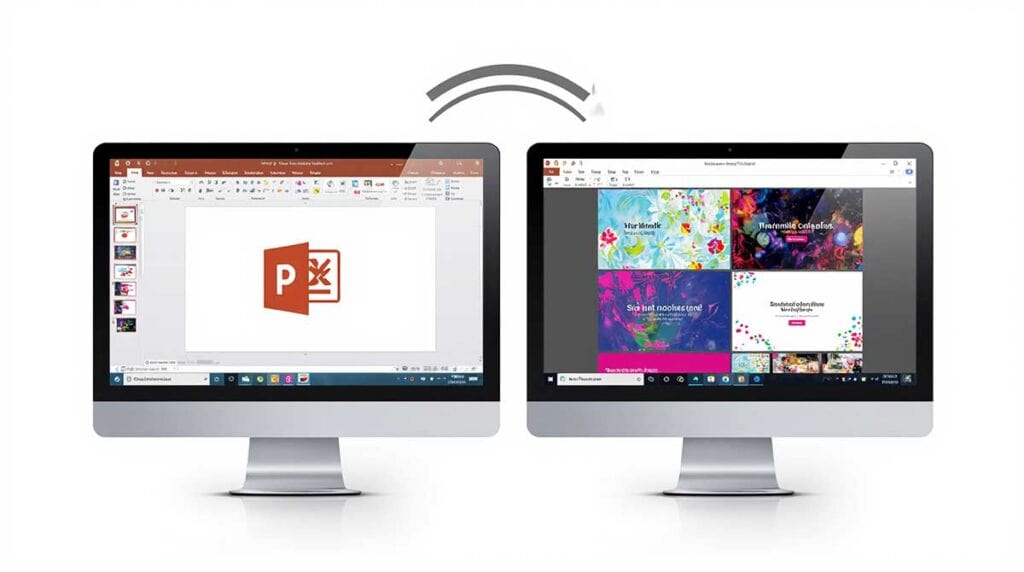
Read more about being cross-platform compatible with PowerPoint.
Filed Under:
Microsoft Office
Tagged as: Microsoft Office, Office for Mac, PowerPoint
Comments Off on Cross Platform PowerPoint
Microsoft and the Office logo are trademarks or registered trademarks of Microsoft Corporation in the United States and/or other countries.