
This is the print version of this page. All content is copyright Indezine.com 2000-2026.
Thoughts and impressions of happenings in the world of PowerPoint and presentations, continuously updated since 2003.
See Also:
PowerPoint and Presenting Notes
PowerPoint and Presenting Glossary
Freepath, Inc., today launched the public beta of its Freepath 2.0 playlist application, and its companion myFreepath content sharing community site—both are free services, and allow you to combine your PowerPoint presentations in a playlist that seamlessly integrates many other media and document file formats apart from websites and web services.
Figure 1, below, shows the Freepath site announcing the beta.
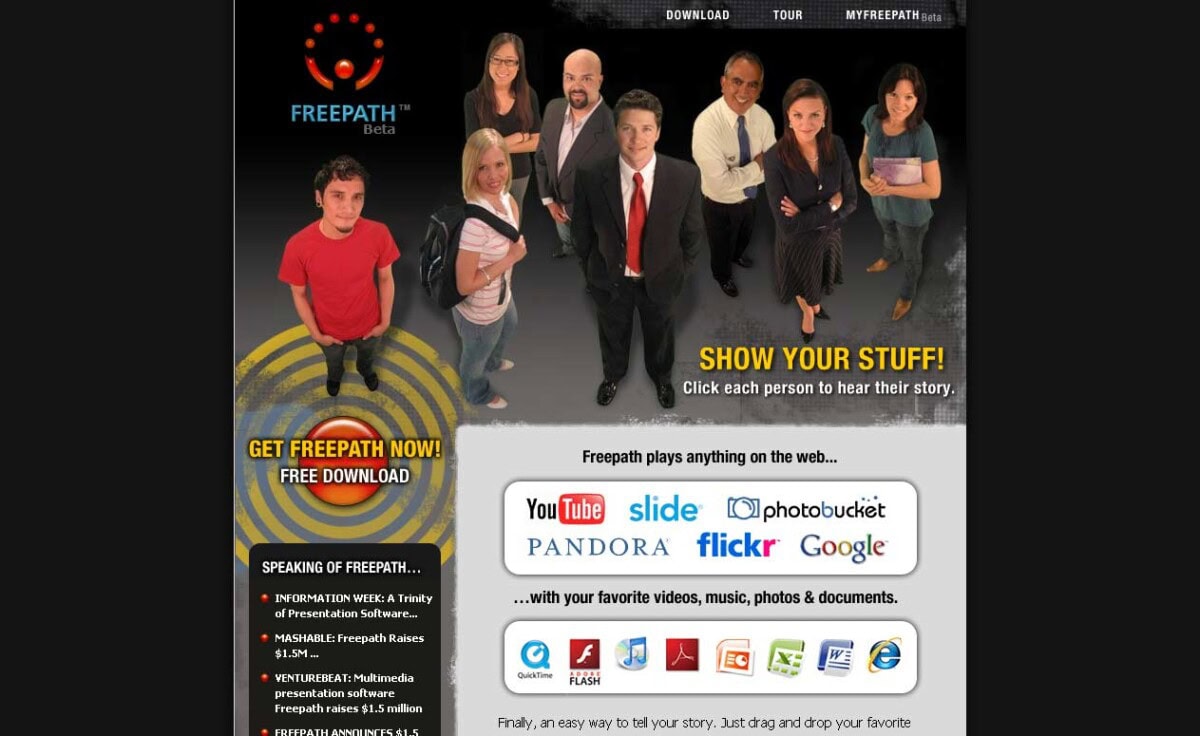
Figure 1: The Freepath site
Indezine has been promoting version 1 of Freepath as a free download for more than a year now, and we’ll soon provide you with more coverage on Freepath 2. Figure 2, below, shows you the interface for Freepath 2 Beta.
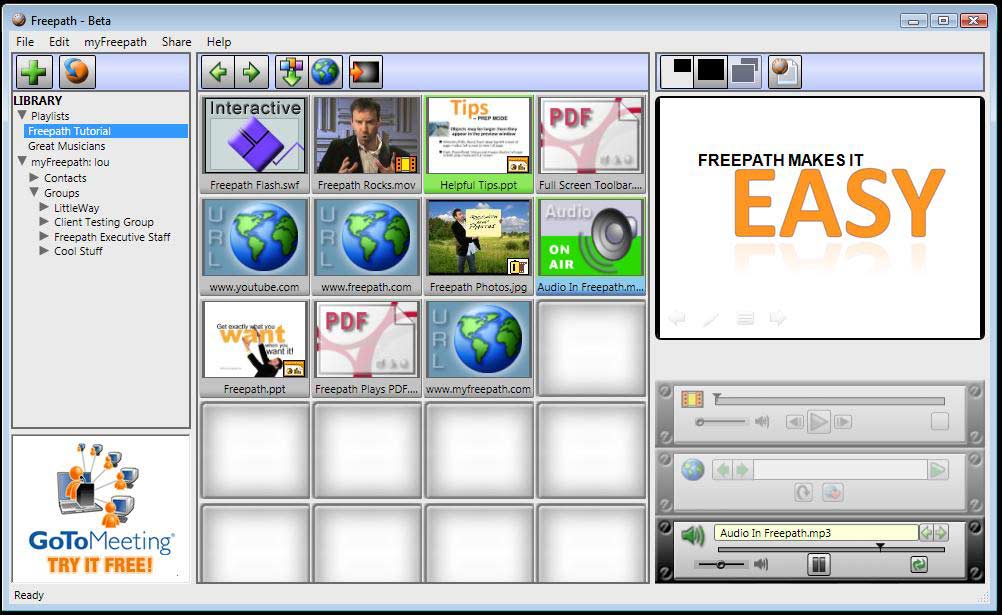
Figure 2: Freepath 2 Beta Interface
Users can package and share Freepath playlists through the myFreepath community site. All beta users get up to 100 MB of free storage space to enable a viral exchange of playlists and content. Figure 3, below, shows you the myFreepath site.

Figure 3: myFreepath homepage
Filed Under:
Companion Programs
Tagged as: Companion Programs, Freepath, Online Presentations, Playlists, PowerPoint
Comments Off on Freepath 2.0 Beta Available for Free Download
SlideBoom is a website where you can upload your PowerPoint presentations. At the back-end, a PowerPoint to Flash converting engines makes Flash movies of all your PowerPoint slides. Each uploaded presentation is provided with a page URL that you can share with others who want to see your presentation.
That was an easy introduction to SlideBoom. In a series of subsequent posts, we will look at several options that SlideBoom provides, including how you can join SlideBoom, upload your presentations, share your uploaded presentations, etc. You can keep track of all these posts here.
Figure 1, below, shows you the SlideBoom homepage. To get to this page, you need to visit the SlideBoom link in your web browser.

Figure 1: The SlideBoom homepage
SlideBoom is from iSpring Solutions, Inc., the same folks who create the iSpring range of PowerPoint to Flash conversion software. Read our review on iSpring Pro 3.5.
In our next post on SlideBoom, we’ll show you how you can join as a member. Membership is free and allows you to upload your own PowerPoint presentations to the SlideBoom site.
Filed Under:
Companion Programs
Tagged as: iSpring, Online Presentations, PowerPoint, PowerPoint Flash, SlideBoom
Comments Off on About SlideBoom

Scott Schwertly is an epic storyteller. Today, he owns and operates Ethos3 Communications, an internationally renowned and award-winning presentation design and training company located in Nashville, TN. Scott works with a wide spectrum of clients that includes Fortune 100 companies, Silicon Valley start-ups, and various other organizations throughout the world. Scott has a B.A. in Communications and an M.B.A. from Harding University.
In this conversation, Scott talks about his new book, STORYbored.
Geetesh: What’s STORYbored? Is it a blog? Or an e-book, or both? Also, what is the raison d’être for STORYbored?
Filed Under:
Interviews
Tagged as: Design, Interviews, PowerPoint, Scott Schwertly, Storyboarding
Comments Off on STORYbored: Conversation with Scott Schwertly

It is not every day that an Indezine reader suggests a conversation with a presentation expert, shares some thoughts with her, and then she comes back with such a well-explained, balanced response. When you see something of this quality in an email, you know it should reach a larger audience.
This thread was started by T. L. Sanders, and the presentation expert here is Julie Terberg. As owner and principal designer at Terberg Design, Julie develops custom presentation solutions — unique for every client and purpose. Julie also conducts training sessions for those who want to expand their skills. To find out more about Terberg Design, visit her site.
T. L. Sanders: I’m curious about your thoughts as an MVP on a possible design shift in PowerPoint presentations. I’ve watched over the last few years as people like Cliff Atkinson, Guy Kawasaki, Masayoshi Takahashi, and Steve Jobs, to name just a few, have advocated that the speaker is the storyteller, not PowerPoint. After this de-emphasis of bullet points, complex slides, and animations, did you have to change your business model or skill set to compensate?
I believe there is still a need for well-designed (emphasis on the word designed, not built) presentations (Flash or PowerPoint) for demos, kiosks, etc. However, I believe the current emphasis on solid visual design skills and crafting a story makes preparing presentations less about PowerPoint and more about content.
I work in an organization that unfortunately, bought into the Microsoft model of preparing presentations. Presenters typically try to cram as much information on the slide as possible, use a single corporate template, and read from the actual text of the slide as a script. Absolutely horrible and boring.
Julie: The “shift” you write about has been happening for longer than a few years and is MOST welcome. Instead of “giving” presentations, deliver a presentation that the audience “gets”. The focus becomes the audience – not the presentation (what do you want the audience to understand, remember, and take away from the talk?). An effective presentation takes all of this into consideration. It’s not enough to clean up poor content and make it look better.
My business model has not changed much over the last 10 years, as I’ve always specialized in custom-developed presentations. I receive scripts, notes, images, etc. from clients on the presentation content and flow – and then I storyboard a presentation from there. I’ve always emphasized simplicity over complexity. Design is my passion (Industrial Design education and 23+ years of experience in computer graphics). I worked backstage in business theaters, observing and learning all about the relationship between a powerful presenter, great visuals, and a grateful, receptive audience.
The key to change in your organization is education and awareness. If you’re responsible for cleaning up or formatting others’ presentations, you could be a catalyst for change. Share the knowledge you’ve learned from experts like Cliff Atkinson and Garr Reynolds (Presentation Zen). Get the book: Slide:ology by Nancy Duarte. The folks at your organization are simply unaware of what they’re doing wrong and keeping things status quo because they don’t realize this method of presenting is ineffective.
Tip: Take one presentation and redesign a few key visuals for better audience communication. Strip out the text on the slide and move it to the speaker notes, and design visual concepts to convey ideas. Share this with the presenter and show them how to use Presenter View so they have their notes visible while speaking. Yes, this method requires more preparation and rehearsal for the presenter – the time is well spent and the results worthwhile.
Another idea: get an expert to speak at your company about this topic.
And another: Attend PowerPoint Live this September in San Diego.
I understand and appreciate your frustration. Best wishes to you!
The views and opinions expressed in this blog post or content are those of the authors or the interviewees and do not necessarily reflect the official policy or position of any other agency, organization, employer, or company.
Filed Under:
Interviews
Tagged as: Delivery, Design, Interviews, Julie Terberg, PowerPoint
Comments Off on PowerPoint Design Shift: Conversation with Julie Terberg

Ellen Finkelstein is the author of several PowerPoint, Flash, and AutoCAD books. She has just released her new ebook called 101 Tips Every PowerPoint User Should Know.
Her company, Ellen Finkelstein, Inc., helps clients create presentations that communicate clearly and achieve their goals. She maintains a website that offers PowerPoint tips and a selection of free backgrounds.
Geetesh: Tell us what your new book is all about, and what inspired you to write this book?
 Ellen: 101 Tips Every PowerPoint User Should Know contains tips in 10 areas that are essential for using the program effectively and efficiently. For example, there are tips on text, AutoShapes, photos and clip art, charts, multimedia, delivery, and more. I saw that people who were using PowerPoint, often daily or weekly, had just opened it up and started using it, without ever taking a course or reading a book. As a result, they missed a lot of the efficiency techniques that make creating a presentation ever so much easier. For example, without knowing how to perfectly distribute objects, they would nudge them here and there and eyeball it. The result would be frustration and less-than-professional results. So, I thought that I’d fill in the gaps, for a quick pick-me-up, so to speak. The ebook is about 100 pages, with lots of clear instructions and figures, and it’s an easy read.
Even professionals have told me that they learned something from it.
Geetesh: What do you believe is the most important thing that any reader will gain from the book?
Ellen: Because it’s a list of 101 tips, there isn’t one important thing, but I think that readers will realize that if they’re spending a lot of time editing and formatting, there’s probably a better way. They’ll also learn how to get more professional results by using the tools that PowerPoint provides.
The views and opinions expressed in this blog post or content are those of the authors or the interviewees and do not necessarily reflect the official policy or position of any other agency, organization, employer, or company.
Filed Under:
Interviews
Tagged as: Books, Ellen Finkelstein, PowerPoint, Training
Comments Off on 101 Tips Every PowerPoint User Should Know: Conversation with Ellen Finkelstein
Microsoft and the Office logo are trademarks or registered trademarks of Microsoft Corporation in the United States and/or other countries.