
This is the print version of this page. All content is copyright Indezine.com 2000-2026.
Thoughts and impressions of happenings in the world of PowerPoint and presentations, continuously updated since 2003.
See Also:
PowerPoint and Presenting Notes
PowerPoint and Presenting Glossary

Terry Irwin is a consultant surgeon in Belfast, Northern Ireland working for the National Health Service (NHS). Terry is also a long-time PowerPoint user and co-author of a book on PowerPoint geared towards the designing of medical presentations.
In this interview, Terry discusses the use of PowerPoint in medicine, and his book.
Filed Under:
Interviews
Tagged as: Interviews, PowerPoint, Terry Irwin
Comments Off on The Terry Irwin Interview

Mike Pearce says the best history teachers in today’s schools will tell stories, make students relate to the people and events and use technology in order to do both. Starting in 2001, when he was teaching eighth grade, Pearce began integrating his own lesson plans into a PowerPoint system. “It hits every learning style. We live in an electronic age and kids are now very impressed by instruction that is more contemporary,” he said.
Read more on the Killeen Daily Herald site.
Filed Under:
Case Studies
Tagged as: Case Studies, Education, PowerPoint
Comments Off on Teacher Brings History To Present

Jeff Brenman is a graduate from Northwestern University where he studied psychology and business. It was pretty early on in his college experience that he became disenchanted with the conventional presentation styles and started to independently study the theory behind what makes great presentations great. It wasn’t long before he was helping out professors and student leaders on campus with their slide decks, eventually having a position created for himself with the university as a presentation design consultant.
He started a design firm called Apollo Ideas, based out of Chicago that specializes in presentation design and consulting.
Filed Under:
Interviews
Tagged as: Interviews, Jeff Brenman, PowerPoint, Presentation Samples, SlideShare
Comments Off on Apollo Ideas: Conversation with Jeff Brenman

Rick Altman is a presentation consultant based out of Pleasanton, CA. Rick is well known as the host of the annual PowerPoint Live event and has a strong sense of the needs of the presentation community.
In this conversation, Rick discusses his new book called Why Most PowerPoint Presentations Suck — and goes on to explain what goes wrong with many presentations.
Geetesh: Tell us more about your new book, and what prompted you to do such a book.
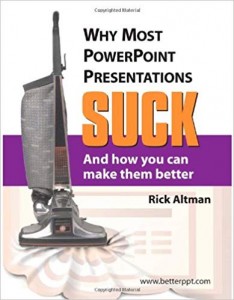 Rick: I have had the idea for this book in my head for over three years, and candidly, I could have authored it years ago, from a big publisher, with a lot of marketing muscle behind it. However, each of the publishing houses that I spoke with wanted the book to contain introductory material, and I was unwilling to do that. There are plenty of books that cover PowerPoint basics and rudimentary presentation skills training. Too many, in fact! What is there for the more seasoned user? I wanted this book to pick up where the others left off, and I wanted it to be uneven, full of bias and commentary, and not be afraid to be inflammatory. As I say in the introduction, “you are invited to disagree — in fact, if you agree with everything I say in the book, its value is probably diminished.”
The best way to accomplish these objectives was to publish the book myself, and today there are plenty of resources to support that. I might not sell a half-million copies in the first year, but I’m confident that I’ll get it out there to the people who might be interested in the message and that the message will strike a respondent chord with them.
Geetesh: What are the most common mistakes that PowerPoint presenters and presentation designers do, and how can this book help them?
Rick: If I had to boil it all down to just one thing, I would cite the popular sentiment that the PowerPoint file is the presentation. I have colleagues who even refer to the resultant effort as “a PowerPoint.” This is way off. A collection of images projected behind you is not the presentation; you are the presenter and what you have to say is the presentation.
Once you approach from that point of view, then tactics around the use of the software can begin to make some sense. If the PowerPoint file is not the presentation, then for heaven’s sake, don’t dump your entire speech there.
And if it is to remain subordinate to you, then don’t fill it with a bunch of attention-getting devices that undermine you.
Projected slides should not work so hard and they shouldn’t make the audience work so hard. If that dramatic photo takes too much attention away from you or the text on your slides, then it performs a disservice, no matter how beautiful it is.
My hope is that through all 278 pages, this book never loses sight of the primary role of presentation software. To support the presenter, and the most effective way for it to play that role.
The views and opinions expressed in this blog post or content are those of the authors or the interviewees and do not necessarily reflect the official policy or position of any other agency, organization, employer, or company.
Filed Under:
Interviews
Tagged as: Books, Interviews, PowerPoint, Rick Altman
Although it’s easy to add reflection effects in PowerPoint 2007, there is a less obvious way of recreating a similar reflection effect in earlier versions of PowerPoint as well. This tutorial will provide the steps to recreate a reflection effect using Microsoft PowerPoint 2002 or 2003.

Create a realistic reflection effect inside PowerPoint. Sandra Johnson teaches how to do so.
Filed Under:
PowerPoint All Versions
Tagged as: Photos, PowerPoint, PowerPoint All Versions, Sandra Johnson
Comments Off on Reflection Effects in PowerPoint
Microsoft and the Office logo are trademarks or registered trademarks of Microsoft Corporation in the United States and/or other countries.