
This is the print version of this page. All content is copyright Indezine.com 2000-2026.
Thoughts and impressions of happenings in the world of PowerPoint and presentations, continuously updated since 2003.
See Also:
PowerPoint and Presenting Notes
PowerPoint and Presenting Glossary
Here’s a quick walkthrough of the PowerPoint 2003 interface — PowerPoint 2002 (XP) looks almost the same.

Explore the interface for PowerPoint 2003 and 2002 for Windows.
Filed Under:
PowerPoint 2003
Tagged as: Interface, PowerPoint, PowerPoint 2002, PowerPoint 2003, Tutorials
Comments Off on Interface in PowerPoint 2003 and 2002 for Windows

Yury Uskov is the Technical Director at CPS Labs, a software development company based out of Yoshkar-Ola, Russia. Yury has a Master’s degree in Software Engineering and since 2001, he has been working in the rich media industry as the co-founder of CPS Labs Ltd. CPS Labs has launched several Flash technology projects including FlashSpring, a PowerPoint to Flash converter that ships as an add-in for Microsoft PowerPoint.
Geetesh: Tell us more about the new FlashSpring 2, and how it is different from other similar products.
Yury: If you would like to know more about the originality of FlashSpring 2.0, I can point out several major strong advantages of our product:

Geetesh: How does FlashSpring aid in the distribution of PowerPoint content?
Yury: Being converted to Flash, your PowerPoint presentation becomes more portable and distribution-friendly, because almost anybody can play Flash content on most of the platforms in most of the browsers.
Additionally, FlashSpring is enhanced with deployment options and can help you to put your Flash presentation on your website or send it via email as easily as possible.
Filed Under:
Interviews
Tagged as: Add-in, Interviews, iSpring, PowerPoint, PowerPoint Flash, Yury Uskov
Comments Off on FlashSpring: Conversation with Yury Uskov
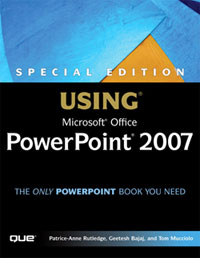
An excerpt from my new book on PowerPoint — Special Edition: Using Microsoft Office PowerPoint 2007 is now available on the InformIT site.
Filed Under:
Books
Tagged as: Books, PowerPoint 2007
Comments Off on Book Excerpt: Working with SmartArt
Capturing on-screen activity to create a movie is so much easier these days with more powerful computers and software — and it is also a more helpful way of explaining how a task can be done. Such a concept works great if you want to create tutorial movies, and TechSmith’s Camtasia Studio is most certainly among the best products for this type of work.
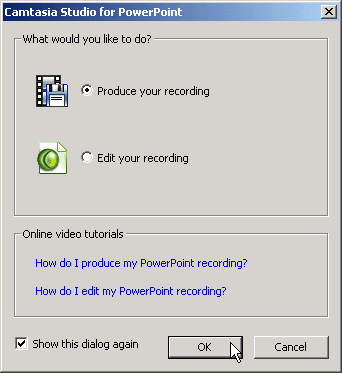
Read the Indezine review of Camtasia Studio 4.
Filed Under:
Companion Programs
Tagged as: Add-in, Camtasia, PowerPoint, PowerPoint Flash, Techsmith
Comments Off on Camtasia Studio 4 Review

Simon Turner is the Technical Director for I-Logik Software, a software development company based in Birmingham, UK. Simon has a degree in Electrical and Computer Engineering from the University of Nottingham and now specializes in the development of unique powerful tools to dramatically improve network efficiency and data management.
Filed Under:
Interviews
Tagged as: Add-in, Interviews, PowerPoint
Comments Off on I-LogiK: Conversation with Simon Turner
Microsoft and the Office logo are trademarks or registered trademarks of Microsoft Corporation in the United States and/or other countries.