
This is the print version of this page. All content is copyright Indezine.com 2000-2026.
Thoughts and impressions of happenings in the world of PowerPoint and presentations, continuously updated since 2003.
See Also:
PowerPoint and Presenting Notes
PowerPoint and Presenting Glossary
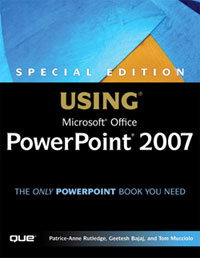
An excerpt from my new book on PowerPoint — Special Edition: Using Microsoft Office PowerPoint 2007 is now available on the InformIT site.
Filed Under:
Books
Tagged as: Books, PowerPoint 2007
Comments Off on Book Excerpt: Working with SmartArt
Capturing on-screen activity to create a movie is so much easier these days with more powerful computers and software — and it is also a more helpful way of explaining how a task can be done. Such a concept works great if you want to create tutorial movies, and TechSmith’s Camtasia Studio is most certainly among the best products for this type of work.
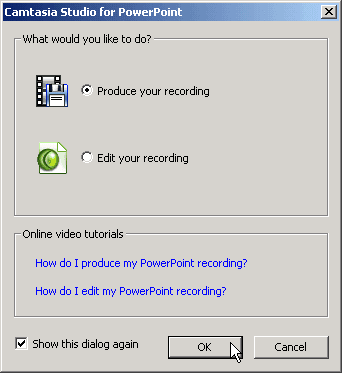
Read the Indezine review of Camtasia Studio 4.
Filed Under:
Companion Programs
Tagged as: Add-in, Camtasia, PowerPoint, PowerPoint Flash, Techsmith
Comments Off on Camtasia Studio 4 Review

Simon Turner is the Technical Director for I-Logik Software, a software development company based in Birmingham, UK. Simon has a degree in Electrical and Computer Engineering from the University of Nottingham and now specializes in the development of unique powerful tools to dramatically improve network efficiency and data management.
Filed Under:
Interviews
Tagged as: Add-in, Interviews, PowerPoint
Comments Off on I-LogiK: Conversation with Simon Turner

PPTshare is a line of PowerPoint add-ins including the new Desktop Slide Manager. In this Indezine exclusive, James Ontra who heads PPTshare discusses this new product that alternates between organizing and sharing your PowerPoint content. He also talks about future plans.
Geetesh: James, how did PPTshare Desktop evolve?
James: PPTshare Desktop Slide Library evolved from our clients’ need to better manage and control all of their disparate PowerPoint files, and to simplify video within PowerPoint. There’s a wealth of valuable content stored within hundreds of PowerPoints, and our clients needed a better way to tap that resource. Before, users, typically salespeople, wasted a lot of time hunting and pecking, copying and pasting, and recreating new presentations for every meeting. The PPTshare Desktop Slide Library consolidates all of a user’s PowerPoints and videos into one central location. And it automatically formats a video into a full-screen PowerPoint slide. It is the ‘go-to’ place where users can quickly find single slides and videos for making new presentations.
Our clients asked for some specific functionality, and we built it, using the Slide Library as a foundation.
With the user requests in mind, we created PPTshare
Geetesh: What do you plan to implement in the near future?
James: We will provide collaborative workspaces for creating, automating, managing, and distributing presentation files. The PPTshare Desktop Slide Library functionality will be extended to seamlessly work with the PPTshare online component. And other features, such as search, user groups, and tracking will be added soon.
The views and opinions expressed in this blog post or content are those of the authors or the interviewees and do not necessarily reflect the official policy or position of any other agency, organization, employer, or company.
Filed Under:
Interviews
Tagged as: Add-in, Interviews, James Ontra, PowerPoint, PPTShare
Comments Off on PPTShare: Conversation with James Ontra
The NewSoft WMS100 Image Wireless Projector Adaptor connects to any VGA-compatible projector. With the included software, called Presto, up to three computers can control a presentation and capture and display their own screens at any time.
The device itself ($280) looks like a walkie-talkie with an antenna on one side and a VGA/XVGA connection. It is compatible with three Wi-Fi standards (802.11a, b and g), and the software even enables slides to be exchanged among participants, bypassing the screen entirely.

Read more on the New York Times site.
Filed Under:
Hardware
Tagged as: Hardware, PowerPoint, Projector
Comments Off on Projector Adaptor from NewSoft
Microsoft and the Office logo are trademarks or registered trademarks of Microsoft Corporation in the United States and/or other countries.