
This is the print version of this page. All content is copyright Indezine.com 2000-2026.
Thoughts and impressions of happenings in the world of PowerPoint and presentations, continuously updated since 2003.
See Also:
PowerPoint and Presenting Notes
PowerPoint and Presenting Glossary
To some they’re an invaluable way of getting your point across, to others they’re the greatest menace ever to hit the business meeting. Now PowerPoint presentations have sparked a bitter row among AMs after some called for them to be banned in Cardiff Bay. Liberal Democrat AM Mick Bates became the first parliamentarian in Britain to use the computer-based slides software last week, when he deployed it in a plenary debate on supermarkets.

Image: Jump Story
Filed Under:
Thoughts
Tagged as: Death by PowerPoint, PowerPoint
If you want to add a cartoon to your next PowerPoint presentation, you’ll want to check out Mark Anderson’s Andertoons site that lets you browse all the cartoons on the site. Once you like a cartoon, you can opt to buy a license for using it in your next PowerPoint presentation for a special presentation rate.
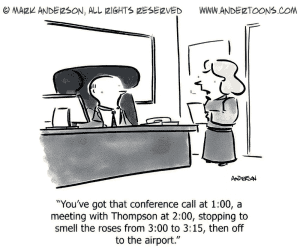
You May Also Like: Cartoons in PowerPoint Presentations: Conversation with Mark Anderson
Filed Under:
Clip Media
Tagged as: Cartoons, Clip Media, Mark Anderson, PowerPoint
Comments Off on Andertoons: Cartoons for PowerPoint
Seven companies have responded to a call by Massachusetts officials for information on software plug-ins that would allow Microsoft Office users to read and write files in the OpenDocument format (ODF). Among those that replied are Sun Microsystems Inc., a strong proponent of ODF, and Microsoft Corp., a strong opponent.
Plug-ins could allow Massachusetts or other governments to embrace ODF without having to move workers off of Microsoft Office, a move that could require costly retraining.

Read more on the Computerworld site.
Filed Under:
Microsoft Office
Tagged as: Microsoft Office, ODF, PowerPoint
Comments Off on Microsoft Office: ODF Converter Gains Impetus
PowerPoint is fully ribbon-based, similar to the interfaces of the new Word and Excel as opposed to that of the half-breed Outlook and it certainly benefits. The application’s interface is now much less cluttered and far easier to use – a simple presentation with effective graphics created via the suites ‘SmartArt’ technology, can be had in minutes.
Read more on the Inquirer site.
Filed Under:
PowerPoint 2007
Tagged as: Office 2007, Opinion, PowerPoint 2007
Comments Off on PowerPoint 2007: Outlook Cuts Ribbon While Power Points

Neuxpower creates NXPowerLite, a PowerPoint add-in that reduces the size of your presentations. In this exclusive conversation, Michael Power, the founder, and Managing Director of Neuxpower discusses the company, the product, and the new improvements.
Geetesh: Tell us more about yourself and NXPowerLite.
Michael: I set up the company Neuxpower in 1997, primarily to service clients such as Hilton International, helping them embrace the new digital technologies that were starting to emerge. In 2001, one of our clients complained to me that he was continually experiencing problems sending and receiving large PowerPoint files. This got me thinking…
We decided to create a piece of software that would enable PowerPoint users to quickly and easily reduce the size of their PowerPoint files, with no discernible loss of quality and no knowledge of image file formats and manipulation required.
NXPowerLite works by compressing the graphics and embedded objects contained within a PowerPoint file, intelligently selecting the most appropriate file format and compression level for each of them. It can reduce file sizes by as much as 95% while retaining the PPT format — so anybody with a copy of PowerPoint can view and edit a presentation in the usual way, with no special plugins or unzipping required.
Geetesh: What is the newest version of NXPowerLite, and what are the improvements?
Michael: We launched two new versions of NXPowerLite this week.
Version 2.3 of the Desktop Edition is a free upgrade for existing NXPowerLite users. It contains a number of new features, including the ability to batch-process presentations — a common request. Other improvements include the ability to optimize presentations embedded within presentations and an option to preserve the date and time of the original presentation in the optimized version.
The second new version is a Server Edition — an industry first for this type of product. It is a scriptable component that allows organizations to deploy NXPowerLite in a way that exactly matches their requirements and is seamless to end-users.
You can download a trial version of NXPowerLite from their site.
The views and opinions expressed in this blog post or content are those of the authors or the interviewees and do not necessarily reflect the official policy or position of any other agency, organization, employer, or company.
Filed Under:
Interviews
Tagged as: Add-in, Interviews, Mike Power, Neuxpower, NXPowerlite, PowerPoint
Comments Off on NXPowerLite: Conversation with Michael Power
Microsoft and the Office logo are trademarks or registered trademarks of Microsoft Corporation in the United States and/or other countries.