
This is the print version of this page. All content is copyright Indezine.com 2000-2026.
Thoughts and impressions of happenings in the world of PowerPoint and presentations, continuously updated since 2003.
See Also:
PowerPoint and Presenting Notes
PowerPoint and Presenting Glossary
 Rich Tehrani is Group Editor-In-Chief of Technology Marketing Corporation.
In a new post, he writes:
Our company has been running trade shows for almost twenty years. There are too many shows to count, but the number stands well over 50. Most of these events have been in communications, and I think it’s time to share what I have learned over the years because there are so many speakers that just need help.
Filed Under:
Thoughts
Tagged as: Opinion, Rich Tehrani
Comments Off on The 23 Rules To Becoming An Excellent Public Speaker
 This is a new interview posted by Cliff Atkinson on his Sociable Media site. Cliff Atkinson interviews Jason Fried.
Cliff introduces Jason thus:
When it comes to presenting information on the web, 37signals is a beacon of simplicity and clarity. This sought-after team of design and usability experts unblocks obstacles in the way of effective web experiences, increasing profitability for their clients. What would happen if simplicity and clarity were to illuminate PowerPoint presentations?
And here’s part of one of the responses from Jason.
I believe the most effective slide designs are those where the message is the absolute focus. Nothing should get in the way — no header, no corporate branding, no logo, etc. If a slide requires a full-screen image, then the image should get the full screen and not have to be shrunk and wedged into place so it conforms with template or corporate branding guidelines. Same with a word or a phrase or a series of points — give the information the full stage at all times.
Filed Under:
Interviews
Tagged as: Cliff Atkinson, Interviews, Jason Fried
Comments Off on My Message is My Brand, Not My Logo – Jason Fried

This is a post authored by Steve Rindsberg, published on the Microsoft site.
If you’ve asked this question and gotten answers like “Just scan your images at 96 dpi,” I’ll have to ask you to push your brain’s Restart button. You need to clear your head of all that dpi stuff because for PowerPoint purposes, it’s wrong, irrelevant, confusing (choose any three).
Steve Rindsberg thinks it’s a piece of cake!
Filed Under:
Thoughts
Tagged as: Images, Pictures, Resolution, Steve Rindsberg
Comments Off on What Resolution Should I Make My Images for Slide Shows?
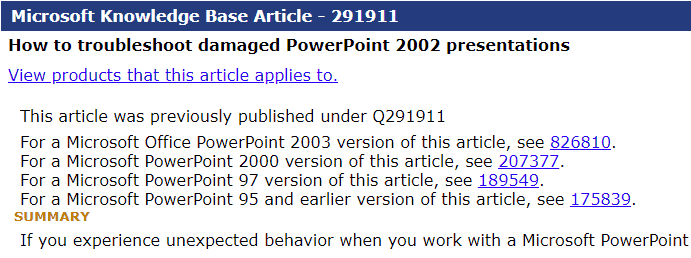
This knowledge base article for troubleshooting damaged PowerPoint 2002 (XP) presentations has been updated on the Microsoft site. The same article has links to similar articles for PowerPoint 2003, 200, 97, and 95 too.
Filed Under:
PowerPoint 2002
Tagged as: PowerPoint 2002, Troubleshooting
Comments Off on How to Troubleshoot Damaged PowerPoint 2002 Presentations
Andrew May from Microsoft explains how PowerPoint 2003 and 2002 use the MCI and Windows Media Player behind the scenes to bring multimedia content within slides.
He mentions:
When PowerPoint needs to play a media file, for example as part of a slide build or when a user clicks on the file, it examines the file to determine which media player application is best suited for playing. Because MCI installs as part of the Windows operating system, if PowerPoint determines that it can play the file using MCI, then it uses MCI. If not, PowerPoint attempts to play the file using Windows Media Player. If the file is not compatible with either player, PowerPoint simply does not play the file. PowerPoint uses the DirectShow technology to gather file information to determine which player is appropriate.

Read this content on the Office Developer Center site.
Filed Under:
PowerPoint 2003
Tagged as: Multimedia, PowerPoint 2002, PowerPoint 2003
Comments Off on How PowerPoint 2003 Plays Multimedia Files in a Presentation
Microsoft and the Office logo are trademarks or registered trademarks of Microsoft Corporation in the United States and/or other countries.