
This is the print version of this page. All content is copyright Indezine.com 2000-2026.
Thoughts and impressions of happenings in the world of PowerPoint and presentations, continuously updated since 2003.
See Also:
PowerPoint and Presenting Notes
PowerPoint and Presenting Glossary

Dr. Rebecca Heiss helps clients break out of the ruts of their ancestral brain pathways and engage their conscious brains to take action and override their self-sabotaging instincts. She is dedicated to helping others become self-aware and overcome their instinctual limitations – the ancient, often subconscious fears that hold people back from their optimal performance and happiest lives. Her research has been designated “transformative” by the National Science Foundation, and it is waking up audiences around the world.
In this conversation, Rebecca talks about her new book, Instinct.
Filed Under:
Interviews
Tagged as: Books, Interviews, Rebecca Heiss
Comments Off on Instinct: Conversation with Rebecca Heiss
We first explore the new Immersive Reader option in PowerPoint for the Web in this video and text tutorial feature. We also bring you more info about the upcoming Present to Succeed conference. We bring you the next part of our Presentation Management series in which AlexAnndra Ontra and James Ontra discuss making better presentations and telling better stories. Ben Jones looks at ways in which you can give an impressive pitch to investors.
PowerPoint for the Web users can learn how to insert audio (sound) in PowerPoint. We also bring you quotes, press releases, and templates from the last few days.

Stay informed about updated tutorials and happenings related to PowerPoint and presenting.
Filed Under:
Ezine
Tagged as: Ezine, Indezine, News, PowerPoint
Comments Off on PowerPoint and Presenting News: April 6, 2021
We first explore the new think-cell v.11 that adds many new features. We also explore how think-cell charts are roundtrip-capable with those who do not have think-cell installed. We also bring you more info about the upcoming Present to Succeed conference. We then explore PowerPoint-friendly audio file types. Kurt Dupont explains how you can create digital menu boards with PowerPoint and the DataPoint add-in.
PowerPoint 365 for Windows and Mac users can learn how to insert audio (sound) in PowerPoint. We also bring you quotes, press releases, and templates from the last few days.
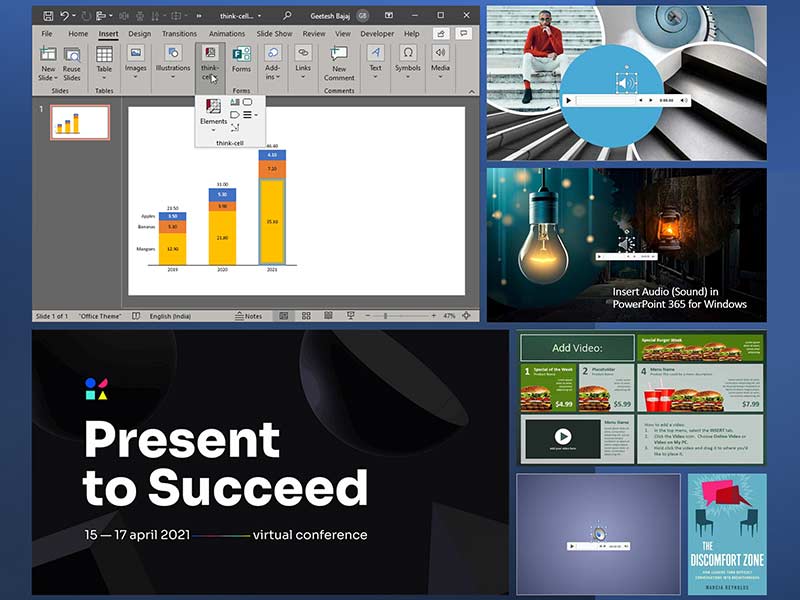
Stay informed about updated tutorials and happenings related to PowerPoint and presenting.
Filed Under:
Ezine
Tagged as: Ezine, Indezine, News, PowerPoint
Comments Off on PowerPoint and Presenting News: March 23, 2021
It’s always a fun exercise adding audio clips to PowerPoint. Some of you may wonder why would you want to add an audio clip? There may be any number of reasons, from adding a voice-over to just inserting some background music. Whatever your reason may be, it helps to know that PowerPoint can insert audio clips of various file types. MP3 and or WAV are common file types that you can insert in PowerPoint slides. These audio files automatically embed into your presentation.

Add audio to your slides in PowerPoint for the Web.
Filed Under:
PowerPoint for the Web
Tagged as: Apple Mac OS X, Audio, Microsoft Windows, Multimedia, PowerPoint for the Web, Sound, Tutorials
Comments Off on Insert Audio (Sound) in PowerPoint for the Web
By Ben Jones, AberInnovation
To take your business to the next level you will get to a stage when you need to pitch to investors for the capital you require.
This won’t be easy. Investors and business angels hear many pitches and a good rule of thumb to bear in mind is that only 1 in 10 pitches are deemed investable propositions. Once due diligence and the like are factored in, some claim that investment funds invest in as little as 2% of the total plans they receive.
The individuals you’ll be dealing with are rarely minded to beat around the bush and will have no qualms about telling you if they’re not interested. So, the stakes are high, and the chances are slim. That said, promising ideas are funded all the time, and the accelerator and incubator models that culminate in pitches for investment are becoming increasingly ubiquitous.

Image: StockUnlimited
Filed Under:
Guest Posts
Tagged as: Ben Jones, Guest Post, Pitch Decks, Presentation Skills
Comments Off on How to Give an Impressive Pitch to Investors
Microsoft and the Office logo are trademarks or registered trademarks of Microsoft Corporation in the United States and/or other countries.