
This is the print version of this page. All content is copyright Indezine.com 2000-2026.
Thoughts and impressions of happenings in the world of PowerPoint and presentations, continuously updated since 2003.
See Also:
PowerPoint and Presenting Notes
PowerPoint and Presenting Glossary
Gradient fills are typically blended fills between two or more colors that graduate from one color to another. Although shapes filled with gradients look so incredible, make sure you choose the colors that form the gradient very carefully. PowePoint’s basic gradients are all very useable since they just blend a Theme color with white or black, making the resultant gradient lighter or darker.

Add gradient fills to shapes in PowerPoint 2016 for Mac.
Filed Under:
PowerPoint 2016
Tagged as: Gradient Fills, Gradients, Mac, Office 2016, Office for Mac, PowerPoint 2016, PowerPoint for Mac, Shapes, Tutorials
Comments Off on Add Gradient Fills to Shapes in PowerPoint 2016 for Mac
By Kurt Dupont
Some people use PowerPoint for advertisements and information screens. Typically for those type of presentations, you need to create astonishing presentations with great visuals. For them, showing high-resolution quality images in PowerPoint are crucial! But, when you put your images into PowerPoint, do your images remain high resolution? Or does PowerPoint compress images?
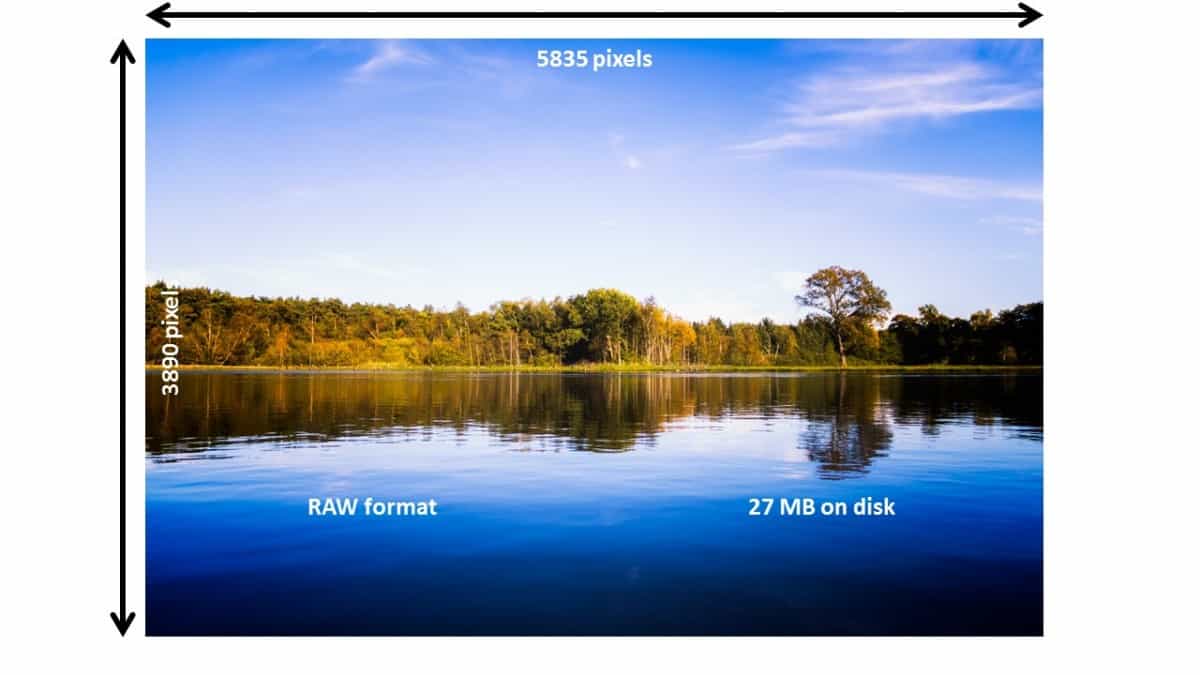
Let’s share some expert knowledge on PowerPoint and images. A given RAW photo, taken by a SLR camera, might have a dimension of 5835 by 3890 pixels, and its file size is 27 MB. Because the image is not compressed, it contains the maximum amount of information. Each pixel of the RAW photo, contains the most information possible. But you cannot use RAW images in a PowerPoint directly. You need to convert the image to, for example, a compressed JPG image.
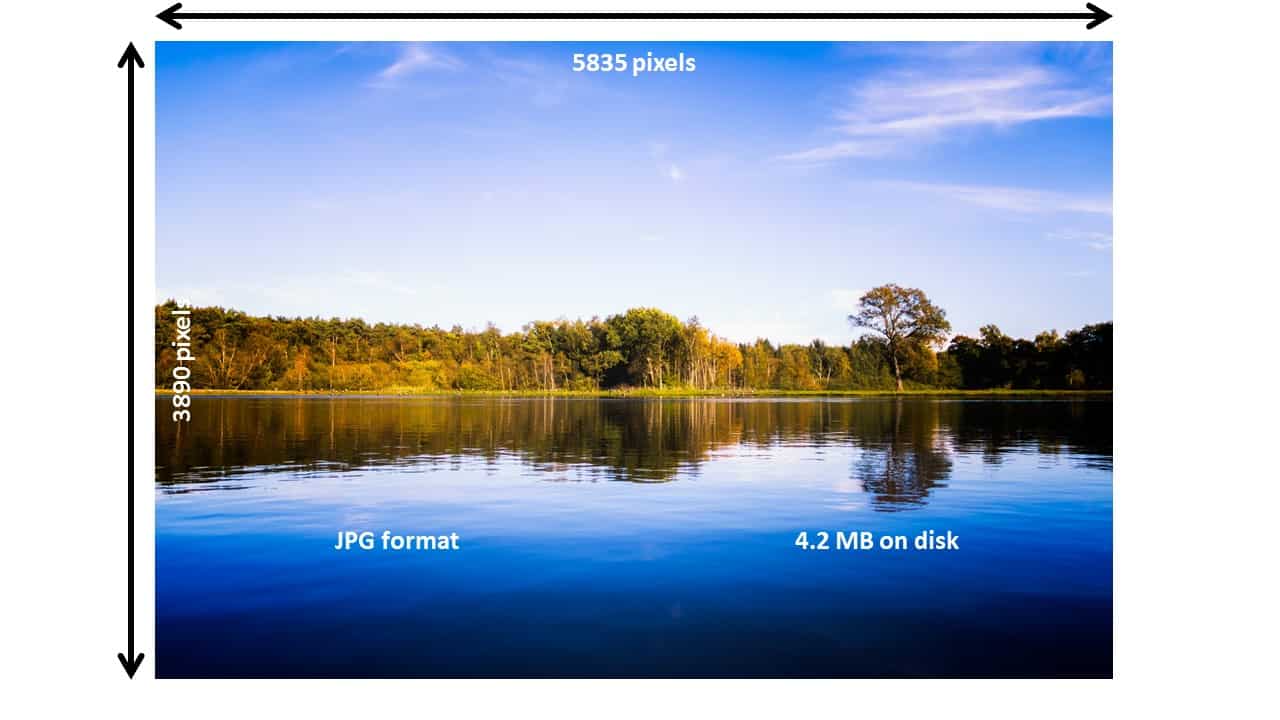
The compressed JPG equivalent of this same image still contains a dimension of 5835 by 3890 pixels, but the file size is 4.2 MB now. Almost 7 times smaller than the original RAW photo. We can use this JPG image directly in PowerPoint here. By compressing the image, we are taking out that massive amount of information by using compression techniques. My photo has a resolution of 5835 by 3890 pixels, so in total almost 24 millions pixels. Each pixel holds color information. There is obviously repetitive information in a RAW image. When you have e.g. a black wall, then each pixel of that wall, has the same color. In stead of storing 1000 times the black color information, pixel by pixel, the compressed equivalent will store a repetition of 1000 times a black pixel. That saves storage capacity. So, instead of writing black pixel, black pixel, black pixel, … 1000 times, the compressed format will write: 1000 x black pixel. That is compression.
When you would use that compressed image of 4.2 MB as a slide background image (Format Background, Picture or texture Fill), and then save the presentation, you would see that the presentation’s file size is 4.2 MB. To be exact: the image is 4.08 MB and when the presentation measures 4.11 MB. You can conclude that the presentation’s size is 0.03 MB and the image is kept 1 on 1 in the presentation. So in other words; the image, when used as a slide background, is not altered nor compressed in PowerPoint.
Interesting to know that when you duplicate the slide or even use a new slide and set that same image again as slide background, it will not increase the presentation’s file size. So in other words; PowerPoint is intelligent enough to see duplicates of the same background image. And if you would have 100 slides with the same background image, it optimizes the file size by counting in the image only one time.
We will continue to use the same JPG image but, we will not use it as a slide background. As an image shape or picture shape on a slide. Click Insert, Pictures and browse to the same image. Draw the image shape to completely fill the slide the same as the picture in the slide background. Save the presentation and inspect its file size. Surprisingly the file size is only 128 KB!
How is that possible? Same image, same display dimensions, but the file size drops from 4.2 MB to 0.13 MB or 128 KB.
Note that we inserted the same image almost slide-filling on our test slide. Let’s try something else. Insert again that same image on the slide but, now resize the picture shape to a small shape filling maybe 1/8 of the slide. Save again. See, the file size is now around 35 KB.
So, in both cases PowerPoint compresses the images significantly.
This confirms our impression that default options make PowerPoint compress images. PowerPoint is compressing pixels, or removing information from the inserted image. When you end up in the situation that a previously shrunken and saved image, needs to be slide filling again, then you get a problem! The surplus of pixel information before the save action, is now not available anymore in the presentation. When you would use the shrunken image at full now, you will see enlarged pixels, because the enlargement is exploding the existing pixels.
Is that a bad thing? Not necessarily! It all depends on how we are using PowerPoint; how do we present our presentation, and do we need to transport the presentation, maybe via mail.
In case you want to use PowerPoint to create presentations that you might have to send to others via mail, then the compressing of images is a good thing to keep the total file size low.
But, when you are using PowerPoint for your high-quality information screens, or when you create advertising presentations in PowerPoint, then it is important that you use the best quality and that you use uncompressed images.
Also read this article about the best resolution in PowerPoint. Note that the default 11.33″ by 7.5″ is not sufficient for HD presentation output on most of the large monitors on the market.
There is an important setting in PowerPoint that sets the level of compression. In PowerPoint, click File, Options, Advanced.

See the option to set the default resolution. This setting is set to the lowest value by default. It determines how many picture pixels you will have per inch (ppi or pixels per inch), when you would print this image. An inch is 2.54 centimeter and a pixel is a dot that has a given color. The more pixels or dots you have on an inch, the more quality or sharper image that you have on your print or screen.
For professional quality, people always use 300 pixels per inch. If you need this quality, set the default resolution to 330 ppi or high fidelity. And remember that for on screen presentations, you cannot display more pixels on your slides and images, then the resolution of your screen is low. An image with more pixels than that, is wasted when it is displayed on your screen.
Another valuable option to keep high-quality images in your presentation, is to check the option Do not compress images in file.
Use these above methods to block PowerPoint compress images.

Kurt Dupont, based out of Belgium heads PresentationPoint, a company that creates several amazing PowerPoint add-ins. After his Computer Science studies, Kurt started with Andersen Consulting (Accenture nowadays) in Brussels.
After three years he moved to the Brussels Airport Terminal Company that runs the Brussels airport – this last placement inspired the start-up of Take-off (now known as PresentationPoint) in 1998.
See Also: Checklist for Using PowerPoint for Digital Signage Presentations
The views and opinions expressed in this blog are those of the authors and do not necessarily reflect the official policy or position of any other agency, organization, employer, or company.
Filed Under:
Guest Posts
Comments Off on Does PowerPoint Compress Images?
After you apply a picture fill for a shape, you can explore options for transparency, tiling, etc. in PowerPoint 2016 for Mac. These extra options can help if you want your picture fill to stand apart and look out of the ordinary.

Explore advanced picture fill options in PowerPoint 2016 for Mac.
Filed Under:
PowerPoint 2016
Tagged as: Fills, Mac, Office 2016, Office for Mac, Picture Fills, Pictures, PowerPoint 2016, PowerPoint for Mac, Tutorials
Comments Off on Advanced Picture Fill Options in PowerPoint 2016 for Mac
We all know that smiling is so good, but then, you must not smile too much. Yes, too much smiling is not good, at least while presenting as you will learn in our Thin Smiles, Thinner Audiences feature. We also bring you an exclusive post by Jean Gamester of Toastmasters, who explores making Long-Lasting change.
PowerPoint 2016 for Windows users can learn about Removing Customizations from PCB Files. PowerPoint 2013 for Windows users can Repair Office and PowerPoint, if they see frequent errors and crashes. PowerPoint 2016 for Mac users can learn about Fills for Shapes, and Adding Solid Fills to Shapes. And if that wasn’t enough for this week, make sure you do not miss the quotes, press releases, and templates released in the last week.
Stay informed about updated tutorials and happenings related to PowerPoint and presenting.
Filed Under:
Ezine
Tagged as: Ezine, Indezine, News, PowerPoint
Comments Off on PowerPoint and Presenting News: January 22, 2019
Picture fills may appear convincing or confusing depending upon the type of picture you use for the fill. Do remember that using a detailed or crowded picture as a fill for a small shape will get you no awards for slide design! It is best to use pictures that have one focused object or are subtle in nature for this purpose. Any shape on your slide in PowerPoint 2016 for Mac can be provided with a picture fill in the same way as you add or change solid fills or gradient fills.
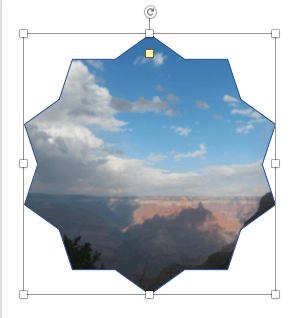
Add picture fills to shapes in PowerPoint 2016 for Mac.
Filed Under:
PowerPoint 2016
Tagged as: Fills, Mac, Office 2016, Office for Mac, Picture Fills, Pictures, PowerPoint 2016, PowerPoint for Mac, Tutorials
Comments Off on Add Picture Fills to Shapes in PowerPoint 2016 for Mac
Microsoft and the Office logo are trademarks or registered trademarks of Microsoft Corporation in the United States and/or other countries.