
This is the print version of this page. All content is copyright Indezine.com 2000-2026.
Thoughts and impressions of happenings in the world of PowerPoint and presentations, continuously updated since 2003.
See Also:
PowerPoint and Presenting Notes
PowerPoint and Presenting Glossary

Julie Terberg is a designer, author, speaker, and LinkedIn Learning instructor. She is the founder of Terberg Design, a creative studio focused on crafting presentations, templates, reports, and other visual communication materials. With decades of experience in the industry, Julie has trusted partnerships with other presentation professionals and valued clients around the world.
Since 2005, she has been recognized as a Microsoft PowerPoint MVP for her contributions to the presentation community. With Echo Swinford, Julie co-authored the book on templates: Building PowerPoint Templates V2. Discover helpful guides and articles on her Publications page.
In this conversation, Julie talks about her participation at the upcoming Presentation Summit 2025, being held virtually from October 19 to 22, 2025.
Filed Under:
Events
Tagged as: Events, Interviews, Julie Terberg, Presentation Summit
Comments Off on Presentation Summit 2025: Conversation with Julie Terberg

Ilene Bergelson is a NYC-based presentation coach who specializes in supporting speakers to embrace their adventurous side. Drawing on her experience as a performer on Broadway, film, and TV, Ilene blends best practices of the arts with biomechanics, mindfulness, and applied improvisation techniques for unconventional, immersive 1:1 coaching and group training sessions.
Boutique firms and Fortune-50 companies alike have sought Ilene’s expertise to enhance the level of presence and connection in their communication, enliven presentation content, help speakers find their mojo, and transport their audiences.
When she’s not designing or delivering programs, Ilene is likely on the move, hiking, dancing, or in search of chocolate.
In this conversation, Ilene talks about her participation at the upcoming Presentation Summit 2025, being held virtually from October 19 to 22, 2025.
Filed Under:
Events
Tagged as: Events, Ilene Bergelson, Interviews, Presentation Summit
Comments Off on Presentation Summit 2025: Conversation with Ilene Bergelson

Chantal Bossé is a presentation and virtual communication specialist, author, and founder of CHABOS, a training and consulting company dedicated to helping professionals elevate their presentation skills. With over two decades of experience, Chantal has coached speakers, business leaders, and educators to craft compelling stories and deliver them with confidence.
She is a LinkedIn Learning instructor, Microsoft M365 MVP, and author of Microsoft PowerPoint Best Practices, Tips, and Techniques. Her work blends technical expertise with a deep understanding of audience engagement, accessibility, and inclusive design. Through her workshops, coaching, and resources, Chantal’s mission is simple: to help people shine when they present one step and one story at a time.
In this conversation, Chantal talks about her participation at the upcoming Presentation Summit 2025, being held virtually from October 19 to 22, 2025.
Filed Under:
Events
Tagged as: Chantal Bossé, Events, Interviews, Presentation Summit
Comments Off on Presentation Summit 2025: Conversation with Chantal Bossé
This issue focuses on presentation structure, visual storytelling, and slide clarity—offering helpful tutorials, templates, and thought leadership for PowerPoint users at every level.
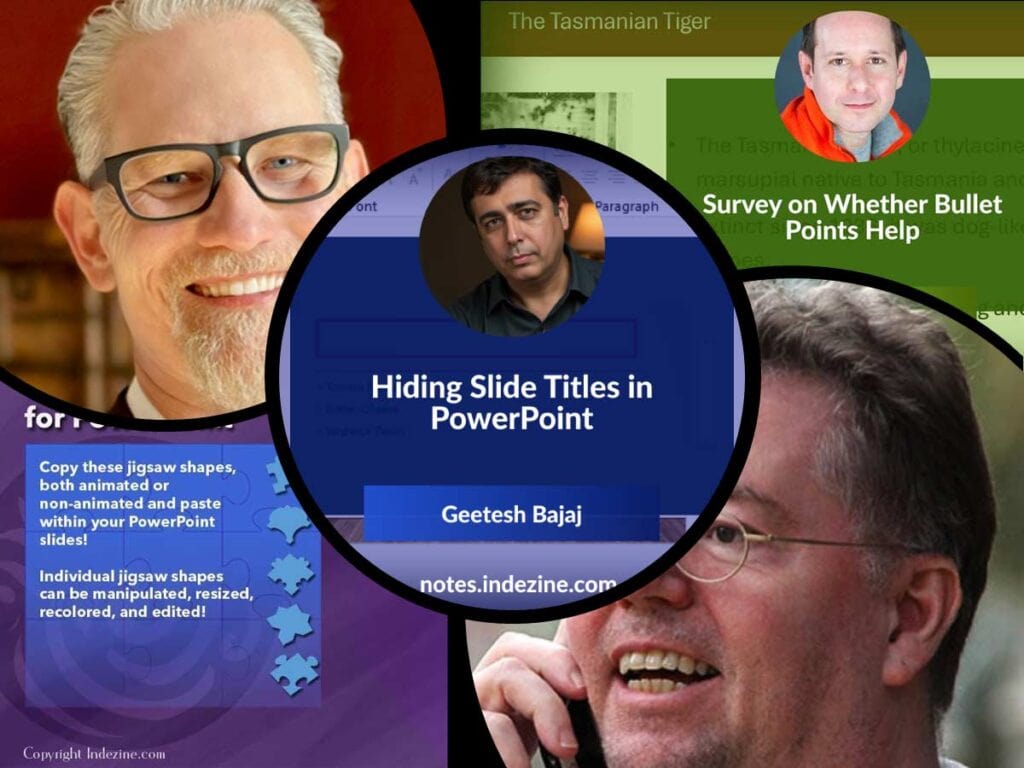
Highlights the importance of slide titles and well‑structured storytelling. Encourages the use of clear, guiding titles so audiences can follow the flow. Also mentions a survey by Nolan Haims about how bullet points are used (or overused) in presentations.
A guide explaining why you might want to hide slide titles (for aesthetic or design reasons) and several methods to do so without losing structure, navigation, or accessibility.
A downloadable resource: a kit of full‑slide jigsaw shapes in different styles (arrows, hearts, ovals, rounded squares) and sizes (small, medium, large), in both standard and widescreen formats. Good for creative layouts.
Discussion around a survey exploring whether bullet points help or hinder presentations. Nolan Haims reflects on visual communication, audience attention, and best practices.
Feature on upcoming sessions from Presentation Summit 2025 (Oct 19‑22, virtual). Includes interviews with speakers like Mike Parkinson, Bob van Duuren, discussing designing for attention and communication that goes beyond visuals.
Stay updated with the latest tutorials, tips, and news on PowerPoint and presentation techniques.
Filed Under:
Ezine
Tagged as: Ezine, Indezine, News, PowerPoint
Comments Off on PowerPoint and Presenting News: September 23, 2025

Nolan Haims has over 20 years of experience in the fields of visual communications and presentation, having created every type of presentation from Fortune 500 CEO keynotes to TED talks to multi-million dollar agency pitches.
As Vice President and Director of Presentation for Edelman, the world’s largest PR firm, he created and ran a department dedicated to raising the agency’s bar on visual communication and created winning pitches worth millions.
He trains organizations to think visually, speaks at national conferences, and is a co-host of the long-running Presentation Podcast. As one of only 40 Microsoft PowerPoint MVPs in the world, he works with and advises the software development team. He runs his own visual communications consultancy in Montclair, NJ. He is the author of The Better Deck Deck.
In this conversation, Nolan talks about his new survey that explores the role of bullet points in presentations.
Filed Under:
Interviews
Tagged as: Bullet Points, Interviews, Nolan Haims, Survey
Comments Off on Survey on Whether Bullet Points Help: Conversation with Nolan Haims
Microsoft and the Office logo are trademarks or registered trademarks of Microsoft Corporation in the United States and/or other countries.