
This is the print version of this page. All content is copyright Indezine.com 2000-2026.
Thoughts and impressions of happenings in the world of PowerPoint and presentations, continuously updated since 2003.
See Also:
PowerPoint and Presenting Notes
PowerPoint and Presenting Glossary
PowerPoint for the Web may have fewer options than desktop versions of PowerPoint. Yet, this version does have one option that makes it so easy to share your PowerPoint presentations on your web site or blog post. In this tutorial, let us explore the Embed option, that generates embed code for your presentation. In this tutorial, let us explore the Embed option, that generates embed code for your presentation.

Learn to embed presentations from PowerPoint for the Web.
Filed Under:
PowerPoint for the Web
Tagged as: Embed, PowerPoint for the Web
Comments Off on Embed PowerPoint for the Web Presentations

Dr. Marcia Reynolds has trained and coached leaders in 36 countries. She spent 16 years working in large corporations, taking one company from near bankruptcy to top IPO in the US in 1993. She is a Master Certified Coach and teaches for coach training schools in the US, Europe, and Asia. With a doctorate in Organizational Psychology, Dr. Reynolds brings a valuable combination of neuroscience and psychology to her work. Her expert advice has been spotlighted in numerous publications, including Fast Company, Forbes.com, The Wall Street Journal, and she has spoken at high-profile venues and universities around the world.
In this conversation, Marcia talks about her book, Outsmart Your Brain: How to Master Your Mind When Emotions Take the Wheel.
Filed Under:
Interviews
Tagged as: Behavior, Books, Interviews, Marcia Reynolds
Comments Off on Outsmart Your Brain: Conversation with Marcia Reynolds
Yes, PowerPoint for the Web has fewer options compared to desktop versions of PowerPoint. You cannot export videos, and there’s no feature to control interface elements. However, basic options exist within Backstage View that let you accomplish basic tasks such as sharing, saving, printing, and downloading, etc. In this tutorial, we will explore the Print option.
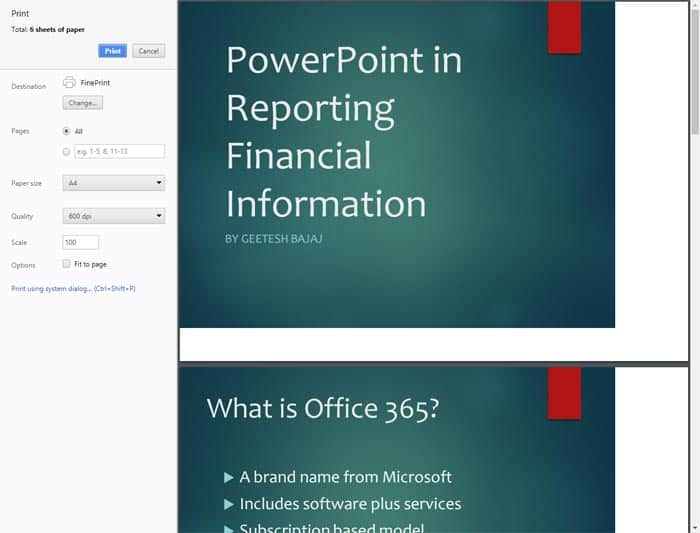
Learn about the Print option in PowerPoint for the Web.
Filed Under:
PowerPoint for the Web
Tagged as: PowerPoint for the Web, Printing, Tutorials
Comments Off on Print in PowerPoint for the Web
By Sue Fish
I’ve built my business almost entirely through networking – and along the way, I’ll admit to having made a few mistakes. So, let me share with you my seven ways to get business networking really wrong – so you can avoid making the mistakes I did.

Image: StockUnlimited
Filed Under:
Guest Posts
Tagged as: Communication, Guest Post, Opinion, Toastmasters
Comments Off on 7 Ways to Get Business Networking Really Wrong
Editing options available within PowerPoint for the Web are limited compared to the desktop versions of PowerPoint. When you explore options within Backstage View of PowerPoint for the Web, you can find that there’s almost no feature to control interface elements. The options here mainly accomplish basic tasks such as sharing, saving, downloading, etc. In this tutorial, let us explore the options within the Info pane of PowerPoint for the Web’s Backstage view.

Learn about options available in the Info Pane of Backstage view in PowerPoint for the Web.
Filed Under:
PowerPoint for the Web
Tagged as: Backstage, PowerPoint for the Web, Tutorials
Comments Off on Backstage View – Info Pane in PowerPoint for the Web
Microsoft and the Office logo are trademarks or registered trademarks of Microsoft Corporation in the United States and/or other countries.