
This is the print version of this page. All content is copyright Indezine.com 2000-2026.
Thoughts and impressions of happenings in the world of PowerPoint and presentations, continuously updated since 2003.
See Also:
PowerPoint and Presenting Notes
PowerPoint and Presenting Glossary
Apply video editing options such as recoloring, corrections, preset video styles, video borders, video effects, resizing/flipping, etc. to your video clip, and the resultant video may appear to be entirely different from your source The fact that you can make your videos look so different in PowerPoint with customizations galore can sometimes prove to be a disadvantage, especially if you want to get rid of all customizations and get back to original state of your video clip. Fortunately, the Reset Design option is just what you need at this point!

Learn how to reset your video clips in PowerPoint 2016 for Windows.
Filed Under:
PowerPoint 2016
Tagged as: Microsoft Windows, Office 2016, PowerPoint 2016, Reset, Tutorials, Video
Comments Off on Reset Options for Videos in PowerPoint 2016 for Windows
You can position or reposition pictures and shapes, but did you know that you can make changes to any inserted video in PowerPoint 2016? Play around with options to adjust correction for videos, recoloring video, video styles, video effects, video shapes, and video borders that can help you enhance the look of your video. These options not only make your video clips look better and focused but also provide you with ideas to make your video clips stand apart.

Learn how you can Resize, Rotate, and Flip video clips in PowerPoint 2016 for Windows.
Filed Under:
PowerPoint 2016
Tagged as: Flip, Microsoft Windows, Office 2016, PowerPoint 2016, Resize, Rotate, Tutorials, Video
Comments Off on Resize, Rotate, and Flip Videos in PowerPoint 2016 for Windows
In today’s fast-paced marketing environment, presentation management strategies typically fall into one of three categories:
Filed Under:
Guest Posts
Tagged as: AlexAnndra Ontra, Guest Post, Presentation Management, Shufflrr
Comments Off on Presentations are Enterprise Marketing
If you want your inserted video clip to play from a certain point within the video clip, you can actually trim the video so that it only plays the parts you want. However, there is another elegant solution that lets you achieve the same results, and do even more. This feature is called a Bookmark. It is similar to the conventional bookmarks you place within the pages of a book you are reading. Just like how you can easily go to that particular page with the help of a bookmark, the Bookmark you add to a video clip becomes an indicator of the time position you want to access.
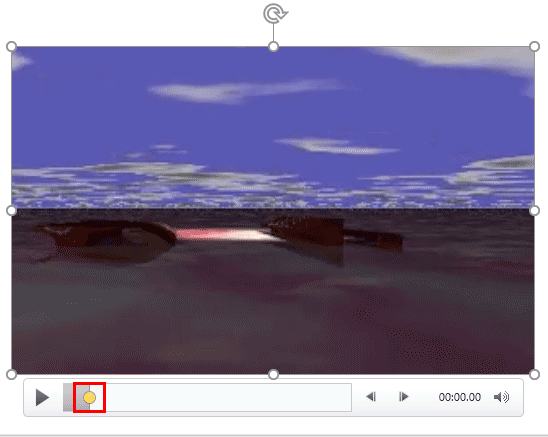
Learn how to add Bookmarks to video clips in PowerPoint 2016 for Windows.
Filed Under:
PowerPoint 2016
Tagged as: Bookmark, Office 2016, PowerPoint 2016, Tutorials, Video
Comments Off on Add Bookmarks to Video Clips in PowerPoint 2016 for Windows
We first look at Bauhaus, one of the fonts included with most versions of Microsoft Office. We then feature Dr. Sue Mitchell who talks about her new book, The Authority Guide to Engaging Your People. She also speaks about techniques that create better presenters and communicators.
PowerPoint 2016 for Windows users will learn about encrypting presentations with passwords–and also how you can remove and change passwords. We also explore PowerPoint 2016’s Accessibility and Compatibility Checkers. We also explore Presentation properties. Finally, do not miss the quotes, press releases, and templates of this week.

Stay informed about updated tutorials and happenings on Indezine.
Filed Under:
Ezine
Tagged as: Ezine, PowerPoint
Comments Off on PowerPoint and Presenting News: June 27, 2017
Microsoft and the Office logo are trademarks or registered trademarks of Microsoft Corporation in the United States and/or other countries.