
This is the print version of this page. All content is copyright Indezine.com 2000-2026.
Thoughts and impressions of happenings in the world of PowerPoint and presentations, continuously updated since 2003.
See Also:
PowerPoint and Presenting Notes
PowerPoint and Presenting Glossary
Have you ever wanted to use PowerPoint as a graphic program to create posters, web-banner ads, YouTube cover art, etc.? You will then have run into some limitations, especially when you tried to export a PowerPoint slide to a picture with exact size dimensions. In this tutorial, we will explore how a small improvement that Microsoft added in PowerPoint 2013 and newer versions is providing significant returns.

Filed Under:
PowerPoint All Versions
Tagged as: 16:9, 4:3, Pictures, PowerPoint 2010, PowerPoint 2013, PowerPoint 2016, Slide Size, Standard, Tutorials, Widescreen
Comments Off on Slide Dimensions in PowerPoint – Size Differences
The Curtains transition effect was introduced in PowerPoint 2013 for Windows. If you play slides using the Curtains transition effect in previous versions such as PowerPoint 2010, this effect may be substituted with the Fade transition effect.

Explore the Curtains transition effect in PowerPoint.
Filed Under:
PowerPoint All Versions
Tagged as: Curtains, Mac, Microsoft Windows, PowerPoint, Transitions, Tutorials
Comments Off on PowerPoint Transitions: Curtains
Do you want to link to an Excel file from within PowerPoint? You can then use the technique explained within our Linking to Any File in PowerPoint 2013 tutorial. However, click on the link, and you will end up opening your Excel file at the last saved location. What if you always wanted your link to access a particular cell or a range of cells in Excel? This is possible, but you will rarely find this secret option documented at all!

Filed Under:
PowerPoint 2013
Tagged as: Excel, Hyperlinking, Linking, Microsoft Windows, Office 2013, PowerPoint 2013, Tutorials
Comments Off on Link to Excel Cells and Ranges from PowerPoint 2013 for Windows
Some things are better shown than read! Creating or animating a car in PowerPoint is just one of those things. So in this video tutorial, you will learn how you can use PowerPoint’s basic shapes to create a car, moving wheels, a steering, and even a driver! We will then explore how you can animate them all at the same time.
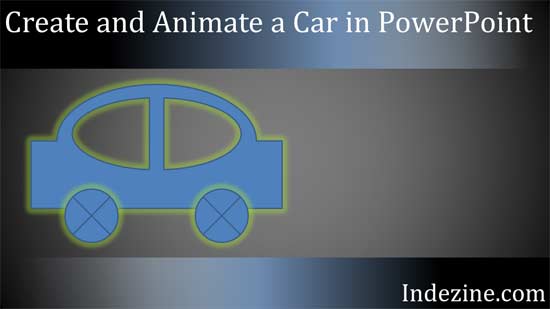
Learn how you can create a simple car in PowerPoint and animate it, with moving wheels too!
Filed Under:
PowerPoint All Versions
Tagged as: Animation, PowerPoint, Shapes, Video Tutorial
Comments Off on Create and Animate a Car in PowerPoint
If you have seen a couple of Sways, you will know that how you move from one Card to another can differ. In some Sways, you move from left to right. In others, you move from top to bottom. You can control these options within your Sways, as we will explore within this tutorial.

Learn how the Navigation option works in Microsoft Sway.
Filed Under:
Sway
Tagged as: Cards, Microsoft, Navigation, Online Presentations, Sway, Tutorials
Comments Off on Navigation in Microsoft Sway
Microsoft and the Office logo are trademarks or registered trademarks of Microsoft Corporation in the United States and/or other countries.