
This is the print version of this page. All content is copyright Indezine.com 2000-2026.
Thoughts and impressions of happenings in the world of PowerPoint and presentations, continuously updated since 2003.
See Also:
PowerPoint and Presenting Notes
PowerPoint and Presenting Glossary
Everyone needs to convert a video from one format to another. Moreover, while there are dozens of programs that can do the conversion for you, most of them are cursed with a busy interface and a learning curve. MacX Video Converter Pro is helpful because it seems much easier to use, and it can download, convert, edit and record videos. MacX Video Converter Pro supports 320+ video and 50+ audio codecs. It also supports Intel QSV hardware acceleration technology that significantly accelerates video conversion speed. The folks who create MacX Video Converter Pro claim that their product can work 16X faster using this technology with no quality loss.

Explore MacX Video Converter Pro, an application that can download, convert, edit and record videos.
Filed Under:
Reviews
Tagged as: Mac, Media Conversion, Review, Video
Comments Off on MacX Video Converter Pro: The Indezine Review
Enabling Guides for your presentation slides helps ensure that your objects are easily aligned, and also in the same relative position in successive slides. But just enabling Guides is more like getting started. There’s so much more you can do, such as customizing the Guides themselves using hierarchical options.

Learn about the hierarchical Guide options in PowerPoint 2016 for Windows.
Filed Under:
PowerPoint 2016
Tagged as: Guides, Microsoft Windows, Office 2016, Positioning, PowerPoint 2016, Tutorials, View
Comments Off on Hierarchical Guide Options in PowerPoint 2016 for Windows

Motti Nisani is the CEO of emaze, a company that produces a tool of the same name. With emaze, you can create presentations in virtual 3D worlds or simply in slides. Motti has a B.Sc. degree in Engineering from Tel-Aviv University, Israel.
In this interview, Motti discusses the new Automaze feature in emaze.
Geetesh: Your product emaze claims to create beautiful presentations — but can a machine really create a beautiful presentation? How?
Motti: emaze is founded on the principle of bringing great presentation design and innovative tools to all types of presenters. Presenters, however, are as diverse as you can possibly imagine, anywhere from CEOs of major corporations to second-grade students. We asked ourselves how can we bring engaging and appropriate designs so as to enable all of our users to make their most beautiful presentations yet.

We knew we needed to start with our users and that we needed a powerful tool to understand their needs, and the messages they are communicating. We turned to machines for help.
Automaze analyzes the millions of presentations made by our millions of users and employs machine learning algorithms and big data to understand our users’ content. It then works to redesign it using the layouts and designs created by our expert, in-house human presentation designers.

Geetesh: What improvements have you made within emaze in the recent past that will encourage presenters and designers to consider emaze for their business presentations?
Motti: Our business users, whether they be high-powered executives or small, just-around-the-corner Mom and Pop shops are all looking for a comprehensive and easy-to-use solution to enhance their content and engage their audiences. All of our recent tools were designed to answer one simple question: How can we empower our business users to easily and effectively create presentations?
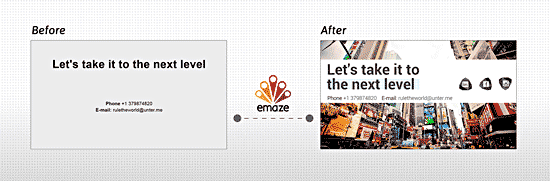
We’ve recently developed some tools we’re pretty excited about, some more about enhancing content and others from more of a product perspective, enabling businesses to work more effectively and efficiently in making presentations.
In terms of enhancing content and creating engagement, users can now embed live data such as SoundCloud, Google Maps, GIFs, Flash images, and even live Twitter feeds and websites into their emaze presentations. We’ve added some fantastic customization features that enable businesses to create their own templates, with custom backgrounds, colors and fonts and transitions, and get help in developing their brands. Furthermore, users can now create One-Page presentations, which can function as either newsletters, landing pages, or you name it! The possibilities for marketing with these are pretty much endless.
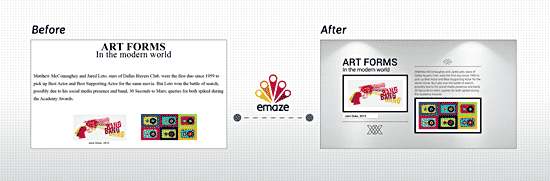
We’ve also worked on the product end to ensure we offer all necessary business tools imaginable without compromising on our ease of use and great UI. We’ve created an advanced emaze performance platform designed to offer seamless business collaboration, that works for businesses that have anywhere from 2 to 2,000 employees. We’ve also streamlined our editor to make it extremely easy to add in all kinds of content, whether they be images, text, audio and all types of video. Furthermore, we offer advanced audience insight analytics enabling presenters to know who’s viewing their presentations and how.
We also thought about where our business users want to showcase their emazes. We’ve made it easier than ever to share emazes on social media, and created plugins to easily embed emazes on blogs and websites.
Our latest game changer? That’s our new Automaze feature. It saves businesses endless time and money by using the power of machines to redesign all PowerPoint presentations into highly impressive and engaging storytelling in a matter of minutes.
See Also: emaze: Conversation with Motti Nisani | emaze Again: Conversation with Motti Nisani | emaze’s PitchUp’15: Conversation with Anat Richter
The views and opinions expressed in this blog post or content are those of the authors or the interviewees and do not necessarily reflect the official policy or position of any other agency, organization, employer, or company.
Filed Under:
Interviews
Tagged as: Emaze, Interviews, Motti Nisani, Online Presentations
Comments Off on Automaze in emaze: Conversation with Motti Nisani
Among the many features in PowerPoint 2016, there are some that are more useful than the others. Options for using Guides are certainly vital. Many users are not aware of all the capabilities that Guides offer. For example, Guides can be added through the right-click menu. You can add new Guides that are offset to your existing Guides. Guides need not be grey in color, you can choose from 10 colors.

Learn about options that result in using Guides more effectively in PowerPoint 2016 for Windows.
Filed Under:
PowerPoint 2016
Tagged as: Guides, Microsoft Windows, Office 2016, Positioning, PowerPoint 2016, Tutorials, View
Comments Off on Guide Options in PowerPoint 2016 for Windows
Do you want to create your own interesting visual resume within minutes, with or without any designing experience? What about creating this all within PowerPoint, without anything else? You need our amazing Visual Resume templates for PowerPoint. These ready to use PowerPoint templates come with placeholders for text and pictures. All templates are made available as part of a kit that you can customize in seconds to create your own visual resume.

Download and use these visual resume templates.
Filed Under:
Presentation Bank
Tagged as: Design, Diagrams, Graphics, PowerPoint, Templates
Comments Off on Visual Resume Templates for PowerPoint
Microsoft and the Office logo are trademarks or registered trademarks of Microsoft Corporation in the United States and/or other countries.