
This is the print version of this page. All content is copyright Indezine.com 2000-2026.
Thoughts and impressions of happenings in the world of PowerPoint and presentations, continuously updated since 2003.
See Also:
PowerPoint and Presenting Notes
PowerPoint and Presenting Glossary
The Outline view in PowerPoint 2016 for Windows provides access to your presentation’s text outline through the Slides/Outline pane on the left side of the PowerPoint interface. The Outline view displays all the text contained within the title and text placeholders of your slides, and is one of the ten views in PowerPoint 2016 for Windows.

Learn about the Outline View within PowerPoint 2016 for Windows.
Filed Under:
PowerPoint 2016
Tagged as: Interface, Microsoft Windows, Office 2016, Outline, Outline View, PowerPoint 2016, Tutorials, View
Comments Off on Outline View in PowerPoint 2016 for Windows
We bring you an exclusive conversation with Robert Kawalsky of Zeetings, a new way to present your slide content. We then bring you Distance Cartograms for PowerPoint. We also re-examine the differences between Office 365 and perpetual versions of Office 2016.
We explore interface options in the new PowerPoint 2016. This week we look at the Format Task Panes, and the Snap to Grid option. Finally, don’t miss the new discussions and templates of this week!

Read Indezine’s PowerPoint and Presenting News.
Filed Under:
Ezine
Tagged as: Ezine, Indezine, News, PowerPoint
Comments Off on PowerPoint and Presenting News: December 8, 2015
Once you have made Guides visible on your PowerPoint slides, they show up in the same position on all other slides within the presentation. You’ll find that only two Guides, one horizontal and one vertical Guide are visible at first, and these two Guides intersect at the center of the slide. Most of the time, this might work for you, but you can actually add more Guides since these can help in positioning slide objects better across successive slides.

Learn how to add more Guides in PowerPoint 2016 for Windows.
Filed Under:
PowerPoint 2016
Tagged as: Guides, Microsoft Windows, Office 2016, Positioning, PowerPoint 2016, Tutorials, View
Comments Off on Adding More Guides in PowerPoint 2016 for Windows
Let’s start with the basics, what are Guides? Consider Guides as a Grid on your slide that you create. Each single Guide can be moved, added, or deleted. Guides also have snap options that are always on. Once the Guides are made visible on the slide, all objects that venture close enough to them just snap. Along with Rulers and Gridlines, Guides help you position your slide objects with more precision, and you can make them work for you.

Learn how to work with Guides in PowerPoint 2016 for Windows.
Filed Under:
PowerPoint 2016
Tagged as: Guides, Office 2016, Positioning, PowerPoint 2016, PowerPoint 2019, PowerPoint 365, Tutorials
Comments Off on Working with Guides in PowerPoint 2016 for Windows
Making gridlines visible on your slides in PowerPoint 2016 is only a good idea if you use the Grid feature to attain some results. If you are serious about using Grids to position slide objects with more precision, you must first visit the options available for changing Grid settings. Once you have played around with the grid settings, you are better equipped and prepared to explore how the Snap to Grid feature can help you accurately position and move slide objects such as pictures, shapes, or anything else you can select and move on a slide!
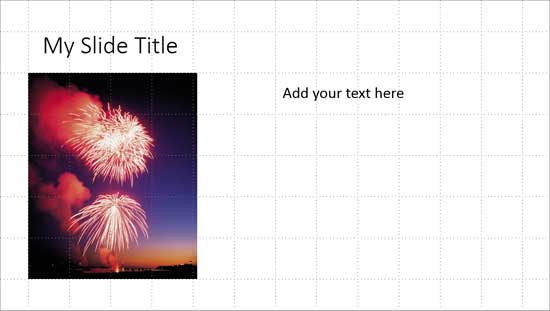
Learn how the Snap to Grid option works in PowerPoint 2016 for Windows.
Filed Under:
PowerPoint 2016
Tagged as: Gridlines, Office 2016, Positioning, PowerPoint 2016, Tutorials
Comments Off on Working with Snap to Grid in PowerPoint 2016 for Windows
Microsoft and the Office logo are trademarks or registered trademarks of Microsoft Corporation in the United States and/or other countries.