
This is the print version of this page. All content is copyright Indezine.com 2000-2026.
Thoughts and impressions of happenings in the world of PowerPoint and presentations, continuously updated since 2003.
See Also:
PowerPoint and Presenting Notes
PowerPoint and Presenting Glossary
PowerPoint add-ins help in adding new capabilities that can polish your presentation in many ways. But when the time comes to uninstall these add-ins for whatsoever reason, you might be surprised to find their menu customizations, such as buttons that represent add-in features still exist! Click those menu extensions and nothing may happen, but these menu options are still there! In another scenario, you may have customized your PowerPoint menus and toolbars to a large extent. Now, you want to restore everything to a pristine state, almost like how the interface looked when you first installed PowerPoint. In either case, it is possible to lose all these customizations. The key to this solution lies in PCB files.

Learn how to remove customizations from PowerPoint’s PCB files in PowerPoint 2016 for Windows.
You May Also Like:
Enable The Developer Tab in the Ribbon in PowerPoint 2016 for Windows
Customize Quick Access Toolbar in PowerPoint 2016 for Windows
Add and Rename Ribbon Tabs in PowerPoint 2016 for Windows
Filed Under:
PowerPoint 2016
Tagged as: Customizations, Office 2016, PCB, PowerPoint 2016, Preferences, Tutorials
Comments Off on Removing Customizations from PCB Files in PowerPoint 2016 for Windows
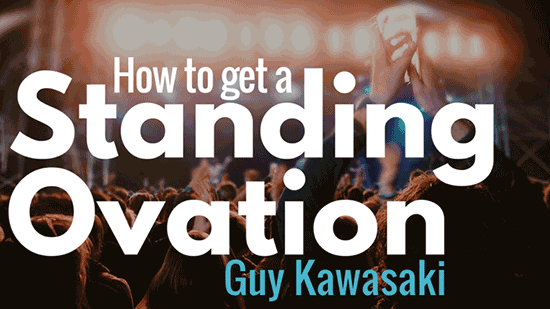
Guy Kawasaki did the Tuesday morning keynote at the Presentation Summit in New Orleans on September 29, 2015. He started by reminiscing about his days as the chief evangelist for Apple Computer. He spoke passionately about Steve Jobs.
Guy speaks around 75 times a year in conferences and delivers keynotes. His work certainly has to do so much with speaking. And that’s a continuation of his job at Apple, where he was evangelizing the Mac to the world.
Like Steve Jobs, Guy also quit Apple. He left Apple twice. He returned to Apple when the company had to survive. And that was good, because as Guy said in jest:
I left Apple twice. If I had stayed either time, I would not have been here today.
Guy then spoke about his role at Canva. He asked about how many people in the audience used Canva?
He then also spoke about his role on the board at Wikipedia.
Here’s another witty remark from Guy:
If you suck, and if your speech is short, it is OK. If you have a long speech, and you do not suck, it is OK. If you suck and are long, then that’s terrible.
And that’s how he led the audience to the topic of his keynote, How to get a Standing Ovation. Guy admitted that there’s a reason why he structures his talks with numbers, and that is to hold attention. He was, therefore, going to talk about 10 ways in which you can be assured that your talk gets a standing ovation.
Filed Under:
Events
Tagged as: Guy Kawasaki, Keynote, Presentation Summit
Comments Off on Guy Kawasaki at the Presentation Summit 2015

Dave Paradi has been recognized by the media and his clients as a presentation expert. He has authored eight books and four Kindle e-books on effective PowerPoint presentations. He consults on high-stakes presentations including one used to brief one of President Obama’s cabinet ministers. Dave is one of only fourteen people in North America to be recognized by Microsoft with the PowerPoint Most Valuable Professional Award for his contributions to the PowerPoint presentation community. His ideas have appeared in publications around the world.
In this conversation, Dave discusses the results of the 2015 Annoying PowerPoint Survey.
Geetesh: Dave, what did the respondents tell you in this survey and how does that compare to previous surveys?
Dave: In this survey, the trend of presentations being used as the default method for communicating in organizations continued. Even more people said that they see at least one presentation every day of the work week. The percentage of people seeing one presentation per day has doubled in the last eight years. Presenting effectively is now a critical skill for professionals, as the expectations of audiences have increased.
I also unfortunately saw that overloading slides with text and reading them to the audience continues to be the case in far too many presentations. The top issue of reading slides has not changed in the seven surveys I have conducted – it is always the most common response by far. It happens when the presenter overloads the slides with text and feels compelled to share everything with the audience.
What emerged as a growing issue is the use of visuals that are too complex. As presenters start to use more visuals, they need to make sure the graphs, diagrams, and images are clear and relevant. Just using visuals instead of text isn’t the solution. The visuals must be effective in order for the audience to understand them.
Geetesh: In this survey for the first time you asked what advice audience would have for presenters. What did they say?
Dave: The key message for presenters from the survey respondents was a strong one, and one that presenters need to listen to. Audiences are upset that too many presenters don’t take time to properly plan the presentation, create effective visuals, and prepare to deliver the presentation. Audiences feel that the presenter doesn’t care enough about them to spend time doing a good job on the presentation. It is really an issue of feeling disrespected by the presenter. It is a harsh message for presenters, and one that all of us need to take to heart.

Audiences want presenters to tailor their message for that audience and focus the content on what the audience needs to hear. They have had enough of presenters just throwing together slides from past presentations and hoping the audience figures out a message. They want slides that have one message each with a summary headline and a clear visual. Don’t overload your slides because that indicates you didn’t take the time to focus your message. When a presenter apologizes for something during the presentation, the message the audience hears is that the presenter couldn’t be bothered to test the slides or technology in advance. The audience just isn’t important enough for the presenter to have solved any issues, like spelling mistakes, unreadable fonts, and poor visuals beforehand.
Audiences have seen enough great presentations online, through TED talks, and at product introductions that are covered by the media. They know what a good presentation is supposed to look like. They want presenters to invest the time and effort creating and delivering a good presentation.
Links to Survey Results: Full Report and SlideShare Summary.
See Also: 2015 Annoying PowerPoint Survey: Conversation with Dave Paradi
The views and opinions expressed in this blog post or content are those of the authors or the interviewees and do not necessarily reflect the official policy or position of any other agency, organization, employer, or company.
Filed Under:
Interviews
Tagged as: Dave Paradi, Interviews, PowerPoint, Survey
Comments Off on 2015 Annoying PowerPoint Survey Results: Conversation with Dave Paradi
PowerPoint 2016 allows you to customize the Ribbon in a number of ways. You can add Ribbon tabs, add Groups, and populate these with commands. And if you think you made a mess and were better off with the defaults, then you can always get back to square one. On a more positive front, you can share your customizations with friends and colleagues, or also your other computers. And you can export your customizations to a file saved as a backup for a rainy day!

Learn how to reset, export, and import Ribbon customizations in PowerPoint 2016 for Windows.
You May Also Like: Customize Quick Access Toolbar in PowerPoint 2016 for Windows | Add and Rename Ribbon Tabs in PowerPoint 2016 for Windows | Reordering and Removing Ribbon Tabs in PowerPoint 2016 for Windows
Filed Under:
PowerPoint 2016
Tagged as: Customizations, Export, Import, Interface, Office 2016, PowerPoint 2016, Reset, Ribbon, Tutorials
Comments Off on Reset, Export, and Import Ribbon Customizations in PowerPoint 2016 for Windows
On Monday afternoon at the Presentation Summit, after most attendees had finished a heavy conference lunch, it was time for Carmen Simon to deliver her keynote. Of course, some attendees also found time to make a small detour to New Orleans’ famous Bourbon Street before her keynote! You’ll agree that this audience was the same, yet so different than the ones who attended Nigel Holmes’ keynote that very morning!
OK, so how would Carmen hold their interest? And what was her topic?

Carmen started, For the past few years, I am asking this question from a neuro-scientific angle. Is your content remembered?
She then elaborated further, We hear a lot, keep a lot, and forget a lot. According to a theory called the forgetting curve, which is also associated with a scientific formula, we remember very little from new content we learned two days before if make no conscious effort to remember it at the time. However, that “little” may be something we remember for a longer time.
At this point in time, Carmen had successfully captured the attention of everyone in the room! She had spoken about something that was important to everyone: memory.
She then observed that You may wonder how students remember everything they write in their exams. Why does it not happen that way in business? Students – at least the conscientious ones, make more effort than business audiences to remember the content. In business presentations, audiences are typically in a state of partial attention.
Carmen then added, If you haven’t slept a lot and are under stress. you will also remember less. So if you are talking to sleep-deprived audiences who are in a state of partial attention, it is hard to rely on the fact that they will remember a lot.
Let’s consider a metaphorical number. People remember 10%” of what we share, Carmen said. She specified, This is metaphorical because, in the business world, it is very difficult to place a strict statistic on how much your audiences remember. When you work in academia, it is different because you have more precise measuring tools and people expect their memory may be tested. Not the same in business. We don’t have the luxury to say to a business audience: pay attention, you will be tested later.

Dr. Simon also indicated that while people remember very little; the metaphorical 10%, it is practical for any business presenter to be in control of that 10%. Otherwise, what she is noticing is that this percentage is left to chance. For example, if 5 people attend your meeting or business presentation, it is possible for all 5 to remember 5 different things.

For the past four years, Dr. Simon has been working on a system, called The Rexi Method (Rexi comes from the Latin verb to direct, or to guide), which contains a set of guidelines on how to be in charge of the 10% that people remember. Part of the formula is mastering attention, which paves the way to memory, and also decision, which is the reason memory is important. Ultimately, the reason we want others to remember something about our message is so they act on it in some way and they find it easy to decide in our favor.

Unfortunately, things can go wrong at each of these stages. Take Attention, for instance. Dr. Simon explained one reason why people stop paying attention to a message: habituation. This means that as we get used to a stimulus, we pay less and less attention to it. For example, when you are at work and music is playing in the background, you pay attention to it at first, but gradually stopped noticing it.
This also means that if we want to sustain someone’s attention, we must change the stimulus frequently. For example, you can alternate:
Carmen shared more thoughts:
The brain is looking to conserve energy. That is why people may fall asleep during presentations.
And so we need to create memory traces. If you create Zen-like presentations with pictures, will people remember them at all after 2 days?
Use change to draw attention but once you know what your “10%” message is, keep it constant among the changes of stimulation.
Overall, as you reflect on your own messages, ask this question: how often does your stimulus vary? Do you use slides that display for minutes at a time, without much variation? Is there enough stimulation for your viewers that attracts focus and does not push them toward their smartphones? When you have the answer to these questions, it will be easier to hold attention. And when you have attention, you’re more likely to form memories in people’s minds.
 Carmen Simon is a cognitive neuroscientist, author, and founder of Memzy, a company that uses brain science to help corporations create memorable messages. Carmen’s most recent book, Impossible to Ignore: Create Memorable Content to Influence Decisions, has won the acclaim of publications such as Inc, Forbes, and Fast Company and has been selected as one of the top international books on persuasion. Carmen holds two doctorates, one in instructional technology and another in cognitive psychology. Carmen speaks frequently to corporate, academic, and government audiences on the importance of using brain science to craft communication that is not only memorable but sparks action. After all, what’s the use of memory if people don’t act on it?
You May Also Like: An Interview with Carmen Simon
The views and opinions expressed in this blog post or content are those of the authors or the interviewees and do not necessarily reflect the official policy or position of any other agency, organization, employer, or company.
Filed Under:
Events
Tagged as: Carmen Simon, Keynote, Memory, Presentation Summit
Comments Off on Carmen Simon at the Presentation Summit 2015
Microsoft and the Office logo are trademarks or registered trademarks of Microsoft Corporation in the United States and/or other countries.