
This is the print version of this page. All content is copyright Indezine.com 2000-2026.
Thoughts and impressions of happenings in the world of PowerPoint and presentations, continuously updated since 2003.
See Also:
PowerPoint and Presenting Notes
PowerPoint and Presenting Glossary
The Indezine Thanksgiving Kit is a self-contained set of slides and other goodies that provides you with everything you need to create Thanksgiving picture slides within PowerPoint. This kit contains a Thanksgiving PowerPoint Theme, a foodie font, some silhouette pictures, scrapbook style embellishments, some textures, and even a few sample slides to get you started. Use this kit as a starting point to create your own picture slides! Then you can email your creations, or share them as a movie clip using PowerPoint’s Create a Video option. You can also upload the presentation to online sharing sites.
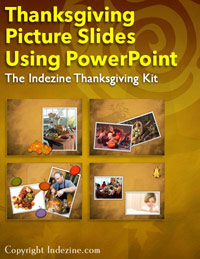
Download and use this Thanksgiving PowerPoint Kit.
Filed Under:
Presentation Bank
Tagged as: PowerPoint, Presentation Samples
Comments Off on Indezine Thanksgiving PowerPoint Kit
Among the options for stylizing text in PowerPoint, you have already explored Text Fills and Text Outlines. You have also learned how to apply various WordArt styles in PowerPoint. Now let us learn how to apply and edit various text effects like Shadow, Reflection, Glow, 3-D Rotation, Transform, etc. to your text. Follow these steps to explore more.

Learn about various Text Effects available in PowerPoint 2010 that can be used to stylize your text.
Filed Under:
PowerPoint 2010
Tagged as: Effects, PowerPoint 2010, Text, Tutorials
Comments Off on Learn PowerPoint 2010 for Windows: Text Effects
 Julie Terberg is a Microsoft PowerPoint MVP (Most Valuable Professional) and the owner of Terberg Design LLC. She has more than 20 years of presentation-design and computer-graphic experience. She specializes in custom presentations designed to help presenters better communicate with their audiences. Julie is also the author of Building PowerPoint Templates Step by Step with the Experts, published by Que.
In this conversation, Julie discusses this new book she co-authored with Echo Swinford.
Filed Under:
Interviews
Tagged as: Books, Interviews, Julie Terberg, PowerPoint, Templates, Themes
FotoMagico 4 creates slideshow presentations using photos from an iPhoto, Aperture, or Adobe Lightroom library or any folder on your local Mac OS X drive. You can also add videos and titles to your slideshow, and play around with the transitions such as zooming pictures to highlight important areas of your pictures, and finally share your slideshows with others in a variety of formats such as a standalone player, a DVD, a QuickTime video clip, or publishing your slideshow to YouTube. FotoMagico 4 creates slideshow presentations using photos from an iPhoto, Aperture, or Adobe Lightroom library or any folder on your local Mac OS X drive.

Comments Off on FotoMagico 4: The Indezine Review
These new “sticky tape” graphics are a great complement to our previous series 01 and 02. These ready-made tape segments can be used within your PowerPoint slides to create a look that makes any picture, shape, or anything else appear recessed, almost as if it has been stuck on a surface, board, or wall with tape! Some color (brown, grey, and white) and transparency variations of these sticky tape segments are already contained within the sample presentation that you download. Just copy them and paste them on your slides.
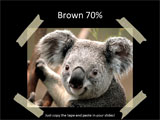

Download these sticky tapes, and use them in your slides.
Filed Under:
Presentation Bank
Tagged as: Design, Graphics, PowerPoint, Presentation Samples
Comments Off on PowerPoint Handmade Slides: Sticky Tape 03
Microsoft and the Office logo are trademarks or registered trademarks of Microsoft Corporation in the United States and/or other countries.