
This is the print version of this page. All content is copyright Indezine.com 2000-2026.
Thoughts and impressions of happenings in the world of PowerPoint and presentations, continuously updated since 2003.
See Also:
PowerPoint and Presenting Notes
PowerPoint and Presenting Glossary
In this issue of the newsletter, we have an exclusive conversation with Martin Conradi, who discusses the future of presentations. We explore how you can create high quality videos from your PowerPoint slides using authorSTREAM. There’s an excellent post by James Smith on why you should not use 3D charts in your slides. And you get two concept slides to download and use in your presentations: a one segment circle as well as a second series of people chain silhouettes. We also have tutorials on using indent markers in PowerPoint 2010 for Windows, and the use of fonts in PowerPoint 2011 for Mac.
Filed Under:
Ezine
Tagged as: Ezine, Indezine, News, PowerPoint
Comments Off on Indezine News: August 28, 2012
It happens often that your boss, colleague, or friend sends you some content for your presentation. Rather than typing all that content, you may just copy it from their email and paste it within PowerPoint. The problem with this approach may stem from the fact that whoever sent you the content is one of those people who type everything in small case — or maybe they just turn on the Caps Lock button and forget turning it off! Whatever the reason may be, you will end up with text that is certainly not useable on your slide. Rather than retyping the whole text again, you can use PowerPoint’s Change Case option to quickly change the case of selected text on your slide.

Learn how to change text case to lowercase, uppercase, etc. in PowerPoint 2010 for Windows.
Filed Under:
PowerPoint 2010
Tagged as: Fonts, PowerPoint 2010, Text, Tutorials
Comments Off on Learn PowerPoint 2010 for Windows: Change Text Case
Have your ever used keyboard shortcuts in PowerPoint? Or are you a complete keyboard aficionado? Do you want to learn about some new shortcuts? Or do you want to know if your favorite keyboard shortcuts are documented? Here’s the most comprehensive list of PowerPoint 2011 keyboard shortcuts that we know about — how many of these do you presently use? If you discover a shortcut key not listed here, please get in touch with us through our feedback form.
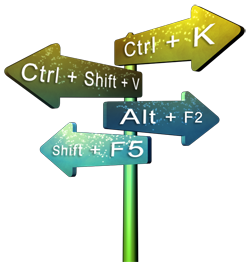
Learn about keyboard shortcuts you can use in PowerPoint 2011 for Mac.
Filed Under:
PowerPoint 2011
Tagged as: PowerPoint 2011, Tutorials
Comments Off on Keyboard Shortcuts: PowerPoint 2011 for Mac
Here’s another slide set of the People Chain silhouette series. You get a People Pyramid silhouette graphic in addition to another variation of a People Chain line – this line has alternating persons in larger and smaller sizes. This is perfect to use in scenarios where teams sourced from different organization levels are involved. You can also use these silhouette graphics in presenting scenarios where you need to create slides related to the strength of unity and diversity, multi-racial staff, international groups, etc.

Download and use these silhouette graphics in your slides.
Filed Under:
Presentation Bank
Tagged as: Graphics, PowerPoint, Presentation Samples
Comments Off on People Chain Silhouettes for PowerPoint – 03
In PowerPoint, you can effectively illustrate a concept, a process, or anything else using animation. But the fact that you should be aware of is, even though animation is movement and a fine art at the same time, there’s a thin dividing line between mere movement and utter confusion. Imagine a training session where the presenter moves around the room explaining a concept — as he or she moves, the eyes of the audience members follow him or her. There is a clear focus in the room, and the subject of that focus is the presenter. Now imagine another situation where the presenter and all the audience members in the room start moving in disparate directions just for the sake of movement — at this point of time, the movement has given way to chaos. Thus movement needs to have focus and direction, and more importantly, a reason to move!

Learn to build and sequence animations in PowerPoint 2011 for Mac.
Filed Under:
PowerPoint 2011
Tagged as: Animation, Office for Mac, PowerPoint 2011, Tutorials
Comments Off on Learn PowerPoint 2011 for Mac: Build and Sequence Animations
Microsoft and the Office logo are trademarks or registered trademarks of Microsoft Corporation in the United States and/or other countries.