
This is the print version of this page. All content is copyright Indezine.com 2000-2026.
Thoughts and impressions of happenings in the world of PowerPoint and presentations, continuously updated since 2003.
See Also:
PowerPoint and Presenting Notes
PowerPoint and Presenting Glossary
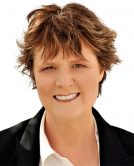
Cindy Tingley juggles many roles, but they are all tied to her main passion, which is creating and delivering engaging and impactful content for learners, and teaching others to do the same. She is the Events Director at the Presentation Guild, and a vocal proponent of utilizing presentation design to deliver maximum impact and retention for the audience and eliminate the dreaded “Death by PowerPoint.”
As owner and “Chief Presentation Evangelist” at her consulting and training company Tingley Presentations, she specializes in showing others how easy it can be for anyone to become a great presentation designer by simply applying basic design principles.
In this conversation, Cindy talks about the Presentation Guild‘s sponsorship of the upcoming Presentation Summit 2022, being held on location in San Diego, CA, and virtually this year from October 9 to 12, 2022.
Filed Under:
Events
Tagged as: Cindy Tingley, Events, Interviews, Presentation Summit
Comments Off on Presentation Summit 2022: Conversation with Cindy Tingley
We first bring you Kurt Dupont’s post on using PowerPoint as a Content Management System along with Numberish, a web-based social database. This time, we feature organizers and sponsors of the upcoming Presentation Summit conference. Learn more from Mike Power of Neuxpower, Mike Parkinson of Build-a-Graphic, Ashley Pemberton of Overnight Design, and Sheila McGurin of the Presentation Summit.
We also bring you quotes, press releases, and templates from the last few days.

Stay informed about updated tutorials and happenings related to PowerPoint and presenting.
Filed Under:
Ezine
Tagged as: Ezine, Indezine, News, PowerPoint
Comments Off on PowerPoint and Presenting News: August 30, 2022

Mike Power is the founder and Head of Product at Neuxpower, which he’s been running for the last 25 years. Mike loves nothing better than learning about people’s productivity or software problems and spending time imagining creative solutions. As he says, I’m always happiest when I have a problem to solve. I spend the majority of my time chatting with customers, wireframing product designs, and generally pondering ways to make Neuxpower software more helpful. I’m still on the hunt for a product idea that can surpass our first creation NXPowerLite, which has now exceeded 10 million downloads.
Mike lives in South West London, with his fiancée, three young children, and a slightly crazy Chihuahua named Coco. Away from solving technical problems, his favorite pastime is building, mending and generally fixing things.
In this conversation, Mike talks about his company’s sponsorship of the upcoming Presentation Summit 2022, being held on location in San Diego, CA, and virtually this year from October 9 to 12, 2022.
Filed Under:
Events
Tagged as: Events, Interviews, Mike Power, Presentation Summit
Comments Off on Presentation Summit 2022: Conversation with Mike Power

Mike Parkinson is a geek. He is 1 of 36 Microsoft PowerPoint MVPs in the world, is an internationally recognized communication and presentation expert, best-selling author, and professional trainer. Mike’s keynotes, training, books, and tools such as Build-a-Graphic help companies succeed while saving money and time.
In this conversation, Mike talks about his company’s sponsorship of the upcoming Presentation Summit 2022, being held on location in San Diego, CA, and virtually this year from October 9 to 12, 2022.
Filed Under:
Events
Tagged as: Events, Interviews, Mike Parkinson, Presentation Summit
Comments Off on Presentation Summit 2022: Conversation with Mike Parkinson (Build-a-Graphic)

Ashley Pemberton has worked in creative services for 30 years. Progressing from a presentation designer in London to a design agency owner in Thailand, he is focused on fast design that boosts performance, increases conversion rates, and wins new business for his long-standing corporate clients.
In this conversation, Ashley talks about his company’s sponsorship of the upcoming Presentation Summit 2022, being held on location in San Diego, CA, and virtually this year from October 9 to 12, 2022.
Filed Under:
Events
Tagged as: Ashley Pemberton, Events, Interviews, Presentation Summit
Comments Off on Presentation Summit 2022: Conversation with Ashley Pemberton
Microsoft and the Office logo are trademarks or registered trademarks of Microsoft Corporation in the United States and/or other countries.