Office 2010 Articles - Page 2 of 2


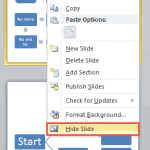
Hide and Unhide Slides in PowerPoint 2010 for Windows Hide and Unhide Slides in PowerPoint 2010 for Windows
October 3rd, 2016


Backstage View – Program Options in PowerPoint 2010 for Windows Backstage View – Program Options in PowerPoint 2010 for Windows
September 30th, 2016


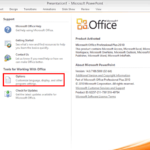
Backstage View – Help Options in PowerPoint 2010 for Windows
September 29th, 2016


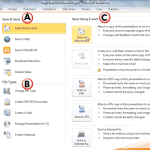
Save and Send Tab in Backstage View in PowerPoint 2010 for Windows Save and Send Tab in Backstage View in PowerPoint 2010 for Windows
September 28th, 2016


Print Tab of Backstage View in PowerPoint 2010 for Windows Print Tab of Backstage View in PowerPoint 2010 for Windows
September 27th, 2016


Backstage View – New Option in PowerPoint 2010 for Windows Backstage View – New Option in PowerPoint 2010 for Windows
September 26th, 2016


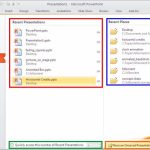
Recent Tab of Backstage View in PowerPoint 2010 for Windows Recent Tab of Backstage View in PowerPoint 2010 for Windows
September 23rd, 2016


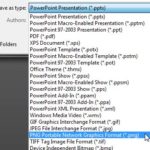
Exporting PNGs and other Graphic File Formats (JPG, TIFF, WMF, EMF) in PowerPoint 2010 Exporting PNGs and other Graphic File Formats (JPG, TIFF, WMF, EMF) in PowerPoint 2010 for Windows
March 29th, 2016


Star Wars Style Credits Animation in PowerPoint 2010 for Windows Star Wars Style Credits Animation in PowerPoint 2010 for Windows
February 4th, 2016


Change Aspect Ratio from Widescreen to Standard in PowerPoint 2010 for Windows
November 13th, 2015


Removing Customizations from PCB Files in PowerPoint 2010 for Windows
November 10th, 2015


Remove Background from Pictures in PowerPoint 2010 for Windows Remove Background from Pictures in PowerPoint 2010 for Windows
September 9th, 2015


Change Major and Minor Units of Value Axis Learn PowerPoint 2010 for Windows: Change Major and Minor Units of Value Axis
September 19th, 2014


Transparency for Shape Fills in PowerPoint Learn PowerPoint 2010 for Windows: Transparency for Shape Fills
January 17th, 2013


Buy Office 2010 or 2011, and Get Office 2013 Free!
December 31st, 2012


Learn PowerPoint 2011 for Mac: Gradient Lines
August 9th, 2011


Learn PowerPoint 2011 for Mac: Formatting Arrows (Arrowheads)
August 8th, 2011


Learn PowerPoint 2011 for Mac: Dashed Lines
August 5th, 2011


Learn PowerPoint 2011 for Mac: Formatting Lines (and Shape Outlines)
August 3rd, 2011


Saving Themes In PowerPoint, Word, and Excel 2010 for Windows
December 17th, 2010


Learn PowerPoint 2010: Applying Theme Colors and Theme Fonts
December 3rd, 2010


Applying Themes in PowerPoint, Word, and Excel 2010 for Windows
December 2nd, 2010


Office 2010 Beta
November 22nd, 2009


New Features in PowerPoint 2010
July 15th, 2009


PDC 2008 First Look at Office 14 Next Week?
October 23rd, 2008


Page 1 Page 2


Microsoft and the Office logo are trademarks or registered trademarks of Microsoft Corporation in the United States and/or other countries.
Plagiarism will be detected by Copyscape

© 2000-2026, Geetesh Bajaj - All rights reserved.

since November 02, 2000