PowerPoint 2013 Articles - Page 14 of 26


Media Actions for Video in PowerPoint 2013 for Windows
August 12th, 2014


Media Actions for Audio in PowerPoint 2013 for Windows
August 11th, 2014


Learn PowerPoint 2013 for Windows: Poster Frames for Videos Learn PowerPoint 2013 for Windows: Poster Frames for Videos
August 11th, 2014


Learn PowerPoint 2013 for Windows: Trigger Animations Learn PowerPoint 2013 for Windows: Trigger Animations
August 8th, 2014


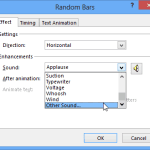
Animation Sounds in PowerPoint 2013 for Windows Animation Sounds in PowerPoint 2013 for Windows
August 7th, 2014


Animation Painter in PowerPoint 2013 for Windows
August 6th, 2014


Animation Delay in PowerPoint 2013 for Windows
August 5th, 2014


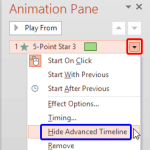
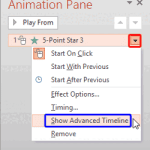
Control Animation Timings using the Advanced Timeline in PowerPoint 2013 for Windows Control Animation Timings using the Advanced Timeline in PowerPoint 2013 for Windows
August 4th, 2014


Learn PowerPoint 2013 for Windows: Picture Corrections and Color Options for Picture Backgrounds
August 4th, 2014


Show and Hide the Advanced Animation Timeline in PowerPoint 2013 for Windows Show and Hide the Advanced Animation Timeline in PowerPoint 2013 for Windows
August 1st, 2014


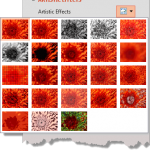
Artistic Effects for Picture Backgrounds in PowerPoint 2013 for Windows Artistic Effects for Picture Backgrounds in PowerPoint 2013 for Windows
August 1st, 2014


Change Animations in PowerPoint 2013 for Windows Change Animations in PowerPoint 2013 for Windows
July 31st, 2014


Learn PowerPoint 2013 for Windows: Animate Text Learn PowerPoint 2013 for Windows: Animate Text
July 30th, 2014


Learn PowerPoint 2013 for Windows: Animate Charts
July 29th, 2014


Learn PowerPoint 2013 for Windows: Re-Order Animations
July 28th, 2014


Remove Animations in PowerPoint 2013 for Windows
July 25th, 2014


Animation Speed in PowerPoint 2013 for Windows Animation Speed in PowerPoint 2013 for Windows
July 24th, 2014


Learn PowerPoint 2013 for Windows: Animation Events
July 23rd, 2014


Learn PowerPoint 2013 for Windows: Position Previews for Motion Path Animations
July 23rd, 2014


Learn PowerPoint 2013 for Windows: Edit Points in Motion Paths
July 22nd, 2014


Learn PowerPoint 2013 for Windows: Switch Series and Categories
July 22nd, 2014


Learn PowerPoint 2013 for Windows: Lock and Unlock Motion Paths
July 21st, 2014


Learn PowerPoint 2013 for Windows: Fake Animate Tables
July 21st, 2014


Learn PowerPoint 2013 for Windows: Open and Closed Motion Paths
July 18th, 2014


Learn PowerPoint 2013 for Windows: Reversing Motion Paths
July 17th, 2014


Page 1 Page 12 Page 13 Page 14 Page 15 Page 16 Page 26


Microsoft and the Office logo are trademarks or registered trademarks of Microsoft Corporation in the United States and/or other countries.


Plagiarism will be detected by Copyscape

© 2000-2026, Geetesh Bajaj - All rights reserved.

since November 02, 2000