Shapes Articles - Page 8 of 20


Learn PowerPoint 2013 for Windows: Creating Anchor Points for Connectors
May 12th, 2014


Learn PowerPoint 2013 for Windows: Reroute Connectors
May 8th, 2014


Learn PowerPoint 2013 for Windows: Detach, Re-attach, and Delete Connectors
May 6th, 2014


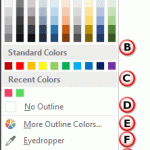
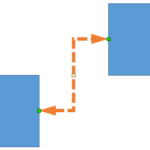
Learn PowerPoint 2013 for Windows: Change Connector Color Learn PowerPoint 2013 for Windows: Change Connector Color
May 2nd, 2014


Learn PowerPoint 2013 for Windows: Formatting Connectors Learn PowerPoint 2013 for Windows: Formatting Connectors
April 29th, 2014


Learn PowerPoint 2013 for Windows: Change Connector Type
April 28th, 2014


Drawing Connectors in PowerPoint 2013 for Windows Learn PowerPoint 2013 for Windows: Drawing Connectors
April 24th, 2014


Learn PowerPoint 2013 for Windows: Types of Connectors
April 22nd, 2014


Learn PowerPoint 2013 for Windows: Smart Connectors
April 15th, 2014


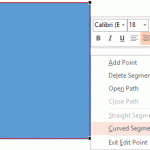
Learn PowerPoint 2013 for Windows: Curved and Straight Line Segments Learn PowerPoint 2013 for Windows: Curved and Straight Line Segments
April 11th, 2014


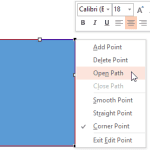
Edit Points: Open and Close Paths in PowerPoint 2013 for Windows Edit Points: Open and Close Paths in PowerPoint 2013 for Windows
April 9th, 2014


Learn PowerPoint 2013 for Windows: Types of Points (Vertexes)
April 7th, 2014


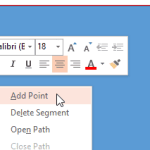
Learn PowerPoint 2013 for Windows: Add or Delete Points (Vertexes) for Shapes Learn PowerPoint 2013 for Windows: Add or Delete Points (Vertexes) for Shapes
April 1st, 2014


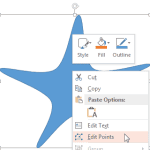
Learn PowerPoint 2013 for Windows: Edit Points for Shapes Learn PowerPoint 2013 for Windows: Edit Points for Shapes
March 27th, 2014


Learn PowerPoint 2013 for Windows: Drawing Scribble Lines Learn PowerPoint 2013 for Windows: Drawing Scribble Lines
March 10th, 2014


Learn PowerPoint 2013 for Windows: Drawing Freeform Lines Learn PowerPoint 2013 for Windows: Drawing Freeform Lines
March 6th, 2014


Learn PowerPoint 2013 for Windows: Drawing Curved Lines Learn PowerPoint 2013 for Windows: Drawing Curved Lines
March 4th, 2014


Learn PowerPoint 2013 for Windows: Drawing Lines Learn PowerPoint 2013 for Windows: Drawing Lines
February 28th, 2014


Learn PowerPoint 2013 for Windows: Hyperlinks for Action Buttons Learn PowerPoint 2013 for Windows: Hyperlinks for Action Buttons
February 26th, 2014


Learn PowerPoint 2013 for Windows: Default Behaviors for Action Buttons
February 24th, 2014


Learn PowerPoint 2011 for Mac: Rotate Text 180° within Shapes
February 21st, 2014


Learn PowerPoint 2013 for Windows: Action Buttons Action Buttons in PowerPoint 2013 for Windows
February 20th, 2014


Learn PowerPoint 2011 for Mac: Finding Length of a Diagonal Line
February 19th, 2014


Learn PowerPoint 2013 for Windows: Rotate Text 180° within Shapes Learn PowerPoint 2013 for Windows: Rotate Text 180° within Shapes
February 18th, 2014


Learn PowerPoint 2011 for Mac: Change a Diagonal Line to a Horizontal / Vertical Line Learn PowerPoint 2011 for Mac: Change a Diagonal Line to a Horizontal / Vertical Line
February 17th, 2014


Page 1 Page 6 Page 7 Page 8 Page 9 Page 10 Page 20


Microsoft and the Office logo are trademarks or registered trademarks of Microsoft Corporation in the United States and/or other countries.
Plagiarism will be detected by Copyscape

© 2000-2026, Geetesh Bajaj - All rights reserved.

since November 02, 2000