Tutorials Articles - Page 106 of 115


Learn PowerPoint 2010 for Windows: Add Pattern Fills to Shapes in PowerPoint
January 27th, 2011


Learn PowerPoint 2010: Add Texture Fills to Shapes in PowerPoint
January 25th, 2011


Learn PowerPoint 2010 for Windows: Tiling Options in PowerPoint
January 25th, 2011


Learn PowerPoint 2010 for Windows: Gradient Stops in PowerPoint
January 24th, 2011


Learn PowerPoint 2010 for Windows: More Gradients in PowerPoint
January 24th, 2011


Learn PowerPoint 2010 for Windows: Advanced Picture Fill Options
January 21st, 2011


Learn PowerPoint 2010 for Windows: Linked Picture in Shape Fill Shows a Small Red X Icon
January 21st, 2011


Learn PowerPoint 2010: Add Gradient Fills to Shapes
January 20th, 2011


Learn PowerPoint 2007: Change Default Shape Attributes
January 20th, 2011


Learn PowerPoint 2010: Change Default Shape Attributes
January 19th, 2011


Learn PowerPoint 2010: Add Picture Fills to Shapes
January 19th, 2011


Learn PowerPoint 2010: Add Solid Fills to Shapes
January 18th, 2011


Learn PowerPoint 2010: Shape Union
January 11th, 2011


Learn PowerPoint 2010 for Windows: Shape Subtract
January 10th, 2011


Saving Themes in PowerPoint, Word, and Excel 2011 for Mac Saving Themes in PowerPoint, Word, and Excel 2011 for Mac
January 10th, 2011


Shape Intersect in PowerPoint 2010 for Windows Shape Intersect in PowerPoint 2010 for Windows
January 7th, 2011


Shape Combine in PowerPoint 2010 for Windows Shape Combine in PowerPoint 2010 for Windows
January 6th, 2011


Saving Themes In PowerPoint, Word, and Excel 2008 for Mac Saving Themes in PowerPoint, Word, and Excel 2008 for Mac
January 6th, 2011


Add Combine Shape Commands to the Quick Access Toolbar in PowerPoint 2010 for Windows Add Combine Shape Commands to the QAT in PowerPoint 2010 for Windows
January 5th, 2011


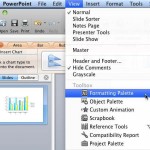
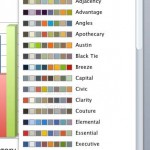
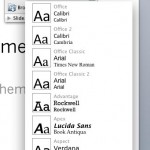
Applying Theme Colors and Theme Fonts in PowerPoint 2011 for Mac Applying Theme Colors and Theme Fonts in PowerPoint 2011 for Mac
January 5th, 2011


Applying Theme Colors and Theme Fonts in PowerPoint 2008 for Mac Applying Theme Colors and Theme Fonts in PowerPoint 2008 for Mac
January 4th, 2011


Format Painter in PowerPoint 2010 for Windows Format Painter in PowerPoint 2010 for Windows
January 4th, 2011


Manipulating Shapes by Dragging Diamonds in PowerPoint 2010 for Windows Manipulating Shapes by Dragging Diamonds in PowerPoint 2010 for Windows
January 3rd, 2011


Learn PowerPoint 2011: Applying Themes in PowerPoint, Word, and Excel
December 29th, 2010


Learn PowerPoint 2008: Applying Themes in PowerPoint, Word, and Excel
December 28th, 2010


Page 1 Page 104 Page 105 Page 106 Page 107 Page 108 Page 115


Microsoft and the Office logo are trademarks or registered trademarks of Microsoft Corporation in the United States and/or other countries.
Plagiarism will be detected by Copyscape

© 2000-2026, Geetesh Bajaj - All rights reserved.

since November 02, 2000