Tutorials Articles - Page 50 of 115


Learn PowerPoint 2013 for Windows: Change Text Case
April 9th, 2015


Learn PowerPoint 2010 for Windows: Highlight Text
April 8th, 2015


Learn PowerPoint 2013 for Windows: Columns Within Text Boxes Learn PowerPoint 2013 for Windows: Columns Within Text Boxes
April 8th, 2015


Learn PowerPoint 2010 for Windows: Understanding Clip Art Search Results
April 7th, 2015


Learn PowerPoint 2013 for Windows: Set as Default Text Box
April 7th, 2015


Learn PowerPoint 2010 for Windows: Insert Pictures From the Clip Art Pane
April 6th, 2015


Learn PowerPoint 2013 for Windows: Internal Margin Options Learn PowerPoint 2013 for Windows: Internal Margin Options
April 6th, 2015


Learn PowerPoint 2010 for Windows: Reordering Sections Learn PowerPoint 2010 for Windows: Reordering Sections
April 3rd, 2015


Learn PowerPoint 2013 for Windows: Missing Mini Toolbar
April 3rd, 2015


Prezi Nutshell
April 2nd, 2015


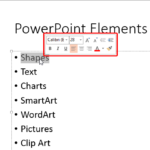
Learn PowerPoint 2013 for Windows: Format Text Attributes Within the Mini Toolbar Learn PowerPoint 2013 for Windows: Format Text Attributes Within the Mini Toolbar
April 2nd, 2015


Learn PowerPoint 2013 for Windows: Selecting and Changing Text Learn PowerPoint 2013 for Windows: Selecting and Changing Text
April 1st, 2015


Learn PowerPoint 2010 for Windows: Tips for Custom Shows
April 1st, 2015


Learn PowerPoint 2013 for Windows: Viewing Sections
March 31st, 2015


Learn PowerPoint 2010 for Windows: Playing Custom Shows
March 30th, 2015


Add Glossy Highlights for Shapes in PowerPoint Add Glossy Highlights for Shapes in PowerPoint
March 30th, 2015


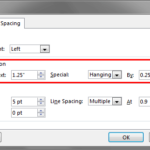
Learn PowerPoint 2013 for Windows: Set Text Indentation Using Numerical Values Learn PowerPoint 2013 for Windows: Set Text Indentation Using Numerical Values
March 30th, 2015


Learn PowerPoint 2013 for Windows: Tweak Bulleted Paragraphs With Left Indent Marker
March 27th, 2015


Learn PowerPoint 2013 for Windows: Tweak Bulleted Lists With Hanging Indent Marker
March 26th, 2015


Learn PowerPoint 2010 for Windows: Creating Custom Slide Shows
March 25th, 2015


Learn PowerPoint 2011 for Mac: Tips for Custom Shows
March 25th, 2015


Learn PowerPoint 2013 for Windows: Tweak Bullets With First Line Indent Marker
March 24th, 2015


Column or Bar Chart?
March 23rd, 2015


Learn PowerPoint 2011 for Mac: Viewing Sections
March 23rd, 2015


Learn PowerPoint 2013 for Windows: Reordering Sections Learn PowerPoint 2013 for Windows: Reordering Sections
March 20th, 2015


Page 1 Page 48 Page 49 Page 50 Page 51 Page 52 Page 115


Microsoft and the Office logo are trademarks or registered trademarks of Microsoft Corporation in the United States and/or other countries.
Plagiarism will be detected by Copyscape

© 2000-2026, Geetesh Bajaj - All rights reserved.

since November 02, 2000