Tutorials Articles - Page 86 of 115


Learn PowerPoint 2010 for Windows: Selecting Text Learn PowerPoint 2010 for Windows: Selecting Text
September 18th, 2012


Learn PowerPoint 2011 for Mac: Theme Fonts
September 17th, 2012


Learn PowerPoint 2010 for Windows: AutoRecover and AutoSave Options
September 14th, 2012


Learn PowerPoint 2008 for Mac: Theme Fonts
September 13th, 2012


Learn PowerPoint 2010 for Windows: Check Compatibility
September 12th, 2012


Learn PowerPoint 2011 for Mac: Dynamic Content Transitions
September 11th, 2012


Learn PowerPoint 2010 for Windows: Check Accessibility
September 10th, 2012


Handmade Slides: Using Scanned Pictures in PowerPoint
September 8th, 2012


Learn PowerPoint 2011 for Mac: Slide Transition Effect Options
September 7th, 2012


Learn PowerPoint 2010 for Windows: Inspect Document Learn PowerPoint 2010 for Windows: Inspect Document
September 6th, 2012


Learn PowerPoint 2011 for Mac: Slide Transition Time
September 5th, 2012


Learn PowerPoint 2010 for Windows: Create Custom Theme Fonts Using XML Learn PowerPoint 2010 for Windows: Create Custom Theme Fonts Using XML
September 4th, 2012


Handmade Slides: Using Scanned Pictures
September 3rd, 2012


Learn PowerPoint 2011 for Mac: Slide Transition Duration
September 3rd, 2012


Learn PowerPoint 2010 for Windows: Add Trigger for Sound and Movie Actions Learn PowerPoint 2010 for Windows: Add Trigger for Sound and Movie Actions
August 31st, 2012


PowerPoint 2013 Interface
August 31st, 2012


Learn PowerPoint 2011 for Mac: Slide Transitions Learn PowerPoint 2011 for Mac: Slide Transitions
August 30th, 2012


Learn PowerPoint 2010 for Windows: Sharing, Editing, and Deleting Custom Theme Fonts Learn PowerPoint 2010 for Windows: Sharing, Editing, and Deleting Custom Theme Fonts
August 29th, 2012


Learn PowerPoint 2011 for Mac: Add Sound to Animation
August 28th, 2012


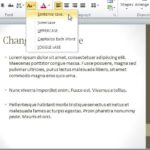
Learn PowerPoint 2010 for Windows: Change Text Case Learn PowerPoint 2010 for Windows: Change Text Case
August 27th, 2012


Keyboard Shortcuts: PowerPoint Keyboard Shortcuts: PowerPoint 2011 for Mac
August 27th, 2012


Learn PowerPoint 2011 for Mac: Build and Sequence Animations
August 24th, 2012


Learn PowerPoint 2010 for Windows: Tweak Bulleted Paragraphs with Left Indent Marker
August 23rd, 2012


Learn PowerPoint 2011 for Mac: Animation Delay
August 22nd, 2012


Learn PowerPoint 2010 for Windows: Hanging Indent Marker Learn PowerPoint 2010 for Windows: Hanging Indent Marker
August 21st, 2012


Page 1 Page 84 Page 85 Page 86 Page 87 Page 88 Page 115


Microsoft and the Office logo are trademarks or registered trademarks of Microsoft Corporation in the United States and/or other countries.

Plagiarism will be detected by Copyscape

© 2000-2026, Geetesh Bajaj - All rights reserved.

since November 02, 2000