
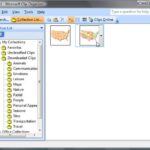
In a previous tutorial we showed you how to download vector map files from the Microsoft Office website. In this tutorial, you’ll learn how to ungroup these map files. Our example looks at a map of the United States of America that also shows each individual state. Your map may be different, but the principles explained will be useful.

Learn how to ungroup a map in PowerPoint 2010 and 2007 for Windows.
Related Posts
 One of the most frequently asked questions in the PowerPoint forums is about having access to a map of the United States of America on a slide that ha...
 PowerPoint 2007, 2010, and 2013 include several built-in Theme Fonts sets. Additionally, you can also create custom Theme Fonts sets from within Power...
 Although PowerPoint (and Microsoft Office ) includes several Theme Fonts sets, you can take this concept further by creating your own custom Theme Fon...
 With Theme Fonts, you get several sets of ready made choices in PowerPoint, and you can choose and apply from these pre-decided pairs of font choices,...