
 (No Ratings Yet)
 Loading...
Unlike in previous versions, PowerPoint 2007 includes the exact, same dialog Font box if you are formatting font in a text box, placeholder, or even in a chart — in this tutorial, we’ll show you the formatting options available in this dialog box.
Related Posts
 Although charts are a visual medium, they still contain plenty of text in the form of data labels, titles, legend, axis labels, etc. And while PowerPo...
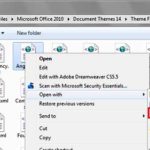 PowerPoint 2007, 2010, and 2013 include several built-in Theme Fonts sets. Additionally, you can also create custom Theme Fonts sets from within Power...
 With Theme Fonts, you get several sets of ready made choices in PowerPoint, and you can choose and apply from these pre-decided pairs of font choices,...
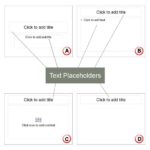 In PowerPoint slides, text can be found in many places: text placeholders, text boxes, tables, charts, the Notes pane, and more places. However, the t...