
 (1 votes, average: 5.00 out of 5)
 Loading...
Imagine this scenario: you have created a specialized, medical presentation that’s full of squiggly, red, underlined words! These squiggly underlines indicate what PowerPoint considers to be as a misspelled word! Don’t blame PowerPoint, because its medical terminology is somewhat limited. We do know that almost all the words in your medical presentation are perfectly valid as far as spelling is concerned. The silver lining here though is that you can teach PowerPoint to spell those words, and enhance PowerPoint’s custom dictionary.

Learn how to edit custom dictionaries in PowerPoint 2016 for Windows.
Related Posts
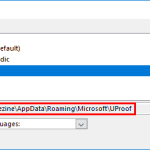 Each logged-in user has a default custom dictionary accessible within PowerPoint and other Microsoft Office programs called RoamingCustom.dic. Additio...
 Any custom dictionary that you create within PowerPoint or any other Microsoft Office program is used by all the Office applications installed on your...
 Although PowerPoint provides a spelling dictionary which contains a list of all common words, you might be working on a particular project that uses u...
 You may wonder what happens behind the scenes when you run a spell check in PowerPoint or any other Microsoft Office program. This is what happens: Po...