Geetesh Bajaj, Author - Page 138 of 247


Author Archives: Geetesh Bajaj

Browse posts authored by Geetesh Bajaj.

See Also:
PowerPoint and Presenting Notes
PowerPoint and Presenting Glossary


Align Shapes to Center of Slide in PowerPoint 2013 for Windows September 10th, 2013
Align Shapes to Center of Slide in PowerPoint 2013 for Windows


Tom Howell September 9th, 2013
PowerPoint’s Video Exports: Conversation with Tom Howell


Setting Proofing Language for Text in PowerPoint 2011 for Mac September 9th, 2013
Setting Proofing Language for Text in PowerPoint 2011 for Mac


Bing Images Search by License September 6th, 2013
Bing Images Search by License


Learn PowerPoint 2013 for Windows: Align Shapes September 6th, 2013
Learn PowerPoint 2013 for Windows: Align Shapes


Learn PowerPoint 2010 for Windows: Remove and Change Passwords September 5th, 2013
Learn PowerPoint 2010 for Windows: Remove and Change Passwords


September 5th, 2013
Learn PowerPoint 2011 for Mac: Proofing Dictionaries for Foreign Languages


Bing Images Search by Date September 4th, 2013
Bing Images Search by Date


Drawing Multiple Shapes Quickly in PowerPoint 2013 for Windows September 4th, 2013
Drawing Multiple Shapes Quickly in PowerPoint 2013 for Windows


September 3rd, 2013
PowerPoint and Presenting News: September 3, 2013


Using SmartArt for Simple Flowcharts in PowerPoint for Mac September 3rd, 2013
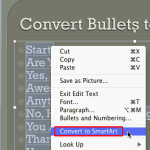
Using SmartArt for Simple Flowcharts in PowerPoint for Mac


Ellen Finkelstein September 2nd, 2013
Outstanding Presentations Workshop 2013: Conversation with Ellen Finkelstein


Duplicate Shapes Using Keyboard Shortcuts in PowerPoint 2013 for Windows September 2nd, 2013
Duplicate Shapes Using Keyboard Shortcuts in PowerPoint 2013 for Windows


Bing Images Search by People August 30th, 2013
Bing Images Search by People


August 30th, 2013
Formatting Connectors within Flowcharts in Office 2011 for Mac


August 29th, 2013
How can I create a new PowerPoint presentation on Office Mobile?


Duplicate Shapes by Dragging in PowerPoint 2013 for Windows August 29th, 2013
Duplicate Shapes by Dragging in PowerPoint 2013 for Windows


August 28th, 2013
Open Files in Office Mobile


Using Flowchart and Connector Shapes Together in PowerPoint for Mac August 28th, 2013
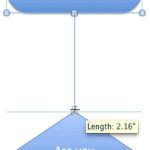
Using Flowchart and Connector Shapes Together in PowerPoint for Mac


Bing Images Search by Layout August 27th, 2013
PowerPoint and Presenting News: August 27, 2013


Select and Deselect Shapes in PowerPoint 2013 for Windows August 27th, 2013
Select and Deselect Shapes in PowerPoint 2013 for Windows


Andrea Meyer August 26th, 2013
Present Yourself: Conversation with Andrea Meyer


August 26th, 2013
Basic Flowcharts in Microsoft Office for Mac


Bing Images Search by Layout August 23rd, 2013
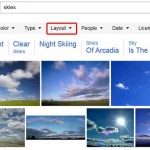
Bing Images Search by Layout


Select, Deselect, View, and Hide Shapes Using the Selection Pane in PowerPoint 2013 for Windows August 23rd, 2013
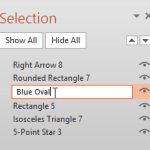
Select, Deselect, View, and Hide Shapes Using the Selection Pane in PowerPoint 2013 for Windows


Popular Posts

Ampler Kristian Johansen Ampler: Conversation with Kristian Johansen

Kristian Johansen is CEO and founder of Ampler, an integrated productivity platform for Microsoft Office. Ampler enables users to work faster, easier, and more efficiently in PowerPoint, Word, and Excel, and includes a series of tools that can be integrated into existing Office installations. Kristian has a background as a management consultant from Bain & ...


Pecha Kucha Tips 10 Tips for Pecha Kucha

A few days ago, our PowerPoint and Presenting Stuff LinkedIn group had a great discussion on Pecha Kucha. It started with one of our members asking for some guidance on how to go about preparing for a Pecha Kucha presentation. To those of you who do not know what Pecha Kucha is, it is a ...


Clear Slides - Ramgopal M. S. Clear Slides: Conversation with Ramgopal M. S.

Explore insights from author Ramgopal M. S.’s new book, Clear Slides, on simplifying complex ideas through clear, effective presentations.


Page 1 … Page 136 Page 137 Page 138 Page 139 Page 140 … Page 247


Microsoft and the Office logo are trademarks or registered trademarks of Microsoft Corporation in the United States and/or other countries.

Plagiarism will be detected by Copyscape

© 2000-2026, Geetesh Bajaj - All rights reserved.

since November 02, 2000