Geetesh Bajaj, Author - Page 54 of 246


Author Archives: Geetesh Bajaj

Browse posts authored by Geetesh Bajaj.

See Also:
PowerPoint and Presenting Notes
PowerPoint and Presenting Glossary


Emma Bannister February 8th, 2018
VisualStory Training from Presentation Studio: Conversation with Emma Bannister


Slide Master View in PowerPoint 2016 for Mac February 8th, 2018
Slide Master View in PowerPoint 2016 for Mac


Emilie Tanniou February 7th, 2018
Pick and Apply Shape Format in PowerPoint using SlideProof: Conversation with Emilie Tanniou


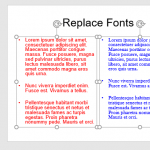
Replace Fonts in PowerPoint 2013 for Windows February 7th, 2018
Replace Fonts in PowerPoint 2013 for Windows


Dashboard 03 from PresentationPoint February 6th, 2018
PowerPoint and Presenting News: February 6, 2018


TemplateMonster 66272 February 6th, 2018
10 Inspiration Ideas For Outstanding Business Presentations


Replace Fonts in PowerPoint 2016 for Windows February 6th, 2018
Replace Fonts in PowerPoint 2016 for Windows


Notes Page View in PowerPoint 2016 for Mac February 1st, 2018
Notes Page View in PowerPoint 2016 for Mac


Chantal Bosse January 31st, 2018
Training TED and TEDx Speakers: Conversation with Chantal Bossé


David Edri Headshot January 30th, 2018
PowerPoint and Presenting News: January 30, 2018


How to Create Dashboard Software Using PowerPoint January 29th, 2018
How to Create Dashboard Software Using PowerPoint


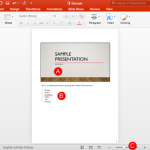
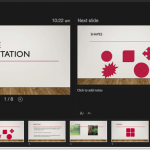
Presenter View in PowerPoint 2016 for Mac January 25th, 2018
Presenter View in PowerPoint 2016 for Mac


David Edri Headshot January 24th, 2018
Emaze New Features in 2018: Conversation with David Edri


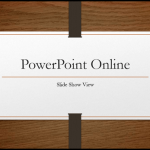
Slide Show View in PowerPoint Online January 24th, 2018
Slide Show View in PowerPoint for the Web


Edit Captions within the STAMP Add-in in PowerPoint 2016, 2013, and 2010 for Windows January 23rd, 2018
PowerPoint and Presenting News: January 23, 2018


Youve Got 8 Seconds January 18th, 2018
You’ve Got 8 Seconds: Conversation with Paul Hellman


Slide Show View in PowerPoint 2016 for Mac January 18th, 2018
Slide Show View in PowerPoint 2016 for Mac


Tom Kuhlmann January 17th, 2018
Articulate 360: Conversation with Tom Kuhlmann


Share Option in Backstage View in PowerPoint 2013 for Windows January 17th, 2018
Share Option in Backstage View in PowerPoint 2013 for Windows


PowerPoint and Presenting News: January 16, 2017 January 16th, 2018
PowerPoint and Presenting News: January 16, 2018


Why You Should Never (Ever) Memorize Your Presentation January 16th, 2018
Why You Should Never (Ever) Memorize Your Presentation


Reading View in PowerPoint Online January 16th, 2018
Reading View in PowerPoint for the Web


Identify 32-Bit or 64-Bit in PowerPoint and Office 2016 for Windows January 15th, 2018
Identify 32-Bit or 64-Bit in PowerPoint and Office 2016 for Windows


Dog Designs January 12th, 2018
PowerPoint Shapes: Dog Designs


Changing Interface Color in PowerPoint 2016 for Mac January 11th, 2018
Changing Interface Color in PowerPoint 2016 for Mac


Popular Posts

Ampler Kristian Johansen Ampler: Conversation with Kristian Johansen

Kristian Johansen is CEO and founder of Ampler, an integrated productivity platform for Microsoft Office. Ampler enables users to work faster, easier, and more efficiently in PowerPoint, Word, and Excel, and includes a series of tools that can be integrated into existing Office installations. Kristian has a background as a management consultant from Bain & ...


Breaking Through Writer’s Block – I Breaking Through Writer’s Block – I

Breaking writer’s block with practical steps to refocus your message, structure ideas, and craft stronger presentations.


PowerPoint Presentation Formula 01 PowerPoint Presentation Formula 01

By Geetesh Bajaj There's no official term called a PowerPoint presentation formula. You won't find it in any dictionary, and nobody's going to hand you a certificate for using one correctly. It's simply a way of describing a structured approach to building presentations that actually work. Think of it like a pasta sauce recipe. Everyone ...


Page 1 Page 52 Page 53 Page 54 Page 55 Page 56 Page 246


Microsoft and the Office logo are trademarks or registered trademarks of Microsoft Corporation in the United States and/or other countries.

Plagiarism will be detected by Copyscape

© 2000-2026, Geetesh Bajaj - All rights reserved.

since November 02, 2000