PowerPoint 2010 Articles - Page 18 of 19


Mini Toolbar in PowerPoint 2010 for Windows Mini Toolbar in PowerPoint 2010 for Windows
September 27th, 2010


New Features in PowerPoint 2010 New Features in PowerPoint 2010
July 15th, 2009


Notes Pane in PowerPoint 2010 for Windows Notes Pane in PowerPoint 2010 for Windows
September 13th, 2010


Office 2010 Beta Office 2010 Beta
November 22nd, 2009


Open and Close Tabs of Backstage View in PowerPoint 2010 for Windows Open and Close Tabs of Backstage View in PowerPoint 2010 for Windows
August 26th, 2010


Package a Presentation to a CD or Folder in PowerPoint 2010 for Windows Package a Presentation to a CD or Folder in PowerPoint 2010 for Windows
October 17th, 2016


PowerPoint 2010 Animation Engine PowerPoint 2010 Animation Engine
January 11th, 2010


Print Tab of Backstage View in PowerPoint 2010 for Windows Print Tab of Backstage View in PowerPoint 2010 for Windows
September 27th, 2016


Quick Access Toolbar in PowerPoint 2010 for Windows Quick Access Toolbar in PowerPoint 2010 for Windows
October 26th, 2016


Quick Access Toolbar in PowerPoint 2010 for Windows Quick Access Toolbar in PowerPoint 2010 for Windows
August 27th, 2010


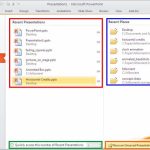
Recent Tab of Backstage View in PowerPoint 2010 for Windows Recent Tab of Backstage View in PowerPoint 2010 for Windows
September 23rd, 2016


Recolor Picture Backgrounds in PowerPoint 2010 and 2007 for Windows Recolor Picture Backgrounds in PowerPoint 2010 and 2007 for Windows
March 15th, 2010


Remove Background from Pictures in PowerPoint 2010 for Windows Remove Background from Pictures in PowerPoint 2010 for Windows
September 9th, 2015


Remove Background from Pictures in PowerPoint 2010 for Windows
September 12th, 2011


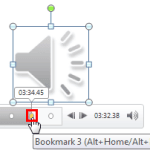
Learn PowerPoint 2013 for Windows: Remove Bookmarks from Audio Clips Remove Bookmarks from Audio Clips in PowerPoint 2010 for Windows
February 28th, 2013


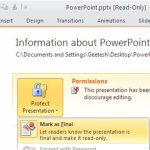
Remove Mark as Final Option in PowerPoint 2010 for Windows Remove Mark as Final Option in PowerPoint 2010 for Windows
September 2nd, 2010


Removing Customizations from PCB Files in PowerPoint 2010 for Windows
November 10th, 2015


Reordering and Removing Ribbon Tabs in PowerPoint 2010 for Windows Reordering and Removing Ribbon Tabs in PowerPoint 2010 for Windows
November 22nd, 2016


Replace Fonts in PowerPoint 2010 for Windows Replace Fonts in PowerPoint 2010 for Windows
January 3rd, 2018


Research Options in PowerPoint 2010 for Windows Research Options in PowerPoint 2010 for Windows
May 4th, 2017


Research Tools in PowerPoint 2010 for Windows Research Tools in PowerPoint 2010 for Windows
April 17th, 2017


Save and Send Tab in Backstage View in PowerPoint 2010 for Windows Save and Send Tab in Backstage View in PowerPoint 2010 for Windows
September 28th, 2016


Save as PDF in PowerPoint 2010 for Windows Save as PDF in PowerPoint 2010 for Windows
December 6th, 2016


Saving Themes In PowerPoint, Word, and Excel 2010 for Windows
December 17th, 2010


Set PowerPoint 2010 for Windows as the Default Version Set PowerPoint 2010 for Windows as the Default Version
June 2nd, 2017


Page 1 … Page 16 Page 17 Page 18 Page 19


Microsoft and the Office logo are trademarks or registered trademarks of Microsoft Corporation in the United States and/or other countries.

Plagiarism will be detected by Copyscape

© 2000-2026, Geetesh Bajaj - All rights reserved.

since November 02, 2000