PowerPoint 2013 Articles - Page 20 of 25


Text Placeholders vs. Text Boxes in PowerPoint Learn PowerPoint 2013 for Windows: Text Placeholders vs. Text Boxes
May 13th, 2013


Learn PowerPoint 2013 for Windows: Text Transforms
April 27th, 2015


Learn PowerPoint 2013 for Windows: Text within Shapes Learn PowerPoint 2013 for Windows: Text within Shapes
February 12th, 2014


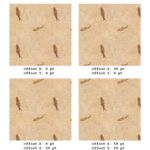
Texture Fills for Slide Backgrounds in PowerPoint 2016 for Windows Learn PowerPoint 2013 for Windows: Texture Fills for Slide Backgrounds
January 31st, 2014


Learn PowerPoint 2013 for Windows: Texture Fills for Text
April 16th, 2015


Learn PowerPoint 2013 for Windows: Theme Fonts
January 7th, 2015


Learn PowerPoint 2013 for Windows: Tick Marks on Chart Axes
July 4th, 2014


Learn PowerPoint 2013 for Windows: Tiling Options Learn PowerPoint 2013 for Windows: Tiling Options
November 5th, 2013


Learn PowerPoint 2013 for Windows: Tips for Custom Shows
March 11th, 2015


Transparency for Shape Fills in PowerPoint Learn PowerPoint 2013 for Windows: Transparency for Shape Fills
November 11th, 2013


Learn PowerPoint 2013 for Windows: Transparency for Shape Outlines
January 14th, 2015


Learn PowerPoint 2013 for Windows: Trigger Animations Learn PowerPoint 2013 for Windows: Trigger Animations
August 8th, 2014


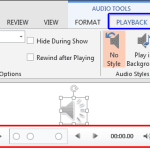
Trim Audio Clips in PowerPoint 2013 for Windows Learn PowerPoint 2013 for Windows: Trim Audio Clips
October 16th, 2014


Learn PowerPoint 2013 for Windows: Tweak Bulleted Lists With Hanging Indent Marker
March 26th, 2015


Learn PowerPoint 2013 for Windows: Tweak Bulleted Paragraphs With Left Indent Marker
March 27th, 2015


Learn PowerPoint 2013 for Windows: Tweak Bullets With First Line Indent Marker
March 24th, 2015


Learn PowerPoint 2013 for Windows: Types of Animation
July 8th, 2014


Learn PowerPoint 2013 for Windows: Types of Connectors
April 22nd, 2014


Learn PowerPoint 2013 for Windows: Types of Points (Vertexes)
April 7th, 2014


Learn PowerPoint 2013 for Windows: Ungroup a Table Learn PowerPoint 2013 for Windows: Ungroup a Table
July 8th, 2014


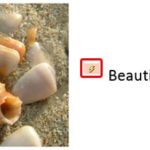
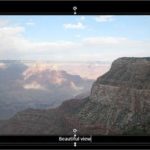
Learn PowerPoint 2013 for Windows: Using Captions in Photo Album Presentations Learn PowerPoint 2013 for Windows: Using Captions in Photo Album Presentations
November 17th, 2014


Learn PowerPoint 2013 for Windows: Using Custom Textures as Fill for Text Learn PowerPoint 2013 for Windows: Using Custom Textures as Fill for Text
April 17th, 2015


Learn PowerPoint 2013 for Windows: Using SmartArt for Simple Flowcharts
July 26th, 2013


Learn PowerPoint 2013 for Windows: Using the Invert if Negative Option within Charts
July 9th, 2014


Learn PowerPoint 2013 for Windows: Using the Pen and Highlighter Tools in Slide Show View
June 26th, 2015


Page 1 Page 18 Page 19 Page 20 Page 21 Page 22 Page 25


Microsoft and the Office logo are trademarks or registered trademarks of Microsoft Corporation in the United States and/or other countries.

Plagiarism will be detected by Copyscape

© 2000-2026, Geetesh Bajaj - All rights reserved.

since November 02, 2000