
This is the print version of this page. All content is copyright Indezine.com 2000-2026.
Thoughts and impressions of happenings in the world of PowerPoint and presentations, continuously updated since 2003.
See Also:
PowerPoint and Presenting Notes
PowerPoint and Presenting Glossary
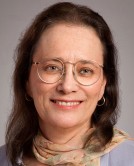 Ellen Finkelstein is a PowerPoint MVP (Most Valuable Professional, a Microsoft award), one of only 14 in the United States. Her well-known website offers many PowerPoint tips and the PowerPoint Tips Newsletter. She specializes in training speakers and presenters to convert Death by PowerPoint to Life by PowerPoint; communicate clearly and powerfully; and design high-impact, persuasive and professional-looking slides.
In this conversation, Ellen discusses her upcoming webinar series, the Outstanding Presentations Workshop 2017.
Filed Under:
Events
Tagged as: Ellen Finkelstein, Events, Interviews, Outstanding Presentations Workshop, Webinar
Comments Off on Outstanding Presentations Workshop 2017: Conversation with Ellen Finkelstein

Carmen Simon is a cognitive neuroscientist and founder of Memzy, a company that uses brain science to help the world’s most visible brands create memorable messages. She is also a best-selling author and leading expert on using memory to influence decision-making. Her most recent book, Impossible to Ignore: Create Memorable Content to Influence Decisions, has won the acclaim of publications such as Inc, Forbes, and Fast Company, and has been selected as one of the top books on persuasion.
Carmen speaks frequently to corporate, academic and government audiences on neuroscience research findings related to creating memorable messages based on how the brain works. She holds doctorates in both instructional technology and cognitive psychology.
In this conversation, Carmen talks about her sessions at the upcoming Presentation Summit 2017 in Clearwater Beach, FL.
Filed Under:
Events
Tagged as: Carmen Simon, Events, Interviews, Presentation Summit
Comments Off on Presentation Summit 2017: Conversation with Carmen Simon
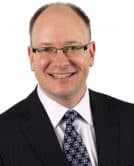 Dave Paradi helps corporate professionals use PowerPoint to visually communicate the messages in their data so they don’t overwhelm and confuse executives. He is one of sixteen people in North America recognized by Microsoft with the PowerPoint Most Valuable Professional Award for his contributions to the PowerPoint community. He has authored nine books on effective PowerPoint presentations and has written his newsletter every two weeks for over fifteen years. His website is Think Outside The Slide.
In this conversation, Dave discusses his new The Annoying PowerPoint Survey 2017 survey.
Filed Under:
Interviews
Tagged as: Dave Paradi, Interviews, PowerPoint, Survey
The terms Header and Footer typically come from word processing programs; these denote repeated elements that show at the top and bottom of every page. Headers and Footers work similarly on PowerPoint slides: the Footer is a line of text that usually appears at the bottom of a slide. Typically, the Footer area includes three placeholders: Date, Footer, and Slide number. By default, the footer with one or more of these three placeholders appears on every slide in a presentation, but you can change that as required.
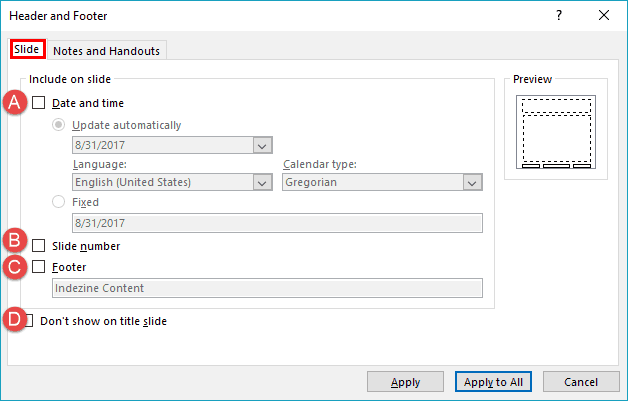
Learn how to add Headers and Footers to slides in PowerPoint 2016 for Windows.
Filed Under:
PowerPoint 2016
Tagged as: Footer, Header, Interface, Office 2016, PowerPoint 2016, Tutorials
Comments Off on Add Headers and Footers to Slides in PowerPoint 2016 for Windows

James Robinson is the Marketing Manager for Buffalo 7, the UK’s leading PowerPoint presentation design agency. Buffalo 7 works with names including UEFA Champions League, Dell, Red Bull, Facebook, and the BBC.
In this conversation, James talks about Buffalo 7’s new e-book, The Ultimate Guide To PowerPoint.
Filed Under:
Interviews
Tagged as: Books, Buffalo 7, Interviews
Comments Off on The Ultimate Guide To PowerPoint: Conversation with James Robinson
Microsoft and the Office logo are trademarks or registered trademarks of Microsoft Corporation in the United States and/or other countries.