
This is the print version of this page. All content is copyright Indezine.com 2000-2026.
Thoughts and impressions of happenings in the world of PowerPoint and presentations, continuously updated since 2003.
See Also:
PowerPoint and Presenting Notes
PowerPoint and Presenting Glossary
While you can browse and view content on Docs.com without signing in, that’s the sum of all you can do. To go further and upload a PowerPoint presentation or another file, you will have to first sign into Docs.com using your Microsoft account. A Microsoft account contains credentials you use to sign into any of Microsoft’s services such as Hotmail, Outlook, XBox, Live, Zune, etc. In this tutorial, we explain how you can sign into Docs.com.

Learn how to sign into Docs.com.
Filed Under:
PowerPoint for the Web
Tagged as: PowerPoint for the Web, Tutorials
Comments Off on Sign into Docs.com

Billy Schlotter is Design and Marketing Director for PresenterMedia. He has a passion for creating and connecting with people online and in person. When he’s not working, you will find him spending time with his family, playing guitar, or cooking.
In this conversation, Billy discusses the new isometric images available on the Presenter Media site.
Geetesh: Billy, what are these new isometric images introduced by PresenterMedia, and what motivated you to create them?
Billy: We didn’t introduce them but saw an opportunity. If you search Google for ‘isometric illustrations,’ you will find thousands of examples. We know that creating a slide deck for a presentation can be time-consuming. Like all our products, we wanted to create a fast, creative, solution for our customers. We wanted to give them the tools and resources to create their own illustrations without spending hours creating different elements.

Geetesh: How are isometric images different from the typical imagery that we use in our slides, and how can they benefit us in explaining concepts to audiences?
Billy: The natural world around us relies on perspective. With isometric illustrations, though, they are without perspective and cannot be found in nature. Everything in the background is at the same scale as everything in the foreground. That’s what gives them their unique attraction.

You can use them to create a company’s supply chain process. By conveying how a product gets from point A to point B to point C. You can create a whole neighborhood or factory just by placing a couple of images next to each other. We believe that there are endless ways to use these illustrations and are excited to add them to our library.

You May Also Like: Presenter Media Content and More: Conversation with Art Holden
The views and opinions expressed in this blog post or content are those of the authors or the interviewees and do not necessarily reflect the official policy or position of any other agency, organization, employer, or company.
Filed Under:
Interviews
Tagged as: Clip Media, Design, Interviews, PowerPoint, PresenterMedia
Comments Off on Isometric Images by PresenterMedia: Conversation with Billy Schlotter
Docs.com is a file sharing site from Microsoft that lets you share many of your Microsoft Office files with other people. While there are many sites that allow you to share files, what sets Docs.com apart is that the file formats of your files are unchanged. This is a huge advantage since Docs.com treats most Microsoft Office files such as PPTX (PowerPoint), DOCX (Word), and XLSX (Excel) as native.

Learn how to get started with Docs.com.
Filed Under:
PowerPoint for the Web
Tagged as: PowerPoint for the Web, Tutorials
Comments Off on Getting Started with Docs.com
Every shape in PowerPoint is a combination of segments (lines) and points (vertexes) — and these segments and vertexes are only visible within Edit Points mode. We won’t discuss segments for now, but let us help you explore different types of vertexes (points) in PowerPoint 2003. Essentially, these are of four types.
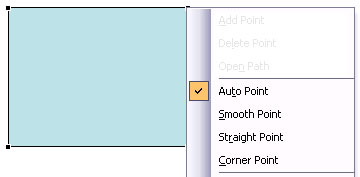
Learn about different types of points (vertexes) in PowerPoint 2003 for Windows.
Filed Under:
PowerPoint 2003
Tagged as: PowerPoint 2003, Shapes, Tutorials
Comments Off on Learn PowerPoint 2003 for Windows: Types of Points (Vertexes)
Assuming someone has provided you with an HSL (Hue, Saturation, and Luminosity) value of a color, and asked you to add a rectangle of that color to a slide in PowerPoint 2010, then how do you proceed? Let’s also explore another scenario. What if you have started with a color that’s close enough to what you need, but it’s not the exact one. Maybe you need it to be a little less saturated? Again, you will benefit by working with the HSL color model rather than the RGB model.

Learn about how to work with HSL colors in PowerPoint 2010 for Windows.
Filed Under:
PowerPoint 2010
Tagged as: Color, PowerPoint 2010, Tutorials
Comments Off on Learn PowerPoint 2010 for Windows: Working with HSL Colors
Microsoft and the Office logo are trademarks or registered trademarks of Microsoft Corporation in the United States and/or other countries.