
This is the print version of this page. All content is copyright Indezine.com 2000-2026.
Thoughts and impressions of happenings in the world of PowerPoint and presentations, continuously updated since 2003.
See Also:
PowerPoint and Presenting Notes
PowerPoint and Presenting Glossary
Do you create many Custom Shows? Or have you never heard about it? Maybe you have heard about it, and have also used it — but, want to learn more about this amazing PowerPoint feature? Either way, these tips will help you get more from your Custom Shows in PowerPoint 2013.

Here are some tips that can help you in creating Custom Slide Shows in PowerPoint 2013 for Windows.
Filed Under:
PowerPoint 2013
Tagged as: Delivery, PowerPoint 2013, Tutorials
Comments Off on Learn PowerPoint 2013 for Windows: Tips for Custom Shows
Molecules represent unity and diversity of life, and are often used to suggest reaction and regeneration! In this set, we bring you not one or two, but ten variations of these molecules. These molecule graphics can be used on their own, or also combined with other graphics such as a human head to create a larger concept or analogy!

Download and use these shapes in your slides.
Filed Under:
Presentation Bank
Tagged as: Graphics, PowerPoint, Presentation Samples, Shapes
Comments Off on Molecule Graphics for PowerPoint – 01
What if you are in a situation where you must give your presentation within a time constraint? Maybe you have been allowed precisely 15 or 10 minutes, and then you need to wrap up. How will you keep track of the time? One solution to this issue is to use the countdown timers in your presentation. This tutorial explains how you can add a countdown timer within your presentation in PowerPoint 2007 using a ready-to-use video file.
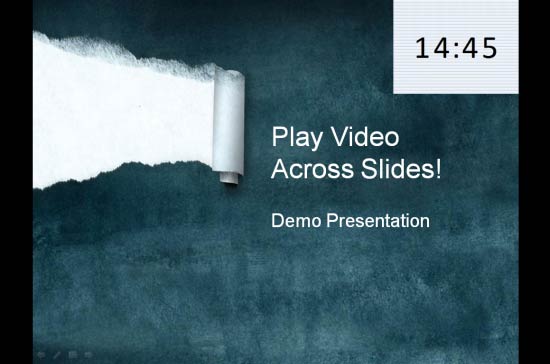
Learn how you can use a video countdown timer across slides in PowerPoint 2007 for Windows.
Filed Under:
PowerPoint 2007
Tagged as: Animation, PowerPoint 2007, Tutorials, Video
Comments Off on Learn PowerPoint 2007 for Windows: Slides With Countdown Timers
The Comments option works well when you are collaborating on a presentation with someone else and you want to give and receive feedback without actually editing the slides themselves. In our commenting series of tutorials we already learnt how to Add, Edit, or Delete Comments within PowerPoint’s desktop application — we also explored Commenting within PowerPoint Online (OneDrive). In this tutorial we’ll explain how to use commenting and at the same time collaborate between PowerPoint Online and PowerPoint 2013 (desktop application).

Filed Under:
PowerPoint 2013
Tagged as: PowerPoint 2013, PowerPoint for the Web, Tutorials
Comments Off on Learn PowerPoint 2013 for Windows: Commenting and Collaborating with PowerPoint Online
When you are working on a presentation with your client, or even a co-worker, you might end up in a situation where instead of working on the same copy, you both have worked on two different copies. Essentially, these copies contain changes done by both of you — some similar and some different. Now you need to compare and merge these copies into a single, cohesive file without losing anything at all!

Learn how to compare and merge presentations in PowerPoint 2010 for Windows.
Filed Under:
PowerPoint 2010
Tagged as: PowerPoint 2010, Slide Management, Tutorials
Comments Off on Learn PowerPoint 2010 for Windows: Comparing and Merging Presentations
Microsoft and the Office logo are trademarks or registered trademarks of Microsoft Corporation in the United States and/or other countries.