
This is the print version of this page. All content is copyright Indezine.com 2000-2026.
Thoughts and impressions of happenings in the world of PowerPoint and presentations, continuously updated since 2003.
See Also:
PowerPoint and Presenting Notes
PowerPoint and Presenting Glossary
We begin with a feature exploring ten tips to improve your public speaking skills. We also feature Cliff Atkinson, who talks about his session at the upcoming Presentation Summit.
We also bring you quotes, press releases, and templates from the last few days.

Stay informed about updated tutorials and happenings related to PowerPoint and presenting.
Filed Under:
Ezine
Tagged as: Ezine, Indezine, News, PowerPoint
Comments Off on PowerPoint and Presenting News: June 14, 2022
By Andrew P Bennett, Toastmasters International
Public speakers sometimes come to me for advice because they are aware that their voices lack clarity and variety. The issue can be that they have got into the habit of speaking on one note. This means their audience finds their voice monotonous and hard to stay engaged with. Does this resonate with you?
Luckily an attractive, dynamic speaking voice lies in something we all do – breathing. To be more exact the key is in finding a depth in our breathing so that our voices are nourished by a steady flow of breath as we speak.

Image: Yay Images
Filed Under:
Guest Posts
Tagged as: Andrew P Bennett, Guest Post, Public Speaking, Voice
Comments Off on Use Your Breath to Become More Expressive When Public Speaking

Cliff Atkinson is a leading expert on how to get In the Zone – and stay there longer. He’s worked with some of the biggest tech and consumer companies in the world including GE, Deloitte, Intel, Facebook, and Chevron; and he helped influence juries to award $5 billion in verdicts that held companies accountable for their actions. He’s a bestselling author, sought-after speaker, and his insights have been featured in the NY Times, LA Times, The Wall Street Journal, and Fortune magazine, to name a few. As creator of the In the Zone podcast and the School of the Unconscious, Cliff is on a mission to bring more people In the Zone with a sense of curiosity, play and joyful enthusiasm.
In this conversation, Cliff talks about his participation at the upcoming Presentation Summit 2022, being held on location in San Diego, CA, and virtually this year from October 9 to 12, 2022.
Filed Under:
Events
Tagged as: Cliff Atkinson, Events, Interviews, Presentation Summit
Comments Off on Presentation Summit 2022: Conversation with Cliff Atkinson
We first look at how you can use the Morph transition in PowerPoint with words so that they animate between successive slides. Next, AlexAnndra Ontra of Shufflrr explains how you can maximize the ROI of your existing presentation slides.
We feature three speakers from the upcoming Presentation Summit who talk about their sessions and also share some presentation design and lifestyle tips. We also bring you quotes, press releases, and templates from the last few days.

Stay informed about updated tutorials and happenings related to PowerPoint and presenting.
Filed Under:
Ezine
Tagged as: Ezine, Indezine, News, PowerPoint
Comments Off on PowerPoint and Presenting News: May 31, 2022
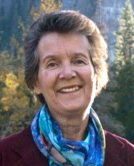
Of Dierdre Wolownick‘s many claims to fame, being the oldest woman to have climbed El Capitan (at the age of 70) earns a mediocre rank. Higher on the list is having raised a son who climbs it without any safety equipment. Indeed, the mother of Alex Honnold (of Free Solo fame) has marvelous stories to tell of maintaining her sanity raising Alex, finding her own way in life, and becoming a gifted storyteller and teacher.
In this conversation, Dierdre talks about her participation at the upcoming Presentation Summit 2022, being held on location in San Diego, CA, and virtually this year from October 9 to 12, 2022.
Filed Under:
Events
Tagged as: Events, Interviews, Presentation Summit
Comments Off on Presentation Summit 2022: Conversation with Dierdre Wolownick
Microsoft and the Office logo are trademarks or registered trademarks of Microsoft Corporation in the United States and/or other countries.