PowerPoint 2013 Articles - Page 25 of 26


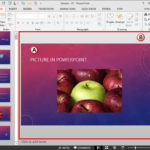
Learn PowerPoint 2013 for Windows: Slide Area Learn PowerPoint 2013 for Windows: Slide Area
April 1st, 2013


Learn PowerPoint 2013 for Windows: Slides Pane Learn PowerPoint 2013 for Windows: Slides Pane
March 28th, 2013


Learn PowerPoint 2013 for Windows: Resume Reading Learn PowerPoint 2013 for Windows: Resume Reading
March 4th, 2013


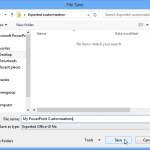
Learn PowerPoint 2013 for Windows: Reset, Export, and Import QAT Customizations
February 15th, 2013


Reset, Export, and Import Ribbon Customizations in PowerPoint 2013 for Windows Reset, Export, and Import Ribbon Customizations in PowerPoint 2013 for Windows
February 11th, 2013


Learn PowerPoint 2013 for Windows: Change Ribbon Labels from CAPs to Title Case
February 7th, 2013


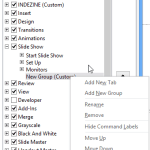
Learn PowerPoint 2013 for Windows: Adding Commands to Custom Groups
February 4th, 2013


Working with Custom Groups in Ribbon Tabs in PowerPoint 2013 for Windows Working with Custom Groups in Ribbon Tabs in PowerPoint 2013 for Windows
January 31st, 2013


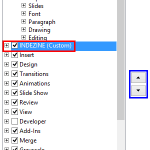
Reordering and Removing Ribbon Tabs in PowerPoint 2013 for Windows Reordering and Removing Ribbon Tabs in PowerPoint 2013 for Windows
January 28th, 2013


Learn PowerPoint 2013 for Windows: Add and Rename Ribbon Tabs
January 24th, 2013


Learn PowerPoint 2013 for Windows: Customize Quick Access Toolbar
January 21st, 2013


Learn PowerPoint 2013 for Windows: Quick Access Toolbar
January 16th, 2013


Learn PowerPoint 2013 for Windows: Enable The Developer Tab in the Ribbon
January 11th, 2013


Learn PowerPoint 2013 for Windows: Ribbon and Tabs Learn PowerPoint 2013 for Windows: Ribbon and Tabs
January 10th, 2013


Learn PowerPoint 2013 for Windows: File Menu and Backstage View
January 9th, 2013


Account Option in Backstage View in PowerPoint 2013 for Windows Account Option in Backstage View in PowerPoint 2013 for Windows
December 24th, 2012


Sign and Switch Accounts in PowerPoint 2013 on Windows 7 Sign In, Sign Out, and Switch Accounts in PowerPoint 2013 on Windows 7
December 22nd, 2012


Sign Out and Switch Accounts in PowerPoint 2013 on Windows 10 and 8 Sign Out and Switch Accounts in PowerPoint 2013 on Windows 10 and 8
December 19th, 2012


Learn PowerPoint 2013 for Windows: Manage and Remove Connected Services
December 10th, 2012


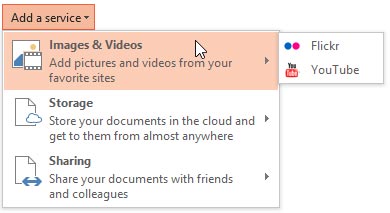
Learn PowerPoint 2013 for Windows: Add Services Learn PowerPoint 2013 for Windows: Add Services
December 3rd, 2012


Format Shape task pane PowerPoint 2013: Conversation with Ric Bretschneider
November 28th, 2012


Learn PowerPoint 2013 for Windows: Office Background Learn PowerPoint 2013 for Windows: Office Background
November 26th, 2012


Learn PowerPoint 2013 for Windows: Changing Interface Color Learn PowerPoint 2013 for Windows: Changing Interface Color
November 19th, 2012


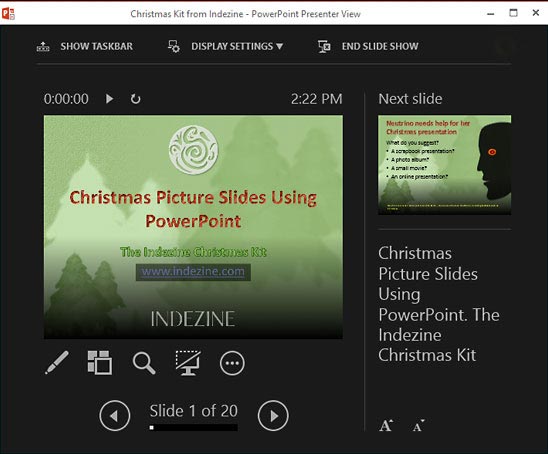
Learn PowerPoint 2013 for Windows: Enhanced Presenter View Learn PowerPoint 2013 for Windows: Enhanced Presenter View
November 9th, 2012


Learn PowerPoint 2013 for Windows: Editing Super Themes with XML Learn PowerPoint 2013 for Windows: Editing Super Themes with XML
November 2nd, 2012


Page 1 Page 23 Page 24 Page 25 Page 26


Microsoft and the Office logo are trademarks or registered trademarks of Microsoft Corporation in the United States and/or other countries.

Plagiarism will be detected by Copyscape

© 2000-2026, Geetesh Bajaj - All rights reserved.

since November 02, 2000