July 2012 Content


July 31st, 2012
Indezine News: More about PowerPoint 2013


July 31st, 2012
Learn PowerPoint 2011 for Mac: Anchor and Unanchor Motion Paths


July 31st, 2012
Office 2013 Preview: Get the MSI Download


July 30th, 2012
Learn PowerPoint 2010 for Windows: Theme Fonts


July 30th, 2012
Step-by-Step Install of the Office 2013 Customer Preview


July 28th, 2012
Before Installing Office 2013 Customer Preview


July 28th, 2012
Business Meetings Silhouettes for PowerPoint – 02


Learn PowerPoint 2011 for Mac: Edit Points for Motion Paths July 27th, 2012
Learn PowerPoint 2011 for Mac: Edit Points for Motion Paths


ToolsToo 5.1: The Indezine Review July 27th, 2012
ToolsToo 5.1: The Indezine Review


July 26th, 2012
Learn PowerPoint 2010 for Windows: Edit Points for Motion Path Animations


July 26th, 2012
OfficeOne Shape Locker: The Indezine Review


July 25th, 2012
Getting the Office 2013 Customer Preview Beta


July 25th, 2012
Learn PowerPoint 2011 for Mac: Open and Closed Motion Paths


Convert Your Presentations with SlideGo July 25th, 2012
Convert Your Presentations with SlideGo: Conversation with Hong Nguyen


July 24th, 2012
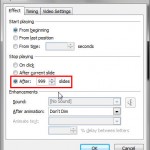
Learn PowerPoint 2010 for Windows: Sound Across Specific Slides


July 24th, 2012
Indezine News: Unwrapping PowerPoint 2013


July 23rd, 2012
Learn PowerPoint 2011 for Mac: Reversing Motion Paths


Need for PowerPoint Training July 23rd, 2012
Need for PowerPoint Training: Conversation with Joby Blume


July 21st, 2012
Business Meetings Silhouettes for PowerPoint – 01


Learn PowerPoint 2010 for Windows: Playing Video Across Slides July 20th, 2012
Learn PowerPoint 2010 for Windows: Playing Video Across Slides


July 20th, 2012
Ignite: Conversation with Sara Winge


July 19th, 2012
Learn PowerPoint 2011 for Mac: Drawing Custom Motion Paths


Rick Altman July 19th, 2012
Presentation Summit 2012: Conversation with Rick Altman


July 18th, 2012
Learn PowerPoint 2010 for Windows: Advanced Video Options


July 18th, 2012
Drawing a Flag in PowerPoint


Popular Posts

Ampler Kristian Johansen Ampler: Conversation with Kristian Johansen

Kristian Johansen is CEO and founder of Ampler, an integrated productivity platform for Microsoft Office. Ampler enables users to work faster, easier, and more efficiently in PowerPoint, Word, and Excel, and includes a series of tools that can be integrated into existing Office installations. Kristian has a background as a management consultant from Bain & ...


Presentation Summit 2026: Conversation with John Polk Presentation Summit 2026: Conversation with John Polk

Conversation with John Polk on AI‑powered presentation design, POWER prompts, and insights from his Presentation Summit 2026 session.


Presentation Summit 2026: Conversation with Troy Chollar Presentation Summit 2026: Conversation with Troy Chollar

Interview with Troy Chollar on workflow, animation clarity, and presentation design for Presentation Summit 2026.


Page 1 Page 2 Page 3


Microsoft and the Office logo are trademarks or registered trademarks of Microsoft Corporation in the United States and/or other countries.

Plagiarism will be detected by Copyscape

© 2000-2026, Geetesh Bajaj - All rights reserved.

since November 02, 2000