Geetesh Bajaj, Author - Page 193 of 247


Author Archives: Geetesh Bajaj

Browse posts authored by Geetesh Bajaj.

See Also:
PowerPoint and Presenting Notes
PowerPoint and Presenting Glossary


January 25th, 2011
Learn PowerPoint 2010 for Windows: Tiling Options in PowerPoint


January 25th, 2011
Learn PowerPoint 2010: Add Texture Fills to Shapes in PowerPoint


January 25th, 2011
Missing Picture Fills In Your PowerPoint Shapes: Conversation with Steve Rindsberg


January 24th, 2011
Learn PowerPoint 2010 for Windows: Gradient Stops in PowerPoint


January 24th, 2011
Learn PowerPoint 2010 for Windows: More Gradients in PowerPoint


Yoga Chick January 24th, 2011
Presentation Yoga: Conversation with Bess Gallanis


January 21st, 2011
Learn PowerPoint 2010 for Windows: Advanced Picture Fill Options


January 21st, 2011
Learn PowerPoint 2010 for Windows: Linked Picture in Shape Fill Shows a Small Red X Icon


Sandra Schrift January 20th, 2011
Presentation Coach: Conversation with Sandra Schrift


January 20th, 2011
Learn PowerPoint 2010: Add Gradient Fills to Shapes


January 20th, 2011
Learn PowerPoint 2007: Change Default Shape Attributes


January 19th, 2011
Learn PowerPoint 2010: Change Default Shape Attributes


January 19th, 2011
Learn PowerPoint 2010: Add Picture Fills to Shapes


January 18th, 2011
Learn PowerPoint 2010: Add Solid Fills to Shapes


Rick Altman January 18th, 2011
PresentationNext: Conversation with Rick Altman


January 11th, 2011
Learn PowerPoint 2010: Shape Union


January 10th, 2011
Learn PowerPoint 2010 for Windows: Shape Subtract


Saving Themes in PowerPoint, Word, and Excel 2011 for Mac January 10th, 2011
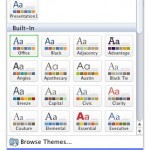
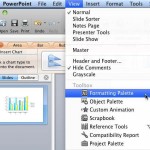
Saving Themes in PowerPoint, Word, and Excel 2011 for Mac


Benoît Morel January 7th, 2011
Living Actor: Conversation with Benoît Morel


Shape Intersect in PowerPoint 2010 for Windows January 7th, 2011
Shape Intersect in PowerPoint 2010 for Windows


Nat Robinson January 6th, 2011
SlideRocket’s HTML 5 Output: Conversation with Nat Robinson


Shape Combine in PowerPoint 2010 for Windows January 6th, 2011
Shape Combine in PowerPoint 2010 for Windows


Saving Themes In PowerPoint, Word, and Excel 2008 for Mac January 6th, 2011
Saving Themes in PowerPoint, Word, and Excel 2008 for Mac


Add Combine Shape Commands to the Quick Access Toolbar in PowerPoint 2010 for Windows January 5th, 2011
Add Combine Shape Commands to the QAT in PowerPoint 2010 for Windows


Applying Theme Colors and Theme Fonts in PowerPoint 2011 for Mac January 5th, 2011
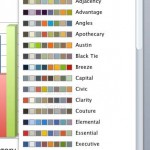
Applying Theme Colors and Theme Fonts in PowerPoint 2011 for Mac


Popular Posts

Ampler Kristian Johansen Ampler: Conversation with Kristian Johansen

Kristian Johansen is CEO and founder of Ampler, an integrated productivity platform for Microsoft Office. Ampler enables users to work faster, easier, and more efficiently in PowerPoint, Word, and Excel, and includes a series of tools that can be integrated into existing Office installations. Kristian has a background as a management consultant from Bain & ...


Pecha Kucha Tips 10 Tips for Pecha Kucha

A few days ago, our PowerPoint and Presenting Stuff LinkedIn group had a great discussion on Pecha Kucha. It started with one of our members asking for some guidance on how to go about preparing for a Pecha Kucha presentation. To those of you who do not know what Pecha Kucha is, it is a ...


Ten Fingers Hands Ten Easy Topics for Pecha Kucha

We have so many interactive and communicative visitors on Indezine.com. They get in touch via email, or the feedback forms, or via our chat applet, and even through our LinkedIn and Facebook communities. One question that has come up often is about topics for Pecha Kucha presentations. So I decided to do something about these ...


Page 1 … Page 191 Page 192 Page 193 Page 194 Page 195 … Page 247


Microsoft and the Office logo are trademarks or registered trademarks of Microsoft Corporation in the United States and/or other countries.


Plagiarism will be detected by Copyscape

© 2000-2026, Geetesh Bajaj - All rights reserved.

since November 02, 2000