Geetesh Bajaj, Author - Page 40 of 247


Author Archives: Geetesh Bajaj

Browse posts authored by Geetesh Bajaj.

See Also:
PowerPoint and Presenting Notes
PowerPoint and Presenting Glossary


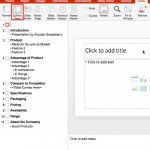
Creating PowerPoint Outlines in Microsoft Word 2019 for Windows July 23rd, 2019
Creating PowerPoint Outlines in Microsoft Word 2019 for Windows


How to Pitch and Win People Round July 22nd, 2019
How to Pitch and Win People Round


Text Placeholders vs. Text Boxes in PowerPoint 365 for Mac July 18th, 2019
Text Placeholders vs. Text Boxes in PowerPoint 365 for Mac


Simon Morton July 17th, 2019
True Cost of Presentations in Business Today: Conversation with Simon Morton


BrightCarbon No Text Allowed July 16th, 2019
PowerPoint and Presenting News: July 16, 2019


Presentation Gallery in PowerPoint 365 for Mac July 16th, 2019
Presentation Gallery in PowerPoint 365 for Mac


Interface in PowerPoint 365 for Mac July 11th, 2019
Interface in PowerPoint 365 for Mac


Working With Slide Numbers in PowerPoint 365 for Mac July 9th, 2019
Working With Slide Numbers in PowerPoint 365 for Mac


Richard Goring July 4th, 2019
Presentation Summit 2019: Conversation with Richard Goring


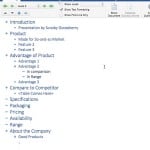
Import Outlines in PowerPoint 365 for Mac July 4th, 2019
Import Outlines in PowerPoint 365 for Mac


Ric Breschneider July 3rd, 2019
Presentation Summit 2019: Conversation with Ric Bretschneider


The Last-Minute Crunch Is Inevitable July 2nd, 2019
PowerPoint and Presenting News: July 2, 2019


John Baluka July 2nd, 2019
Presentation Summit 2019: Conversation with John Baluka


Add Headers and Footers to Slides in PowerPoint 365 for Mac July 2nd, 2019
Add Headers and Footers to Slides in PowerPoint 365 for Mac


Rick Altman June 28th, 2019
Presentation Summit 2019: Conversation with Rick Altman


Ribbon and Tabs in PowerPoint 365 for Mac June 28th, 2019
Ribbon and Tabs in PowerPoint 365 for Mac


Nolan Haims June 27th, 2019
Presentation Summit 2019: Conversation with Nolan Haims


Anna Guerrero June 27th, 2019
Canva’s Acquisition of Pixabay and Pexels: Conversation with Anna Guerrero


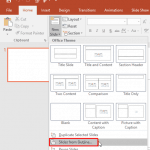
Import Outlines in PowerPoint 365 for Windows June 27th, 2019
Import Outlines in PowerPoint 365 for Windows


John Rahmlow June 26th, 2019
Presentation Summit 2019: Conversation with John Rahmlow


Ribbon and Tabs in PowerPoint 365 for Windows June 26th, 2019
Ribbon and Tabs in PowerPoint 365 for Windows


Delegate June 25th, 2019
PowerPoint and Presenting News: June 25, 2019


Matt Pierce June 25th, 2019
Presentation Summit 2019: Conversation with Matthew Pierce


Creating PowerPoint Outlines in Microsoft Word for Mac June 25th, 2019
Creating PowerPoint Outlines in Microsoft Word 365 for Mac


Presentation Procrastinators 02 June 24th, 2019
Presentation Procrastinators 02


Popular Posts

Ampler Kristian Johansen Ampler: Conversation with Kristian Johansen

Kristian Johansen is CEO and founder of Ampler, an integrated productivity platform for Microsoft Office. Ampler enables users to work faster, easier, and more efficiently in PowerPoint, Word, and Excel, and includes a series of tools that can be integrated into existing Office installations. Kristian has a background as a management consultant from Bain & ...


Ten Fingers Hands Ten Easy Topics for Pecha Kucha

We have so many interactive and communicative visitors on Indezine.com. They get in touch via email, or the feedback forms, or via our chat applet, and even through our LinkedIn and Facebook communities. One question that has come up often is about topics for Pecha Kucha presentations. So I decided to do something about these ...


AECharts - Avinash Panneerselvam AECharts: Conversation with Avinash Panneerselvam

Avi explains how AECharts creates well-designed, animated charts you can export as images or video for presentations.


Page 1 … Page 38 Page 39 Page 40 Page 41 Page 42 … Page 247


Microsoft and the Office logo are trademarks or registered trademarks of Microsoft Corporation in the United States and/or other countries.

Plagiarism will be detected by Copyscape

© 2000-2026, Geetesh Bajaj - All rights reserved.

since November 02, 2000