Geetesh Bajaj, Author - Page 67 of 246


Author Archives: Geetesh Bajaj

Browse posts authored by Geetesh Bajaj.

See Also:
PowerPoint and Presenting Notes
PowerPoint and Presenting Glossary


AutoCorrect Options in PowerPoint 2016 for Windows March 22nd, 2017
AutoCorrect Options in PowerPoint 2016 for Windows


AutoCorrect in PowerPoint 2016 for Windows March 21st, 2017
AutoCorrect in PowerPoint 2016 for Windows


Delete Shapes from an Existing SmartArt Graphic in PowerPoint 2016 for Windows March 20th, 2017
Delete Shapes from an Existing SmartArt Graphic in PowerPoint 2016 for Windows


PowerPoint and Presenting News: March 20, 2017 March 20th, 2017
PowerPoint and Presenting News: March 20, 2017


March 20th, 2017
Creating Word Clouds for PowerPoint using Wordle


March 17th, 2017
Get More SmartArt Graphics


Text Pane For SmartArt Graphics in PowerPoint 2016 for Windows March 16th, 2017
Text Pane For SmartArt Graphics in PowerPoint 2016 for Windows


Stephanie Evergreen March 15th, 2017
Chart Chooser Cards: Conversation with Dr. Stephanie Evergreen


More Spelling Options in PowerPoint 2016 for Windows March 15th, 2017
More Spelling Options in PowerPoint 2016 for Windows


Spell Check in PowerPoint 2016 for Windows March 14th, 2017
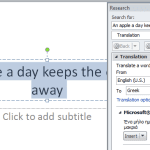
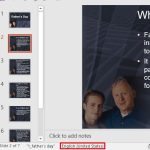
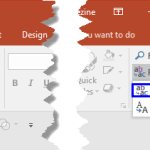
Spell Check in PowerPoint 2016 for Windows


PowerPoint and Presenting News: March 13, 2017 March 13th, 2017
PowerPoint and Presenting News: March 13, 2017


Mathias Björkholm March 10th, 2017
Microsoft Invests in Image Service Pickit: Conversation with Mathias Björkholm


Adding Shapes to Existing SmartArt Graphics in PowerPoint 2016 for Windows March 10th, 2017
Adding Shapes to Existing SmartArt Graphics in PowerPoint 2016 for Windows


Setting Spell Check Options in PowerPoint 2016 for Windows March 9th, 2017
Setting Spell Check Options in PowerPoint 2016 for Windows


March 8th, 2017
Explore Fonts: Agency FB


Advanced Program Options in PowerPoint 2016 for Windows March 8th, 2017
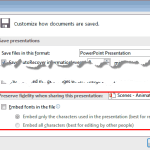
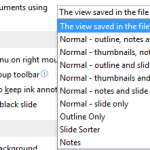
Advanced Program Options in PowerPoint 2016 for Windows


General Program Options in PowerPoint 2016 for Windows March 7th, 2017
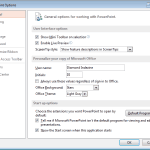
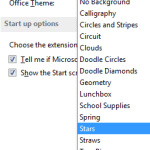
General Program Options in PowerPoint 2016 for Windows


Dominic Spath March 7th, 2017
PowerPoint and Presenting News: March 7, 2017


Manage and Remove Connected Services in PowerPoint 2016 for Windows March 6th, 2017
Manage and Remove Connected Services in PowerPoint 2016 for Windows


Dominic Spath March 3rd, 2017
INSCALE and PowerPoint’s Morph Transition


Add Services in PowerPoint 2016 for Windows March 3rd, 2017
Add Services in PowerPoint 2016 for Windows


Insert Pictures from Facebook in PowerPoint 2016 for Windows March 2nd, 2017
Insert Pictures from Facebook in PowerPoint 2016 for Windows


Scott Schwertly 2017 March 2nd, 2017
What’s Your Presentation Persona: Conversation with Scott Schwertly


Steven Blom 2017 March 1st, 2017
Sendsteps: Conversation with Steven Blom


Insert Picture from OneDrive in PowerPoint 2016 for Windows March 1st, 2017
Insert Picture from OneDrive in PowerPoint 2016 for Windows


Popular Posts

Ampler Kristian Johansen Ampler: Conversation with Kristian Johansen

Kristian Johansen is CEO and founder of Ampler, an integrated productivity platform for Microsoft Office. Ampler enables users to work faster, easier, and more efficiently in PowerPoint, Word, and Excel, and includes a series of tools that can be integrated into existing Office installations. Kristian has a background as a management consultant from Bain & ...


Breaking Through Writer’s Block – I Breaking Through Writer’s Block – I

Breaking writer’s block with practical steps to refocus your message, structure ideas, and craft stronger presentations.


PowerPoint Presentation Formula 01 PowerPoint Presentation Formula 01

By Geetesh Bajaj There's no official term called a PowerPoint presentation formula. You won't find it in any dictionary, and nobody's going to hand you a certificate for using one correctly. It's simply a way of describing a structured approach to building presentations that actually work. Think of it like a pasta sauce recipe. Everyone ...


Page 1 Page 65 Page 66 Page 67 Page 68 Page 69 Page 246


Microsoft and the Office logo are trademarks or registered trademarks of Microsoft Corporation in the United States and/or other countries.

Plagiarism will be detected by Copyscape

© 2000-2026, Geetesh Bajaj - All rights reserved.

since November 02, 2000