
This is the print version of this page. All content is copyright Indezine.com 2000-2026.
Thoughts and impressions of happenings in the world of PowerPoint and presentations, continuously updated since 2003.
See Also:
PowerPoint and Presenting Notes
PowerPoint and Presenting Glossary
The Quick Access Toolbar or QAT is the only toolbar available in PowerPoint. This toolbar can be customized and can contain your most-used commands so that they are accessible to you with just a single click. There are two ways in which you can add your favorite commands to the QAT.

Learn how to customize the Quick Access Toolbar in PowerPoint 365 for Windows.
Filed Under:
PowerPoint 365
Tagged as: Interface, Microsoft Windows, Office 365, PowerPoint 365, QAT, Quick Access Toolbar, Tutorials
Comments Off on Customize Quick Access Toolbar in PowerPoint 365 for Windows
We look at how you can use some VBA or also a new PowerPoint add-in to export slides as single-slide presentations, with some amazing help from Jamie Garroch. Canva’s Liz Mckenzie talks about Infographic Templates.
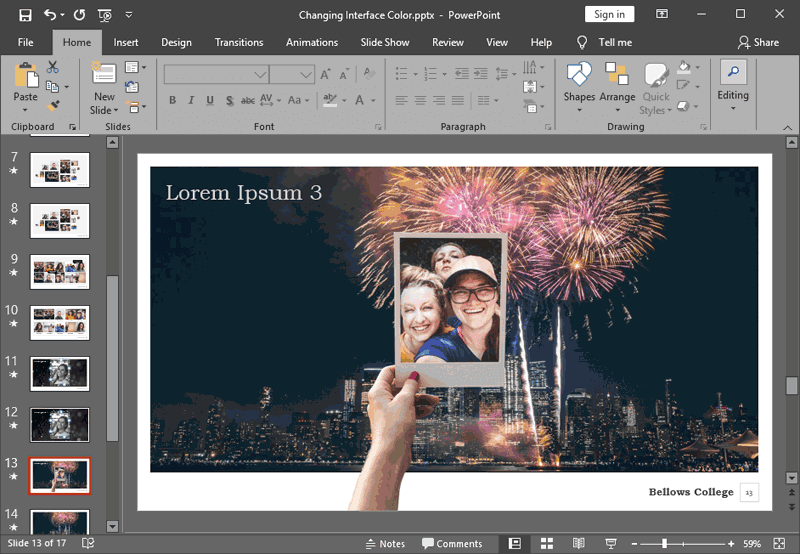
PowerPoint 2019 and 365 for Windows users can explore how to Change the Interface Color, and learn about Keyboard Shortcuts. Plus, make sure you do not miss the quotes, press releases, and templates featured in the last week.
Stay informed about updated tutorials and happenings related to PowerPoint and presenting.
Filed Under:
Ezine
Tagged as: Ezine, Indezine, News, PowerPoint
Comments Off on PowerPoint and Presenting News: October 22, 2019
The Quick Access Toolbar or QAT is the only toolbar available in PowerPoint. This toolbar can be customized and can contain your most-used commands so that they are accessible to you with just a single click. There are two ways in which you can add your favorite commands to the QAT.

Learn how to customize the Quick Access Toolbar in PowerPoint 2019 for Windows.
Filed Under:
PowerPoint 2019
Tagged as: Customizations, Interface, Microsoft Windows, Office 2019, PowerPoint 2019, QAT, Quick Access Toolbar, Tutorials
Comments Off on Customize Quick Access Toolbar in PowerPoint 2019 for Windows
Here’s the most comprehensive list of PowerPoint 365 for Windows keyboard shortcuts that we know about. How many of these do you presently use? If you discover a shortcut key not listed here, please get in touch with us through our feedback form.

Explore keyboard shortcuts in PowerPoint 365 for Windows.
Filed Under:
PowerPoint 365
Tagged as: Keyboard Shortcuts, Microsoft Windows, Office 365, PowerPoint 365, Tutorials
Comments Off on Keyboard Shortcuts for PowerPoint 365 for Windows

Liz Mckenzie is Head of PR and Communications at Canva, an online design and publishing tool which makes graphic design simple for everyone. Since launching in 2013, Canva has grown to over 20 million users across 190 countries, with more than 1.5 billion designs created, at 36 designs per second. Today Canva is growing from strength the strength, with over 700 team members working together on a mission to empower everyone to create beautiful designs.
In this interview, Liz talks about Canva’s infographic templates.
Filed Under:
Interviews
Tagged as: Canva, Infographics, Interviews, Liz Mckenzie
Comments Off on Canva’s Infographic Templates: Conversation with Liz Mckenzie
Microsoft and the Office logo are trademarks or registered trademarks of Microsoft Corporation in the United States and/or other countries.