
This is the print version of this page. All content is copyright Indezine.com 2000-2026.
Thoughts and impressions of happenings in the world of PowerPoint and presentations, continuously updated since 2003.
See Also:
PowerPoint and Presenting Notes
PowerPoint and Presenting Glossary
Here are a bunch of jigsaw slides that you can use to create your own jigsaw puzzles quickly within your own slides! This entire kit contains 5 different styles of jigsaw pieces: typical jigsaws, arrows, hearts, ovals, and rounded squares. Each jigsaw shape is available in three counts: small, medium, and large. We made these available in two slide sizes for both standard (4:3) and widescreen (16:9) resolutions.
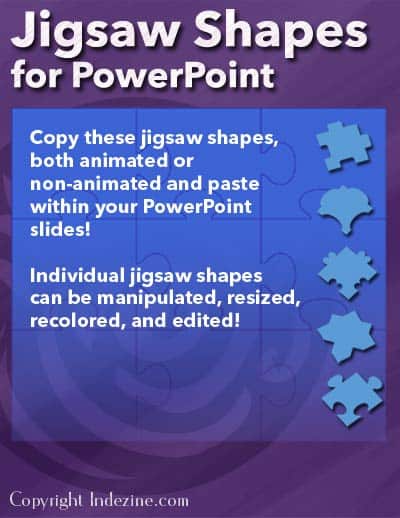
Buy and use these in your slides.
Filed Under:
Clip Media
Tagged as: Animation, Design, Graphics, PowerPoint, Presentation Samples
Comments Off on Jigsaw Shapes for PowerPoint
PowerPoint’s Merge Shapes commands open new opportunities and possibilities for you. Typically, whenever we needed to create a jigsaw puzzle in PowerPoint, we would source the actual jigsaw shapes from Office.com or from one of the many stock image sites. However, the Merge Shapes commands make it so easy to create your own jigsaws with nothing more than a few shapes!

Learn how to create jigsaw shapes using Merge Shapes commands in PowerPoint 2013 for Windows.
Filed Under:
PowerPoint 2013
Tagged as: Graphics, PowerPoint 2013, Shapes, Tutorials
Comments Off on Learn PowerPoint 2013 for Windows: Create Jigsaw Shapes
How can you create a ceiling fan in PowerPoint and animate it to play? That was certainly an interesting challenge and actually quite easy to achieve in PowerPoint. You can download and reuse this slide for your own presentations.

Download and use these slides.
Filed Under:
Presentation Bank
Tagged as: Animation, Graphics, PowerPoint, Presentation Samples
Comments Off on PowerPoint Animation: Ceiling Fan
In PowerPoint, you can insert a table quickly by specifying your required number of rows and columns — that’s easy but there are other intuitive ways to create tables. Speaking about intuitive, what can be more intuitive than directly drawing a table on your PowerPoint slide almost like sketching with pen on paper?

Learn how to draw a Table in PowerPoint 2011 for Mac.
Filed Under:
PowerPoint 2011
Tagged as: Office for Mac, PowerPoint 2011, Tables, Tutorials
Comments Off on Learn PowerPoint 2011 for Mac: Draw Tables
PowerPoint 2013 really did take the Merge Shapes command to a whole new level. Not only can you merge shapes with other shapes and text, you can also merge shapes with pictures! First you may wonder what’s so awesome about merging shapes with pictures? But play a bit and you’ll realize that this opens up huge possibilities. We will start simple in this tutorial and explore how you can create cookie cutter shapes with this option.

Learn how to merge shapes with pictures in PowerPoint 2013 for Windows.
Filed Under:
PowerPoint 2013
Tagged as: Graphics, Pictures, PowerPoint 2013, Shapes, Tutorials
Comments Off on Learn PowerPoint 2013 for Windows: Merge Shapes with Pictures
Microsoft and the Office logo are trademarks or registered trademarks of Microsoft Corporation in the United States and/or other countries.