
This is the print version of this page. All content is copyright Indezine.com 2000-2026.
Thoughts and impressions of happenings in the world of PowerPoint and presentations, continuously updated since 2003.
See Also:
PowerPoint and Presenting Notes
PowerPoint and Presenting Glossary
The Tiling options are available when you add texture fills to shapes or even use a picture as a fill to a shape and want to provide a tile effect to it. Tiling can really make a difference to your shape fill. Make sure that you select the Tile picture as texture check-box. This will allow you to use the picture chosen as a texture, and you’ll find several Tiling options.
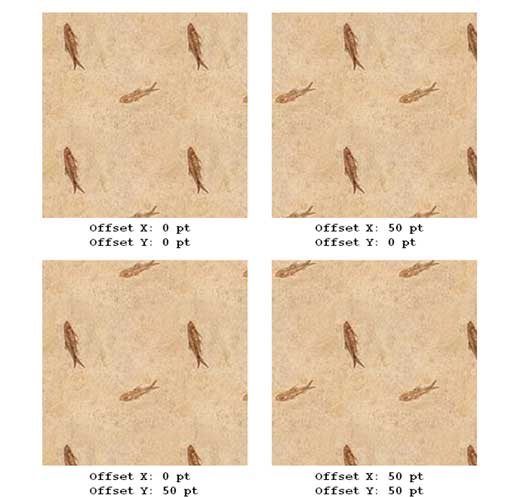
Learn how to use different tiling options for texture fills in PowerPoint 2013 for Windows.
Filed Under:
PowerPoint 2013
Tagged as: Fills, PowerPoint 2013, Shapes, Tutorials
Comments Off on Learn PowerPoint 2013 for Windows: Tiling Options

Gerry Praysman is manager of SlideShark product marketing at Brainshark, Inc. a leader in cloud-based business presentations. Brainshark’s offerings include Brainshark On-Demand, for turning static content such as PowerPoint documents into online and mobile video presentations, and SlideShark, the award-winning app for showing PowerPoints from the iPad and iPhone. Thousands of companies use Brainshark to improve the reach and results of their business communications, while dramatically reducing costs.
In this conversation, Gerry discusses major SlideShark milestones that are being announced today.
Geetesh: You just announced that 5 million presentations have been uploaded to SlideShark – what does this number mean to you?
Gerry: This is a milestone we’re excited about and incredibly proud of. As you know, SlideShark lets iPad, iPhone, and iPod touch users view and show PowerPoints the way they’re meant to be seen, with fonts, animations, graphics, hyperlinks, and videos intact. The app also serves as a platform for distributing, tracking, and managing presentations in the cloud. It’s one of the highest-rated business productivity solutions in Apple’s App Store, and since SlideShark’s launch two years ago, we’ve seen explosive usage.
For a business app, and not a consumer one to achieve this level of popularity is really quite remarkable. It must be solving a challenge that thousands, if not millions, of people face (and SlideShark is!). Lots of consumer apps, other presentation-related sites and apps, and even very popular games don’t achieve this level and rate of adoption. We’re very excited, though would never sit on our laurels. We’re committed to continually introducing new features that meet the needs of our users.
Those corporate and individual users reach every corner of the globe. With SlideShark traction in more than 150 countries, from Canada to China to India to nearly half the countries in Africa. Probably more important to us than SlideShark’s growth is the fact that these users truly love it. The affection people have for SlideShark and the trust they put in it are borne out through our ratings. SlideShark has 4.5 stars out of 5 in the App Store, based on more than 4,000 user reviews. This is exceptional for a productivity app, and for any app, really.
We’re indebted to our users, whose feedback and suggestions help us strengthen SlideShark, and to Brainshark’s very talented developers, of course.

Geetesh: What do you think is the reason behind SlideShark’s amazing success story?
Gerry: SlideShark has solved a critical business problem and made business life easier for millions of users. Prior to SlideShark’s availability, there was no way for PowerPoints to render properly on the iPad or other iOS devices. With the iPad hugely popular and adopted by 94% of the Fortune 500, and with PowerPoint the #1 business presentation tool (with 30 million decks created daily, according to Microsoft), this problem needed to be bridged. It severely hindered the productivity of mobile professionals, including sales reps, educators, healthcare professionals, conference presenters and attendees, consultants, and road warriors across industries, who’d always needed to lug their clunky laptops or else face garbled decks and frustration.
SlideShark has solved that problem, and then some. In addition to being a reliable PowerPoint viewer, the app is also a presenter’s best friend. We’re constantly introducing new, innovative features such as presentation broadcasting, Presenter Mode, integrations with cloud storage providers and much more.
We’re happy and gratified to see that SlideShark has become such an indispensable part of people’s business lives, empowering them to be more productive and agile and leave their laptops at home. As the industry standard for viewing PowerPoints from iOS devices, we see a lot of traffic. We process slide decks in every language imaginable. The average one is 30 slides and 8 MB in size (though we’ve processed some as large as 1 GB). Our business version, SlideShark Team Edition, is seeing strong adoption around the world, and resellers worldwide have signed deals to carry it.
Some of the other SlideShark milestones we’re excited to announce today include:
Thanks very much, Geetesh, for the opportunity to discuss SlideShark — and again, a special thanks to our users for their critical role in SlideShark’s success! I hope your readers also enjoy these brief words from Brainshark’s VP of product management, David Klein, on SlideShark’s goals and trajectory. He and his team listen to user feedback, draw up the roadmap and make the magic happen.
The views and opinions expressed in this blog post or content are those of the authors or the interviewees and do not necessarily reflect the official policy or position of any other agency, organization, employer, or company.
Filed Under:
Interviews
Tagged as: Brainshark, Interviews, PowerPoint
Comments Off on 5 Million SlideShark Presentations: Conversation with Gerry Praysman
PowerPoint’s fill options for shapes are extensive. The texture fills for shape incidentally are not too different from picture fills, other than the fact that they can be tiled. PowerPoint includes a built-in library of textures, and you can also import any picture, to be used as a texture. Before we get into textures, it’s important to understand how PowerPoint treats them differently from pictures. Yes, both textures and pictures are bitmaps saved in pixel based formats like JPEG, GIF, BMP, PNG, TIFF, etc. The main difference between textures and pictures is that while textures are seamless, bitmaps are not necessarily seamless. Seamless means that if you tile up a texture, it will not show any edges while tiling thus providing an illusion of a seamless expanse.
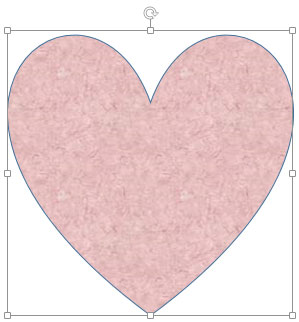
Learn how to add a texture fill to a selected shape in PowerPoint 2013 for Windows.
Filed Under:
PowerPoint 2013
Tagged as: Fills, PowerPoint 2013, Shapes, Tutorials
Comments Off on Learn PowerPoint 2013 for Windows: Add Texture Fills to Shapes
The Chart Area is essentially covered by the entire chart and is populated with various other chart elements. For all practical reasons, you can say that the entire chart is contained within the Chart Area. To change the position of the Chart Area, you can either just select and drag it to the new position on the slide, or reposition it accurately as explained in this tutorial. This tutorial will also teach you to how to add alternative text to the chart to help people with visual disabilities.

Learn about position and alternative text options for the Chart Area in PowerPoint 2011 for Mac.
Filed Under:
PowerPoint 2011
Tagged as: Charting, Office for Mac, PowerPoint 2011, Tutorials
Comments Off on Learn PowerPoint 2011 for Mac: More Chart Area Options
The Indezine Thanksgiving Kit is a self-contained set of content that provides everything you need to create picture slides for PowerPoint. This kit contains both a standard and a widescreen Thanksgiving PowerPoint Theme, a foodie font, some silhouette pictures, scrapbook style embellishments, some pictures, and even a few sample slides.
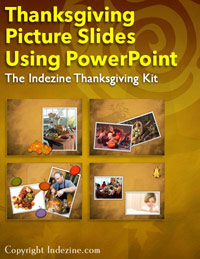
Download and use this kit now.
Filed Under:
Presentation Bank
Tagged as: Graphics, PowerPoint, Presentation Samples
Comments Off on Indezine Thanksgiving PowerPoint Kit
Microsoft and the Office logo are trademarks or registered trademarks of Microsoft Corporation in the United States and/or other countries.