PowerPoint 2013 Articles - Page 22 of 26


Learn PowerPoint 2013 for Windows: Fills for Shapes
October 16th, 2013


Learn PowerPoint 2013 for Windows: Changing Chart Types
October 14th, 2013


Learn PowerPoint 2013 for Windows: Chart Legend
October 10th, 2013


Chart Elements in PowerPoint 2013 for Windows Chart Elements in PowerPoint 2013 for Windows
October 8th, 2013


Chart Styles in PowerPoint 2013 for Windows Chart Styles in PowerPoint 2013 for Windows
October 4th, 2013


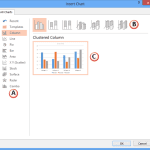
Inserting Charts in PowerPoint 2013 for Windows Inserting Charts in PowerPoint 2013 for Windows
October 2nd, 2013


Drawing a Perfect Square in PowerPoint 2013 for Windows Drawing a Perfect Square in PowerPoint 2013 for Windows
September 30th, 2013


Drawing a Perfect Circle in PowerPoint 2013 for Windows Drawing a Perfect Circle in PowerPoint 2013 for Windows
September 26th, 2013


Reorder Shapes and Slide Objects in PowerPoint 2013 for Windows Reorder Shapes and Slide Objects in PowerPoint 2013 for Windows
September 24th, 2013


Nudge and Move Shapes in PowerPoint 2013 for Windows Nudge and Move Shapes in PowerPoint 2013 for Windows
September 20th, 2013


Learn PowerPoint 2013 for Windows: Group, Ungroup, and Regroup Shapes
September 18th, 2013


Space Objects Equally in PowerPoint 2013 for Windows Space Objects Equally in PowerPoint 2013 for Windows
September 16th, 2013


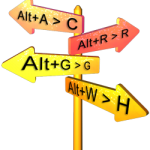
Keyboard Sequences: PowerPoint for Windows Keyboard Sequences: PowerPoint 2013 for Windows
September 13th, 2013


Distribute Shapes in PowerPoint 2013 for Windows Distribute Shapes in PowerPoint 2013 for Windows
September 12th, 2013


Align Shapes to Center of Slide in PowerPoint 2013 for Windows Align Shapes to Center of Slide in PowerPoint 2013 for Windows
September 10th, 2013


Learn PowerPoint 2013 for Windows: Align Shapes Learn PowerPoint 2013 for Windows: Align Shapes
September 6th, 2013


Drawing Multiple Shapes Quickly in PowerPoint 2013 for Windows Drawing Multiple Shapes Quickly in PowerPoint 2013 for Windows
September 4th, 2013


Duplicate Shapes Using Keyboard Shortcuts in PowerPoint 2013 for Windows Duplicate Shapes Using Keyboard Shortcuts in PowerPoint 2013 for Windows
September 2nd, 2013


Duplicate Shapes by Dragging in PowerPoint 2013 for Windows Duplicate Shapes by Dragging in PowerPoint 2013 for Windows
August 29th, 2013


Select and Deselect Shapes in PowerPoint 2013 for Windows Select and Deselect Shapes in PowerPoint 2013 for Windows
August 27th, 2013


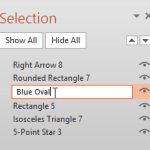
Select, Deselect, View, and Hide Shapes Using the Selection Pane in PowerPoint 2013 for Windows Select, Deselect, View, and Hide Shapes Using the Selection Pane in PowerPoint 2013 for Windows
August 23rd, 2013


Learn PowerPoint 2013 for Windows: Format Painter Learn PowerPoint 2013 for Windows: Format Painter
August 21st, 2013


Manipulating Shapes by Dragging Yellow Handles in PowerPoint 2013 for Windows
August 19th, 2013


Learn PowerPoint 2013 for Windows: Change One Shape to Another Learn PowerPoint 2013 for Windows: Change One Shape to Another
August 15th, 2013


Flip Shapes in PowerPoint 2013 for Windows Flip Shapes in PowerPoint 2013 for Windows
August 13th, 2013


Page 1 Page 20 Page 21 Page 22 Page 23 Page 24 Page 26


Microsoft and the Office logo are trademarks or registered trademarks of Microsoft Corporation in the United States and/or other countries.

Plagiarism will be detected by Copyscape

© 2000-2026, Geetesh Bajaj - All rights reserved.

since November 02, 2000