Tutorials Articles - Page 80 of 115


Learn PowerPoint 2011 for Mac: Text Fills
March 13th, 2013


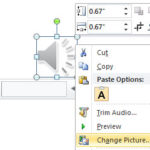
Advanced Audio Options in PowerPoint 2010 for Windows Advanced Audio Options in PowerPoint 2010 for Windows
March 12th, 2013


Learn PowerPoint 2011 for Mac: WordArt Styles
March 11th, 2013


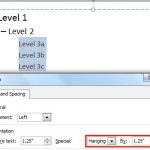
Learn PowerPoint 2011 for Mac: Set Text Indentation using Numerical Values
March 7th, 2013


Learn PowerPoint 2010 for Windows: Trim Audio Clips Learn PowerPoint 2010 for Windows: Trim Audio Clips
March 6th, 2013


Learn PowerPoint 2011 for Mac: Tweak Bullets with Left Indent Marker
March 5th, 2013


Learn PowerPoint 2013 for Windows: Resume Reading Learn PowerPoint 2013 for Windows: Resume Reading
March 4th, 2013


Learn PowerPoint 2011 for Mac: Tweak Bulleted List with Hanging Indent Marker
March 1st, 2013


Learn PowerPoint 2013 for Windows: Remove Bookmarks from Audio Clips Remove Bookmarks from Audio Clips in PowerPoint 2010 for Windows
February 28th, 2013


Learn PowerPoint 2011 for Mac: Tweak Bullets with First Line Indent Marker
February 20th, 2013


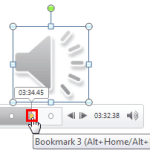
Add Bookmarks for Audio Clips in PowerPoint 2010 for Windows Learn PowerPoint 2010 for Windows: Add Bookmarks for Audio Clips
February 19th, 2013


Learn PowerPoint 2011 for Mac: Indent Markers for Bulleted and Numbered Lists
February 18th, 2013


Learn PowerPoint 2013 for Windows: Reset, Export, and Import QAT Customizations
February 15th, 2013


Learn PowerPoint 2011 for Mac: Format Walls and Floor of 3D Charts Learn PowerPoint 2011 for Mac: Format Walls and Floor of 3D Charts
February 14th, 2013


Fade Effect for Audio Clips in PowerPoint 2010 for Windows Fade Effect for Audio Clips in PowerPoint 2010 for Windows
February 13th, 2013


Learn PowerPoint 2011 for Mac: Rotate 3D Charts
February 12th, 2013


Reset, Export, and Import Ribbon Customizations in PowerPoint 2013 for Windows Reset, Export, and Import Ribbon Customizations in PowerPoint 2013 for Windows
February 11th, 2013


Learn PowerPoint 2011 for Mac: Make 3D Columns Transparent for Charts
February 8th, 2013


Learn PowerPoint 2013 for Windows: Change Ribbon Labels from CAPs to Title Case
February 7th, 2013


Z Axis in PowerPoint Charts: Pros and Cons
February 6th, 2013


Learn PowerPoint 2010 for Windows: Twin Trigger Animation
February 5th, 2013


Learn PowerPoint 2013 for Windows: Adding Commands to Custom Groups
February 4th, 2013


Learn PowerPoint 2011 for Mac: Crossed Axes for Charts
February 4th, 2013


Changing Location of Slide Numbers in PowerPoint 2010 for Windows Changing Location of Slide Numbers in PowerPoint 2010 for Windows
February 1st, 2013


Working with Custom Groups in Ribbon Tabs in PowerPoint 2013 for Windows Working with Custom Groups in Ribbon Tabs in PowerPoint 2013 for Windows
January 31st, 2013


Page 1 Page 78 Page 79 Page 80 Page 81 Page 82 Page 115


Microsoft and the Office logo are trademarks or registered trademarks of Microsoft Corporation in the United States and/or other countries.
Plagiarism will be detected by Copyscape

© 2000-2026, Geetesh Bajaj - All rights reserved.

since November 02, 2000