Tutorials Articles - Page 90 of 115


Learn PowerPoint 2011 for Mac: Picture Effects
May 14th, 2012


Learn PowerPoint 2010: Control Animation Timings with Advanced Timeline
May 11th, 2012


Learn PowerPoint 2011 for Mac: Picture Borders
May 10th, 2012


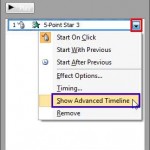
Learn PowerPoint 2010: Show/Hide the Animation Advanced Timeline Learn PowerPoint 2010: Show/Hide the Animation Advanced Timeline
May 9th, 2012


Learn PowerPoint 2011 for Mac: Picture Styles Learn PowerPoint 2011 for Mac: Picture Styles
May 8th, 2012


Learn PowerPoint 2010: Change an Animation
May 7th, 2012


Learn PowerPoint 2011 for Mac: Reposition Picture Fills with Crop Learn PowerPoint 2011 for Mac: Reposition Picture Fills with Crop
May 4th, 2012


Learn PowerPoint 2010: Animate Text
May 3rd, 2012


Learn PowerPoint 2011 for Mac: Crop Pictures (Mask to Shape)
May 2nd, 2012


Learn PowerPoint 2010: Animate Charts
May 1st, 2012


Learn PowerPoint 2011 for Mac: Crop Pictures
April 30th, 2012


Learn PowerPoint 2010: Re-Order Animations
April 27th, 2012


Learn PowerPoint 2011 for Mac: Advanced Remove Background Options for Pictures
April 26th, 2012


Learn PowerPoint 2010: Removing an Animation
April 25th, 2012


Learn PowerPoint 2011 for Mac: Remove Background from Pictures
April 24th, 2012


Learn PowerPoint 2010: Animation Speed
April 23rd, 2012


Learn PowerPoint 2011 for Mac: Filters for Pictures
April 20th, 2012


Learn PowerPoint 2010: Animation Events
April 19th, 2012


Learn PowerPoint 2011 for Mac: Recolor Picture
April 18th, 2012


Learn PowerPoint 2010: Motion Path Animations — Lock and Unlock Motion Paths
April 17th, 2012


Learn PowerPoint 2011 for Mac: Picture Corrections
April 16th, 2012


Learn PowerPoint 2010: Motion Path Animations — Open and Closed Motion Paths
April 13th, 2012


Learn PowerPoint 2011 for Mac: Adjust Picture Options
April 12th, 2012


Learn PowerPoint 2010: Motion Path Animations — Reversing Motion Paths
April 11th, 2012


Learn PowerPoint 2011 for Mac: Insert and/or Link Pictures
April 10th, 2012


Page 1 Page 88 Page 89 Page 90 Page 91 Page 92 Page 115


Microsoft and the Office logo are trademarks or registered trademarks of Microsoft Corporation in the United States and/or other countries.

Plagiarism will be detected by Copyscape

© 2000-2026, Geetesh Bajaj - All rights reserved.

since November 02, 2000