Geetesh Bajaj, Author - Page 100 of 246


Author Archives: Geetesh Bajaj

Browse posts authored by Geetesh Bajaj.

See Also:
PowerPoint and Presenting Notes
PowerPoint and Presenting Glossary



Odyssey – Dynamic Learning System May 25th, 2015
Odyssey – Dynamic Learning System: Conversation with Leon Conrad


May 22nd, 2015
Get More SmartArt Graphics in PowerPoint and Microsoft Office


Learn PowerPoint 2013 for Windows: Change Background Styles in the Slide Master May 22nd, 2015
Learn PowerPoint 2013 for Windows: Change Background Styles in the Slide Master


Checklist for Delivering Presentations May 21st, 2015
Checklist for Delivering Presentations


May 21st, 2015
Learn PowerPoint 2013 for Windows: Add Headers and Footers to Notes and Handout Pages


May 20th, 2015
Learn PowerPoint 2010 for Windows: Switch Views Between Multiple Presentations


May 20th, 2015
Learn PowerPoint 2013 for Windows: Working With Slide Numbers


Tongue Twisters and Vocal Warm-Ups May 20th, 2015
Tongue Twisters and Vocal Warm-Ups: Conversation with Rodney Saulsberry


May 19th, 2015
PowerPoint and Presenting News: May 19, 2015


Learn PowerPoint 2013 for Windows: Add Headers and Footers to Slides May 19th, 2015
Learn PowerPoint 2013 for Windows: Add Headers and Footers to Slides


Scott Kabat May 18th, 2015
50 Million Prezi Users: Conversation with Scott Kabat


May 18th, 2015
Learn PowerPoint 2013 for Windows: Language Options on the Status Bar


Glossophobia May 15th, 2015
Glossophobia


May 15th, 2015
Learn PowerPoint 2013 for Windows: Find and Replace Words


Joel Harband May 14th, 2015
Speech-Over 5: Conversation with Joel Harband


Learn PowerPoint 2013 for Windows: Setting Spell Check Options May 14th, 2015
Learn PowerPoint 2013 for Windows: Setting Spell Check Options


Clichés: Phone Operator Pictures in PowerPoint May 13th, 2015
Clichés: Phone Operator Pictures in PowerPoint


Learn PowerPoint 2013 for Windows: Sharing Custom Dictionaries May 13th, 2015
Learn PowerPoint 2013 for Windows: Sharing Custom Dictionaries


May 12th, 2015
PowerPoint and Presenting News: May 12, 2015


May 12th, 2015
Learn PowerPoint 2013 for Windows: Disable, Enable, and Set the Default Custom Dictionary


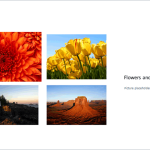
Learn PowerPoint 2010 for Windows: Picture Layouts May 11th, 2015
Learn PowerPoint 2010 for Windows: Picture Layouts


May 11th, 2015
Learn PowerPoint 2013 for Windows: Creating and Editing Custom Dictionaries


Tom Kuhlmann May 11th, 2015
Articulate Storyline 2: Conversation with Tom Kuhlmann


May 8th, 2015
Learn PowerPoint 2013 for Windows: Loading and Using Custom Dictionaries


May 7th, 2015
Learn PowerPoint 2010 for Windows: Add Office.com SmartArt Graphics


Popular Posts

Ampler Kristian Johansen Ampler: Conversation with Kristian Johansen

Kristian Johansen is CEO and founder of Ampler, an integrated productivity platform for Microsoft Office. Ampler enables users to work faster, easier, and more efficiently in PowerPoint, Word, and Excel, and includes a series of tools that can be integrated into existing Office installations. Kristian has a background as a management consultant from Bain & ...


Breaking Through Writer’s Block – I Breaking Through Writer’s Block – I

Breaking writer’s block with practical steps to refocus your message, structure ideas, and craft stronger presentations.


Ten Fingers Hands Ten Easy Topics for Pecha Kucha

We have so many interactive and communicative visitors on Indezine.com. They get in touch via email, or the feedback forms, or via our chat applet, and even through our LinkedIn and Facebook communities. One question that has come up often is about topics for Pecha Kucha presentations. So I decided to do something about these ...


Page 1 Page 98 Page 99 Page 100 Page 101 Page 102 Page 246


Microsoft and the Office logo are trademarks or registered trademarks of Microsoft Corporation in the United States and/or other countries.

Plagiarism will be detected by Copyscape

© 2000-2026, Geetesh Bajaj - All rights reserved.

since November 02, 2000